
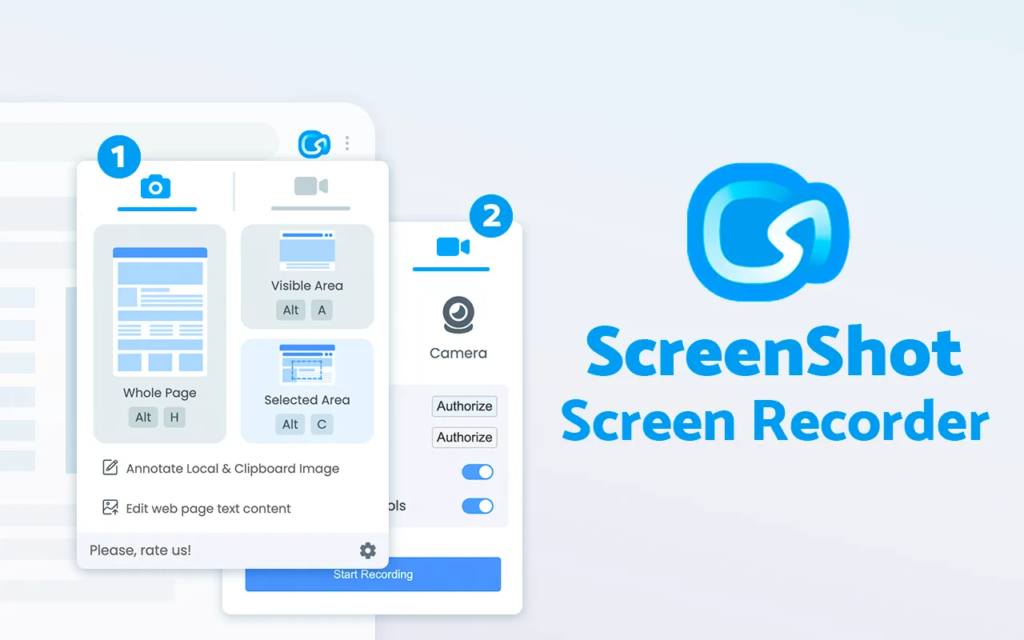
In 2026, speed and efficiency define productivity tools. Whether you are documenting a bug, preparing a client presentation, or saving visual research, a reliable screenshot extension can significantly streamline your workflow. QuickShot is built to deliver exactly that — a fast, lightweight, and privacy-focused Chrome extension that allows users to capture, edit, and export screenshots directly from the browser without unnecessary complexity.
The Motive Behind QuickShot
QuickShot is designed with simplicity and performance at its core. Its primary objective is to provide a fast and reliable way to capture screenshots without relying on cloud processing or external servers. Every action runs locally, which enhances speed and ensures privacy. In an era where data security is a growing concern, QuickShot’s local-first approach helps users feel confident that their screenshots remain on their device. This focus on speed and privacy makes it especially appealing for professionals handling sensitive information.
Capture Options That Keep Things Simple
QuickShot offers two essential capture modes: capturing the visible portion of the current tab or selecting a specific area using a drag-to-select overlay. The visible screen option is ideal for quick documentation, while the selected area mode allows precise targeting of specific elements. Keyboard shortcuts are also available, making the tool efficient for power users who prefer faster workflows without relying on repeated mouse clicks.
A Smart and Responsive Selection Overlay
One of QuickShot’s standout features is its clean selection overlay. When choosing the selected area mode, users enter a crosshair interface that allows precise drag-to-select functionality. A live size indicator displays the dimensions of the selected area in real time, which is particularly helpful for designers and developers who need accurate measurements. The ability to cancel a selection instantly keeps the experience smooth and frustration-free. The overlay feels lightweight and responsive, reinforcing QuickShot’s focus on performance.
Built-In Editor for Instant Annotations
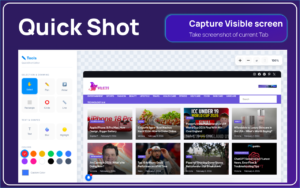
After capturing a screenshot, QuickShot automatically opens its built-in editor. This eliminates the need to switch to external editing software. The editor includes tools such as pen, arrow, line, rectangle, and circle for drawing and marking. Users can also apply blur and highlight effects, add text annotations, and choose colors using a customizable palette and color picker. Brush size and opacity controls provide flexibility, while undo and redo functions allow quick corrections. Zoom controls and a grid overlay offer extra precision, especially useful for UI documentation or instructional content.
Export Options That Fit Modern Workflows
QuickShot keeps exporting straightforward and efficient. Users can download the edited image as a PNG file, copy it directly to the clipboard, or use the share modal. The PNG format ensures high-quality output, while the copy-to-clipboard option dramatically reduces workflow time. Instead of saving and re-uploading files, users can instantly paste their screenshots into emails, chat tools, or project management platforms.
Customizable Settings for Faster Productivity
QuickShot includes smart automation settings such as auto-copy after capture and auto-open editor. These small adjustments significantly improve efficiency by reducing repetitive steps. For example, enabling auto-open editor ensures that every screenshot is immediately ready for annotation, which is ideal for users who frequently add notes or highlights.
User Flow and Ease of Use
The workflow in QuickShot is intentionally simple. Users open the popup, select either Visible Screen or Selected Area, and the screenshot is instantly captured. The editor loads automatically, allowing immediate annotation. Once finished, users export the image by downloading or copying it. This straightforward process ensures that even first-time users can operate the tool without confusion.
Performance and Privacy Advantage
One of QuickShot’s strongest advantages in 2026 is its local processing model. Because screenshots are not uploaded to external servers, users benefit from consistent speed and improved privacy. This makes the extension suitable for professionals who work with confidential dashboards, internal documents, or sensitive client information. The absence of cloud dependency also reduces lag and potential connectivity issues.
Who Should Use QuickShot
QuickShot is well suited for developers, designers, marketers, educators, students, and remote teams. Anyone who needs quick visual documentation or collaborative annotations will appreciate its speed and simplicity. Its balance between lightweight design and functional editing tools makes it practical for both casual users and professionals.
Final Thoughts
QuickShot delivers exactly what modern users need: fast capture, practical editing tools, and seamless exporting — all within a clean and intuitive interface. Instead of overwhelming users with excessive features, it focuses on doing core tasks efficiently and securely. In 2026, where productivity and privacy are top priorities, QuickShot positions itself as a strong contender among Chrome screenshot extensions. If your daily workflow involves frequent screen captures and annotations, QuickShot is a tool worth considering.
The Ultimate Gmail Performance Dashboard by AltF
The Gmail Analytics Extension by AltF Tool is a productivity-focused browser extension designed to provide users with…
How to Organize Your Favorite Websites with Altftool Bookmark Manager
In today’s digital world, we visit dozens of websites every day for work, learning, shopping,…
How to Shorten Long URLs Easily Using Altftool URL Shortener
In today’s digital world, sharing links has become a daily activity. Whether you are sharing…

Master Your Precision: Play Aim Trainer Pro Now
Aim Trainer Pro is a web-based utility hosted on AltFTool designed to help users test and…
Top Email Extractor Extensions for Fast and Easy Email Collection
In today’s digital world, collecting contact information efficiently is essential for marketers, researchers, business owners,…
How to Record Your Screen in One Click Using a Lightweight Chrome Extension
Screen recording has become an essential tool for professionals, educators, developers, and content creators. Whether…
Disclaimer
This review is based on the provided feature information and intended functionality of QuickShot. Actual performance and user experience may vary depending on browser version, device configuration, and future updates to the extension.
#QuickShotReview #ChromeExtension #ScreenshotTool #ProductivityTools #ScreenCapture #TechReview #BrowserProductivity #DigitalTools

