
In a world full of digital clocks buried in tabs, toolbars, and taskbars, sometimes all we need is something simple. That’s exactly what I discovered while using the Floating Analog Watch by Altftool. It’s not overloaded with features. It doesn’t demand attention. It just quietly does its job — and surprisingly, that’s what makes it powerful.
A Simple Idea That Actually Makes Sense
I spend a lot of time browsing — researching, writing, and jumping between multiple tabs. Checking the time usually means glancing at the system clock or opening a new tab. It sounds small, but those micro-distractions add up.
The Floating Analog Watch solves this beautifully. Once installed and activated, it displays a clean analog clock directly on every webpage. No switching tabs. No extra apps. Just a classic watch face floating on the screen.
Automatic Injection – No Extra Effort
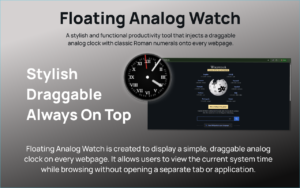
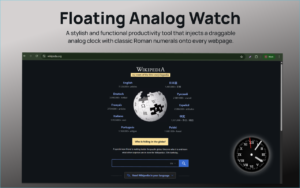
One thing I really appreciated was how effortless it felt. After installing the extension in Chrome and refreshing my pages, the clock appeared automatically on every site I visited. There’s no complicated setup, no dashboard to configure, and no learning curve.
It simply loads after a refresh and stays visible as you browse.
Real-Time Analog Experience
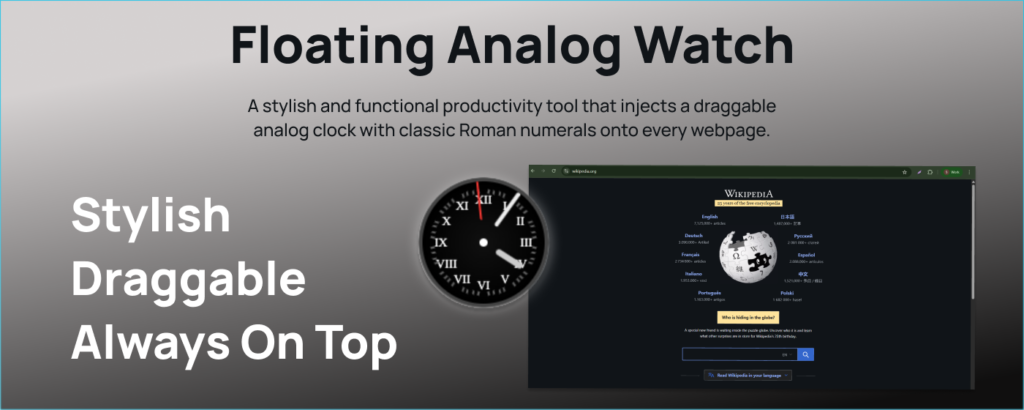
Unlike static widgets, this one updates in real time. The hour, minute, and second hands move smoothly every second. Watching it feels oddly satisfying — almost calming.
There’s something nostalgic about an analog clock. The movement of the second hand gives a subtle reminder that time is flowing, which honestly helped me stay more mindful while working.
Classic Roman Numeral Dial
The Roman numeral layout gives it an elegant, timeless look. It doesn’t feel like a generic digital overlay. Instead, it resembles a traditional wall clock, complete with minute markers.
This design choice adds personality without being distracting. It blends well with most websites without clashing with page content.
Draggable and User-Friendly
This might be my favorite feature. The clock is fully draggable. If it blocks important text or buttons, you can simply click and move it anywhere on the screen.
I tested it across different websites — blogs, dashboards, even video platforms — and repositioning was smooth every time.
Smart Viewport Restriction
Another subtle but smart touch is the viewport restriction. The clock can’t be dragged off-screen. That means you won’t accidentally lose it by moving it too far to the edge.
It’s a small feature, but it shows thoughtful design. The extension feels polished despite being minimal.
How I Used It Daily
My typical flow became very simple:
- Install or load the extension in Chrome.
- Refresh any open webpages.
- Visit any website and instantly see the analog clock.
- Drag it to a comfortable position.
After that, it just becomes part of your browsing experience. No interaction needed unless you want to reposition it.
Why It’s More Powerful Than It Looks
At first glance, a floating clock might seem unnecessary. But after using it for a few days, I realized how often I check the time. Having it visible reduces small interruptions and keeps me focused.
It’s lightweight, clean, and doesn’t overwhelm the browser. In a digital environment filled with distractions, minimal tools like this feel refreshing.
The Ultimate Gmail Performance Dashboard by AltF
The Gmail Analytics Extension by AltF Tool is a productivity-focused browser extension designed to provide users with…
How to Organize Your Favorite Websites with Altftool Bookmark Manager
In today’s digital world, we visit dozens of websites every day for work, learning, shopping,…

How to Shorten Long URLs Easily Using Altftool URL Shortener
In today’s digital world, sharing links has become a daily activity. Whether you are sharing…

Master Your Precision: Play Aim Trainer Pro Now
Aim Trainer Pro is a web-based utility hosted on AltFTool designed to help users test and…

Top Email Extractor Extensions for Fast and Easy Email Collection
In today’s digital world, collecting contact information efficiently is essential for marketers, researchers, business owners,…

How to Record Your Screen in One Click Using a Lightweight Chrome Extension
Screen recording has become an essential tool for professionals, educators, developers, and content creators. Whether…
Final Thought
The Floating Analog Watch proves that not every browser extension needs dozens of features to be valuable. Sometimes, simplicity wins. If you appreciate clean design and want a subtle, always-visible time reference while browsing, this extension is worth trying. It’s minimal — but in the best possible way.
Frequently Asked Questions (FAQs) – Floating Analog Watch Extension
Disclaimer : This review is based on personal experience using the Floating Analog Watch extension. Individual performance and preferences may vary depending on browser settings and usage habits.
#FloatingAnalogWatch #Altftool #ChromeExtension #ProductivityTools #MinimalTech #BrowserTools #Carrerbook #Anslation

