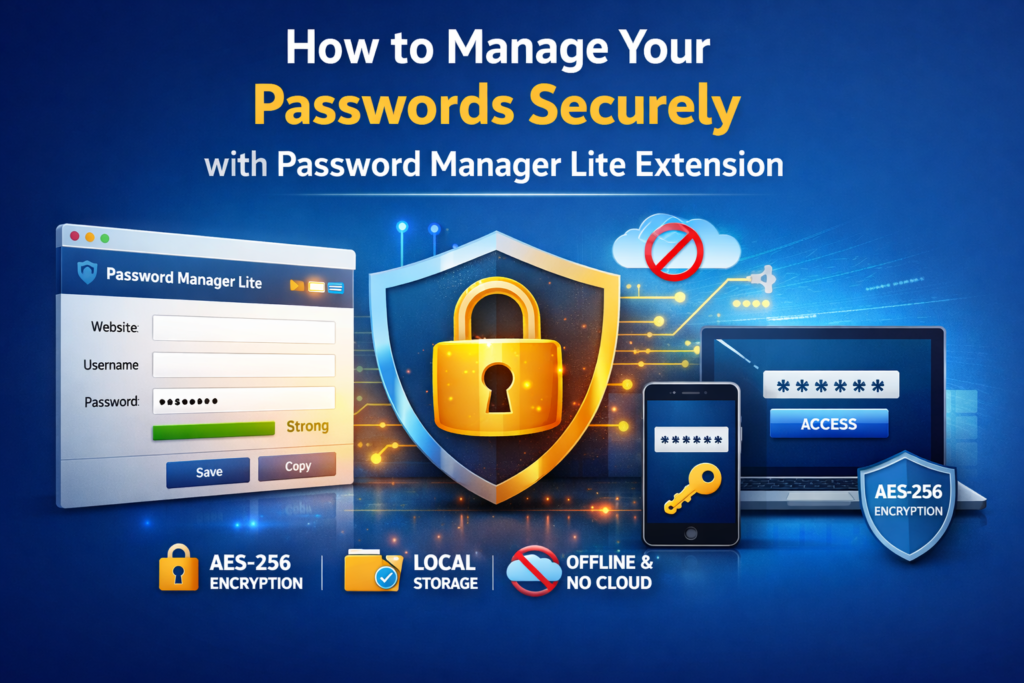
In today’s digital age, we use multiple online platforms every day — social media, banking, shopping, emails, and more. Managing different passwords for each account can be stressful. That’s where Password Manager Lite by Altftool.com helps you stay secure and organized.
This lightweight browser extension is designed to store and encrypt your passwords locally inside your browser. No cloud storage. No tracking. No external servers. Your data stays completely under your control.
Why Secure Password Management Matters
Many people reuse the same password across multiple websites. This increases the risk of hacking. If one account is compromised, all linked accounts can be affected.
A secure password manager protects you from these risks by storing all credentials in one encrypted vault. Instead of remembering dozens of passwords, you only need to remember one strong master password.
Advanced Encryption for Maximum Protection
Security is the core strength of Password Manager Lite. It uses AES-256 encryption (AES-GCM) with PBKDF2 key derivation to secure your stored data.
This means your credentials are encrypted before being saved, and only your master password can unlock them. Since everything is stored locally in your browser, there is no chance of server-side data leaks.
Simple and User-Friendly Experience
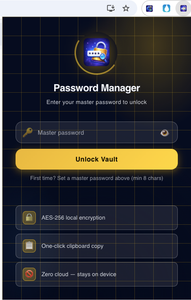
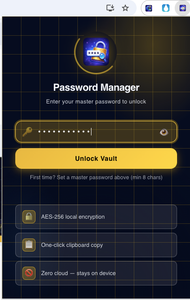
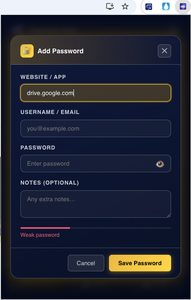
Password Manager Lite is built to be easy for everyone. After installing the extension, you set a master password to initialize your secure vault. Once the vault is created, you can start adding your website login details.
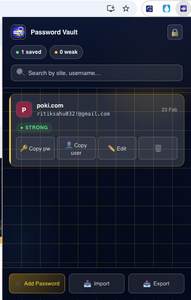
You can quickly search for saved credentials, edit them anytime, or delete entries that are no longer needed. The one-click copy feature saves time while logging in to websites.
The password strength indicator also helps you create stronger passwords by giving visual feedback during password creation.
Import and Export for Safe Backup
Backing up your passwords is important. Password Manager Lite allows you to export your encrypted data as a secure JSON file. This file can later be imported back into the extension whenever needed.
Since the backup file is encrypted, your sensitive information remains protected even during transfer or storage.
Fully Offline and Private
One of the biggest advantages of Password Manager Lite is that it works completely offline. It does not connect to cloud services or third-party APIs.
This provides:
- Better privacy
- Zero tracking
- Full control over your data
For users who value privacy and simplicity, this local storage approach is a major benefit.
Who Should Use Password Manager Lite?
This extension is ideal for students, professionals, freelancers, and anyone who manages multiple online accounts. It is lightweight, fast, and designed for daily use without slowing down your browser.
Final Thoughts
Managing passwords securely doesn’t need to be complicated. With Password Manager Lite by Altftool.com, you get strong AES-256 encryption, master password protection, encrypted backups, and complete offline functionality — all inside your browser.
If you want a simple, secure, and private way to manage your passwords, Password Manager Lite is a smart choice.
FAQs
#PasswordManagerLite #Altftool #ChromeExtension #OnlineSecurity #DataPrivacy #AES256 #PasswordSecurity #OfflineSecurity #DigitalSafety #Carrerbook #Anslation
The Ultimate Gmail Performance Dashboard by AltF
How to Organize Your Favorite Websites with Altftool Bookmark Manager

How to Shorten Long URLs Easily Using Altftool URL Shortener

Master Your Precision: Play Aim Trainer Pro Now

Top Email Extractor Extensions for Fast and Easy Email Collection

How to Record Your Screen in One Click Using a Lightweight Chrome Extension