
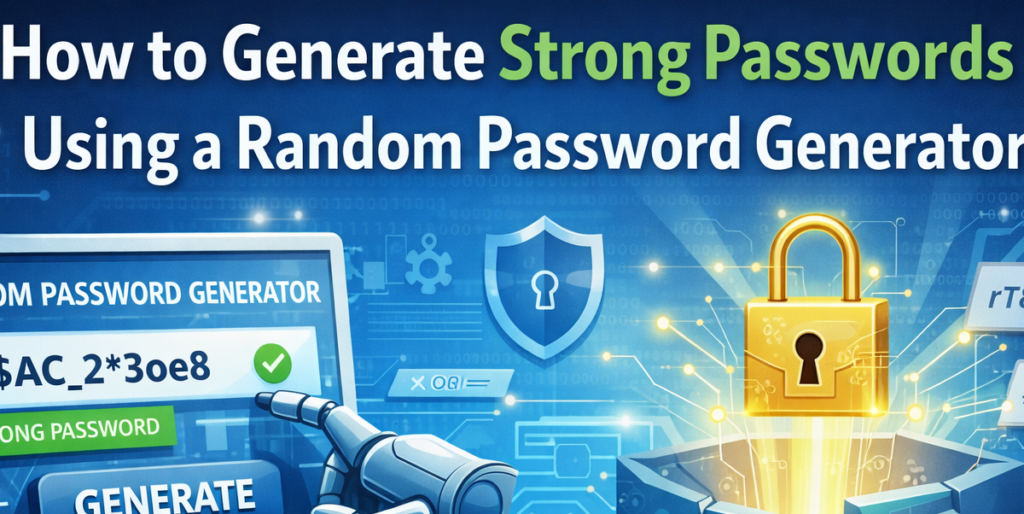
Passwords are the keys to our digital lives. From social media accounts to banking platforms and workplace dashboards, nearly every service we use depends on a secure login. Yet many people still rely on simple, easy-to-guess passwords because they are convenient. Unfortunately, convenience often comes at the cost of security.
If you want stronger protection without added complexity, using a Random Password Generator is one of the smartest decisions you can make. It allows you to create secure, customizable passwords instantly—without relying on external websites or risky third-party platforms.
Let’s explore how it works and how you can use it effectively.
Why Strong Passwords Are Essential
Weak passwords are one of the leading causes of data breaches. Short, predictable combinations such as names, birthdates, or repeated patterns can be cracked within seconds using automated tools.
A strong password should:
- Be long enough to resist brute-force attacks
- Contain a mix of uppercase and lowercase letters
- Include numbers and symbols
- Avoid personal or predictable information
- Be unique for each account
Creating this type of password manually is difficult. That is where a Random Password Generator becomes valuable
What Is a Random Password Generator?
A Random Password Generator is designed to help users quickly create secure and customizable passwords directly from a Chrome extension popup. It eliminates the need to visit external websites by generating passwords locally within the browser.
Because everything runs inside the extension:
- No data is sent to outside servers
- No external APIs are used
- No background scripts are running silently
This ensures a secure and private password creation process.
Key Features That Make It Effective
Customizable Length
Password length plays a critical role in security. The longer the password, the more difficult it is to crack. The generator allows you to select the exact length you need.
For sensitive accounts, choosing a longer password provides stronger protection.
Character Type Selection
Security improves when you increase complexity. The tool allows you to toggle:
- Uppercase letters
- Lowercase letters
- Numbers
- Symbols
By selecting multiple character types, you expand the possible combinations, making the password significantly harder to guess.
Random Generation Logic
The password is generated using a random algorithm based on the character types you select. This removes predictable patterns and human bias. Instead of choosing familiar words or number sequences, the generator creates a truly randomized combination.
Randomness is one of the most powerful defenses against hacking attempts.
Password Strength Indicator
After generating a password, the extension displays a strength indicator labeled Weak, Medium, or Strong. This gives you immediate feedback.
If the password is rated Medium or Weak, you can increase the length or enable additional character types to improve its strength before using it.
One-Click Copy Functionality
Complex passwords are difficult to type manually without mistakes. The one-click copy feature uses the clipboard API to instantly copy the generated password.
This saves time and reduces typing errors while maintaining security.
Popup-Based and Fully Self-Contained
The entire tool operates within the extension popup. It does not rely on background scripts or external systems. Everything is self-contained and processed locally in your browser.
This design enhances privacy, speed, and reliability.
Step-by-Step Guide: How to Generate a Strong Password
Using the Random Password Generator is simple and takes less than a minute.
Step 1: Click the Extension Icon
Open the Random Password Generator by clicking its icon in your Chrome browser.
Step 2: Select Password Length
Choose how long you want your password to be. For higher security accounts, select a longer length.
Step 3: Choose Character Types
Enable the character types you want included:
- Uppercase letters
- Lowercase letters
- Numbers
- Symbols
For maximum security, enable all options.
Step 4: Click “Generate Password”
Press the Generate Password button. The extension will instantly create a password using your selected settings.
Step 5: Review the Strength Indicator
Check whether the password is labeled Weak, Medium, or Strong. If necessary, adjust your settings and regenerate.
Step 6: Click “Copy”
Once satisfied, click Copy to place the password in your clipboard. You can now paste it directly into your account registration or password field.
Best Practices for Stronger Security
While generating a strong password is important, proper usage matters just as much. Follow these best practices:
- Use a different password for every account
- Avoid writing passwords in unsecured places
- Consider using a password manager for storage
- Update passwords for sensitive accounts periodically
The generator helps create strong credentials, but consistent security habits ensure long-term protection.
Why Local Password Generation Matters
Many online password generators require visiting websites, which may not always be trustworthy. By generating passwords locally within your browser:
- You reduce exposure to malicious sites
- You avoid unnecessary data sharing
- You gain faster, offline-friendly performance
Local processing ensures your generated password stays within your control.
In a time where digital security threats are increasing, strong passwords are no longer optional. They are a basic requirement for protecting your personal and professional information.
A Random Password Generator simplifies the process of creating secure passwords. With customizable length, flexible character selection, built-in strength indicators, and instant copy functionality, it removes the guesswork from password creation. Because everything runs locally within the browser, you can generate passwords with confidence and privacy.
Improving your online security does not require complicated systems. It starts with stronger passwords, created the right way.
This content is provided for educational and informational purposes only. While a Random Password Generator significantly improves password strength, no security measure guarantees complete protection from cyber threats. Users are responsible for maintaining secure practices, including safe storage and proper management of their passwords.
#Anslation #Carrerbook #PasswordSecurity #CyberAwareness #OnlineProtection #DigitalSafety #TechProductivity

