
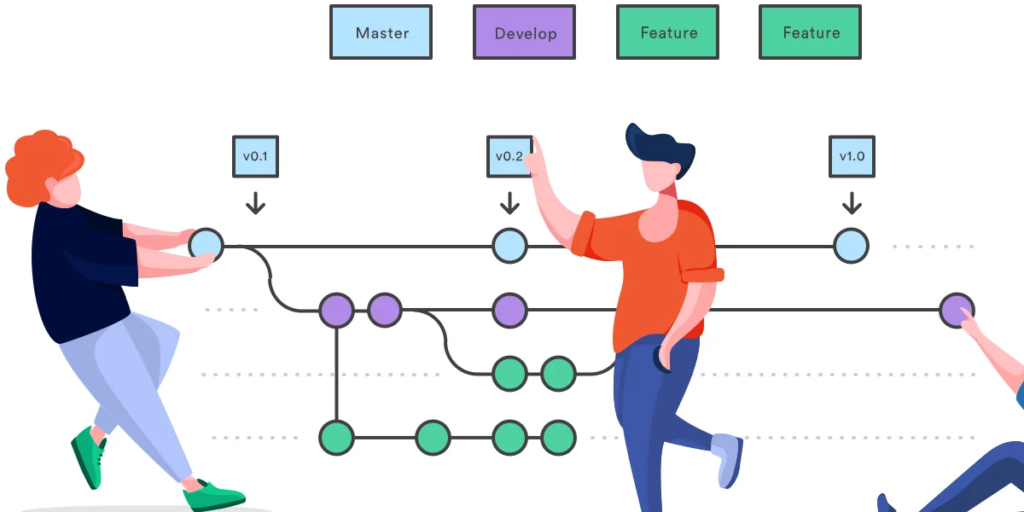
Every developer understands the importance of a clean repository. Yet one of the most overlooked steps in setting up a project is creating the right .gitignore file. A poorly configured .gitignore can lead to unnecessary files being committed, bloated repositories, and even accidental exposure of sensitive data.
That is where GitIgnore Generator Pro changes the game.
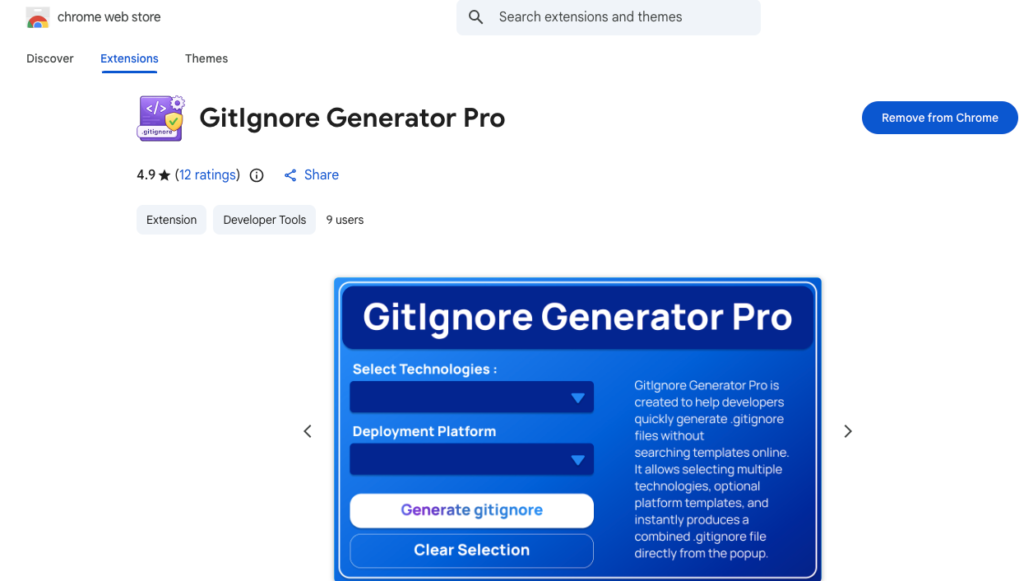
GitIgnore Generator Pro is a smart, privacy-first Chrome extension designed to help developers generate professional, production-ready .gitignore files in seconds. Instead of manually searching for templates or copying outdated configurations, you can now streamline your Git workflow with accuracy and confidence.
Why .gitignore Matters More Than You Think
The .gitignore file defines which files and folders Git should ignore in a repository. Without it, developers often commit:
- Node modules and dependency folders
- Build artifacts
- Environment configuration files
- System-specific files
- Deployment leftovers
These mistakes clutter your repository and create unnecessary complications for teams. A properly structured .gitignore ensures that only relevant source code is tracked, keeping your version control system efficient and secure.
Smart Technology Detection That Saves Time
One of the most powerful features of GitIgnore Generator Pro is its smart technology detection.
Instead of manually selecting your stack every time, the extension can automatically detect technologies from the active webpage using safe DOM analysis. Supported technologies include:
- Node.js
- Python
- React
- Next.js
- Java
- PHP
- Go
- Rust
- Docker
This detection happens entirely within your browser. No network requests are made, and no external servers are contacted. It is fast, secure, and designed with privacy in mind.
This feature alone can save developers significant setup time, especially when working across multiple projects.
Multi-Technology Support for Modern Stacks
Modern development rarely involves just one technology. A typical project may combine frontend frameworks, backend services, and containerization tools.
GitIgnore Generator Pro allows you to select multiple technologies at once and generate a combined .gitignore file tailored specifically to your stack. This ensures compatibility across all layers of your application without manually merging templates.
Instead of worrying about missing important ignore rules, you can focus on writing code.
Deployment Platform Templates Included
Deployment environments often require additional ignore rules. GitIgnore Generator Pro includes deployment-specific templates for:
- Vercel
- Netlify
- GitHub Pages
- AWS
- Firebase
- General projects
This ensures that your repository remains clean even when integrating with modern hosting and cloud platforms. It reduces the risk of committing unnecessary deployment artifacts or configuration leftovers.
One-Click Simplicity
Efficiency is built into every step of the extension.
With one click, you can:
- Generate your .gitignore file instantly
- Copy it directly to your clipboard
- Download it as a file
- Clear selections and start fresh
This removes friction from your workflow. No manual editing. No switching between browser tabs. No searching through documentation.
Privacy First, Always
In an era where many tools collect usage data, GitIgnore Generator Pro stands out for its strict privacy approach.
The extension:
- Does not collect personal data
- Does not track browsing history
- Does not send network requests
- Does not use analytics
- Does not contact remote servers
All processing happens entirely inside your browser. This makes it a reliable choice for developers who prioritize security and confidentiality.
Minimal Permissions, Maximum Trust
The extension operates with minimal and clearly defined permissions:
- activeTab – Used only when you click the extension
- storage – Stores your theme preference locally
- scripting – Injects a safe DOM detection script
There is no broad website access required. This limited permission model reinforces trust while maintaining full functionality.
A Modern Interface Built for Developers
Beyond functionality, GitIgnore Generator Pro offers a clean, modern theme-based user interface. Developers can choose from professional themes such as:
- Ocean Blue
- Mint Teal
- Indigo Night
Your selected theme is stored locally in your browser, ensuring a consistent and personalized experience.
It is a small detail, but thoughtful design enhances usability and makes the tool enjoyable to use daily.
Perfect for Every Type of Developer
Whether you are:
- A frontend developer building with React or Next.js
- A backend developer working with Node.js, Python, or Java
- A full-stack developer managing complex stacks
- A DevOps engineer handling deployments
- A student learning version control
GitIgnore Generator Pro simplifies one of the most critical setup steps in Git workflows.
How It Truly Boosts Your Git Workflow
A powerful Git workflow is built on automation, accuracy, and efficiency. By eliminating manual template searches and reducing configuration errors, this extension:
- Prevents accidental commits
- Keeps repositories clean
- Saves setup time
- Improves team collaboration
- Reduces long-term maintenance issues
Instead of treating .gitignore as an afterthought, you make it a deliberate and professional part of your development process.
Final Thought
Clean repositories reflect disciplined development. GitIgnore Generator Pro transforms .gitignore creation from a repetitive chore into a smart, secure, and streamlined process. With automatic technology detection, multi-stack support, deployment templates, and zero data collection, it fits seamlessly into modern development workflows.
If you want to build better projects and avoid unnecessary Git mistakes, adding a powerful GitIgnore extension to your toolkit is a practical and strategic decision.
This blog content is written for informational purposes based on the provided details about GitIgnore Generator Pro. Features and supported technologies may evolve over time. Developers should review the official extension documentation for the most accurate and updated information before use.
#GitIgnore #GitWorkflow #DeveloperTools #VersionControl #WebDevelopment #DevOps #CleanCode #ProductivityTools #Anslation #Carrerbook #ALTFTOOL #Extansion

