
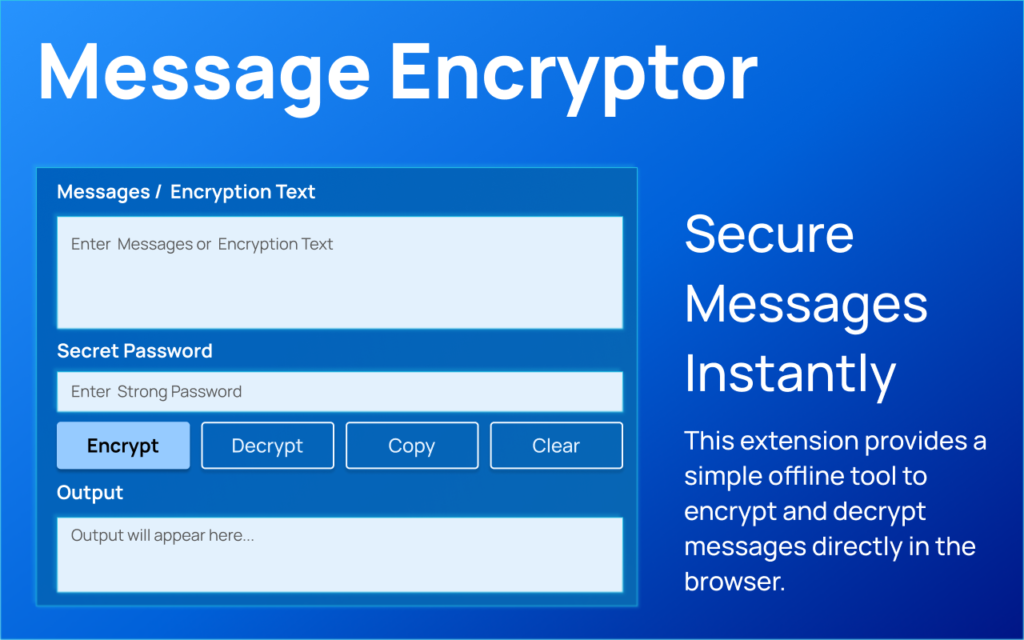
In a world where digital privacy matters more than ever, having a simple and reliable way to protect your messages is essential. Many online encryption tools require internet access or store user data on external servers. That is where the AltFTool Message Encryptor & Decryptor extension stands out. It is a lightweight, offline browser extension designed to keep your communication secure without sending any data outside your device.
Why This Extension Matters
The primary motive behind this extension is privacy. Everything happens directly inside your browser. No servers. No data tracking. No cloud processing. Whether you are sharing sensitive notes, confidential information, or personal messages, this tool ensures that encryption and decryption remain completely local.
Key Features Explained
1. AES Encryption
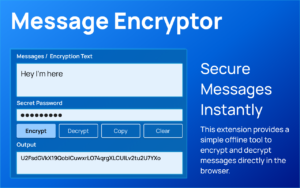
The extension uses AES encryption powered by CryptoJS. When a user enters plain text and clicks ENCRYPT, the tool converts the message into a secure encrypted format using an internal secret key. AES is widely trusted for strong data protection.
2. AES Decryption
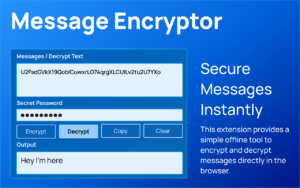
Encrypted text can be reverted back to its original form using the DECRYPT button. The tool processes the encrypted string and converts it back into readable UTF-8 text instantly.
3. Copy Output
With a single click, users can copy the encrypted or decrypted result using the browser’s clipboard API. This makes it easy to paste secure messages anywhere.
4. Clear Fields
The CLEAR button instantly resets both input and output fields, ensuring a clean workspace without manual deletion.
5. Status Messages
The extension provides clear notifications for actions such as successful encryption, copied text, cleared fields, or errors. This improves usability and eliminates confusion.
6. Lightweight Interface
The clean popup interface includes styled text areas and action buttons. It is simple, responsive, and distraction-free.
How It Works
The user flow is straightforward. Open the extension popup, enter a message, and click ENCRYPT to secure it. To decode an encrypted message, paste it into the input box and click DECRYPT. The result appears instantly. Users can copy the output or clear fields as needed. The entire process is smooth and beginner-friendly.
Frequently Asked Questions (FAQ)
Final Thoughts
The AltF4Tool Message Encryptor & Decryptor extension is a practical solution for users who value privacy and simplicity. Its offline functionality, strong AES encryption, and minimal interface make it ideal for everyday secure messaging. It proves that powerful security tools do not need to be complicated.
Disclaimer : This tool uses an internal predefined secret key for encryption. It is suitable for basic privacy needs but should not replace enterprise-level or highly sensitive cryptographic systems. Users are responsible for how they use the tool and the security of their encrypted data.
#MessageEncryptor #AES #CryptoJS #BrowserExtension #CyberSecurity #SecureMessaging #DataPrivacy #Carrerbook #Anslation

