
Introduction
If you’ve ever pushed a project to GitHub and realized you accidentally committed node_modules, .env, or build files, you already know how important a proper .gitignore file is. I’ve personally spent hours searching online for the “perfect” template for different stacks—Node.js for one project, Python for another, sometimes React with Docker or Next.js deployed on Vercel. It gets messy.
That’s exactly why AltF Tool’s GitIgnore Generator Pro feels like a practical solution rather than just another extension. It removes the friction of searching, copying, editing, and combining templates. Everything happens inside a simple popup — fast, clean, and surprisingly smart.
Why Developers Struggle with .gitignore Files
Every technology stack has its own ignored files.
- Node.js needs
node_modules/ - Python needs
__pycache__/ - Java generates
target/ - Next.js creates
.next/ - Docker has its own artifacts
Now combine multiple technologies in one project — for example, React + Node + Docker + AWS — and things become complicated quickly. Most developers end up stitching together templates manually.
GitIgnore Generator Pro eliminates that manual work completely.
What Makes AltF Tool’s GitIgnore Generator Different?
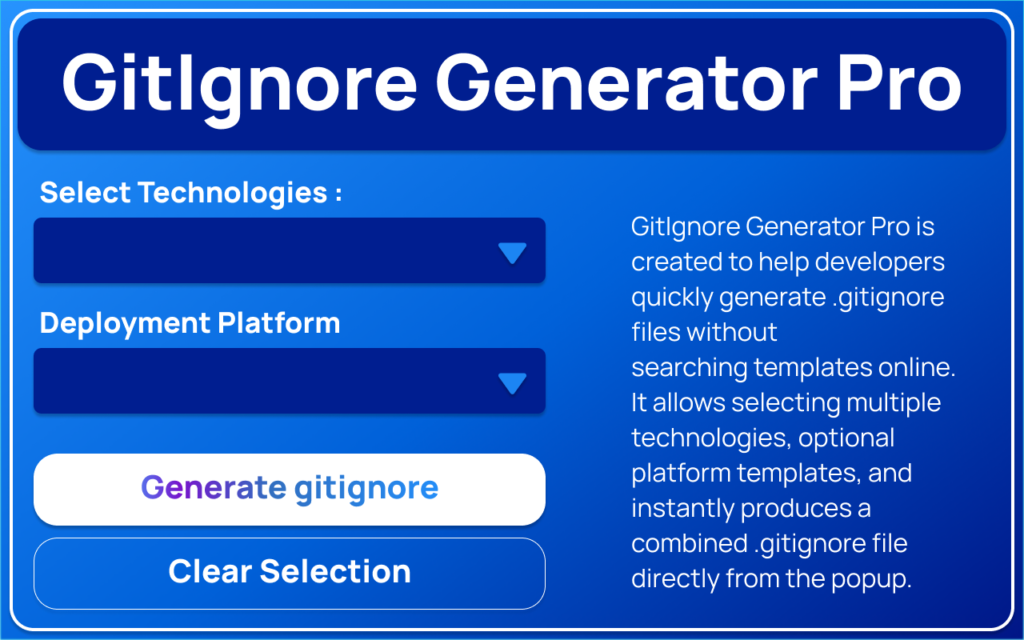
This extension is not just a template viewer. It’s a smart generator built to simplify workflow inside the browser itself.
Instead of searching online:
- You open the extension.
- Select your technologies.
- Click Generate.
- Copy or download your ready-to-use
.gitignore.
That’s it.
No tabs. No documentation hunting. No formatting corrections.
Key Features Explained
1. Built-In Technology Templates
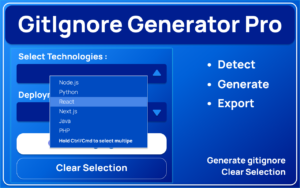
The extension supports major technologies including:
- Node.js
- Python
- React
- Next.js
- Java
- PHP
- Go
- Rust
- Docker
- And more
You don’t have to worry about missing common ignore patterns — they’re already optimized and structured.
2. Multi-Select Technology Picker
This is where it becomes powerful.
Instead of generating a .gitignore for just one stack, you can select multiple technologies at the same time. The extension intelligently combines them into one clean output file.
For modern full-stack projects, this is a game changer.
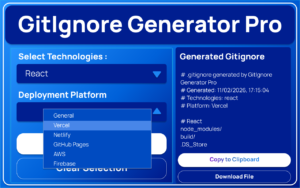
3. Platform Templates Support
Deploying somewhere? No problem.
It includes ready-made templates for:
- Vercel
- Netlify
- GitHub Pages
- AWS
- Firebase
This ensures deployment-specific files don’t accidentally get committed.
4. Automatic Technology Detection
One of my favorite features is Auto-Detect.
If you’re on a project page or working within a development environment in the browser, the extension can detect relevant technologies and auto-select matching templates for you.
It reduces decision fatigue and speeds things up dramatically.
5. Beautiful Theme System
Most developer tools ignore design. This one doesn’t.
It offers five themes:
- Ocean Blue
- Mint Teal
- Indigo Night
- Sky Gradient
- Violet Glow
The theme changes instantly and makes the popup feel modern and polished. Small detail, but it improves the overall experience.
6. One-Click Productivity Actions
The extension includes essential workflow shortcuts:
- Generate
- Copy
- Download
- Clear Selection
- Auto-Detect
Everything is available in one compact interface.
7. Clean Modern UI with Notifications
The layout is minimal, responsive, and animated. When you generate or copy, it shows success or warning notifications with smooth slide animations. It feels professional, not cluttered.
Simple and Fast User Flow
Here’s how it works in real life:
- Open the extension popup.
- Select one or more technologies.
- Optionally choose a deployment platform.
- Click Generate.
- The
.gitignoreappears instantly. - Copy or download it.
- Use Auto-Detect if you want automation.
- Switch themes anytime.
No complicated steps. No configuration setup.
Feature Comparison Table
| Feature | GitIgnore Generator Pro | Manual Template Search |
|---|---|---|
| Multi-Technology Support | Yes | Manual merge required |
| Platform-Specific Templates | Yes | Must search separately |
| Auto-Detection | Yes | Not available |
| Theme Customization | Yes | Not applicable |
| One-Click Copy & Download | Yes | Manual copy-paste |
| Built-In Notifications | Yes | No |
| Time Required | Seconds | 10–20 minutes |
Why It Stands Out in 2026
In 2026, productivity matters more than ever. Developers want:
- Faster setup
- Cleaner repositories
- Automation
- Minimal context switching
AltF Tool’s GitIgnore Generator Pro aligns perfectly with that mindset. It doesn’t try to be overly complex. It just solves a real problem efficiently.
For solo developers, freelancers, students, and even teams — it removes one small but annoying setup step from every project.
And when you multiply that by dozens of repositories a year, the time savings become significant.
Final Thoughts
After using many developer extensions, I’ve realized that the best tools are the ones that quietly simplify your workflow without demanding attention. GitIgnore Generator Pro does exactly that.
It’s fast.
It’s practical.
It’s thoughtfully designed.
If you regularly work with multiple stacks or deploy across platforms, this extension can genuinely streamline your Git setup process.
Frequently Asked Questions
Disclaimer : This blog is written for informational purposes based on the described features of the AltF Tool GitIgnore Generator Pro extension. Features and functionality may evolve over time depending on updates.
#GitIgnore #WebDevelopment #DeveloperTools #ChromeExtension #AltFTool #CodingLife #GitWorkflow #ProgrammingTools #Carrerbook #Anslation

