In today’s fast-paced digital workflow, quickly checking dates without opening multiple tabs has become a daily need for students, professionals, and remote workers. Most calendar tools are feature-heavy, require login access, or depend on constant internet connectivity. That’s where Dynamic Calendar comes in.
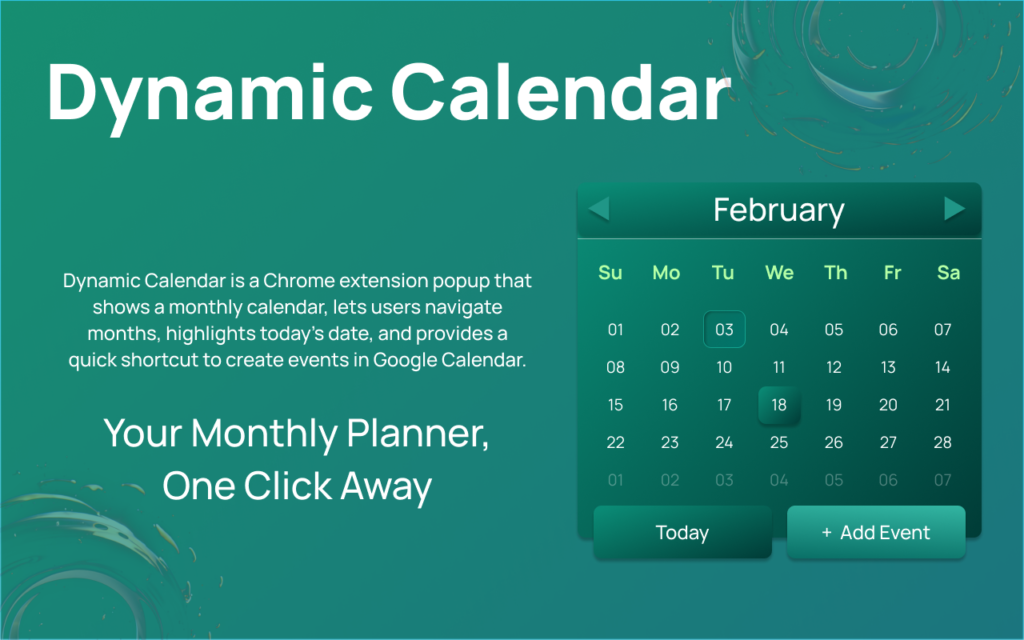
Dynamic Calendar is a lightweight Chrome extension developed by Anslation LLC that adds a clean, fully offline monthly calendar directly to your browser toolbar. With one click, you can instantly view dates, switch between months, and jump back to today — without opening a new tab.
What is Dynamic Calendar Extension?

Dynamic Calendar is a simple and fast Chrome extension designed for users who want quick date access without distractions. It runs entirely inside your browser and does not require any account login or special permissions.
Unlike heavy calendar apps, it focuses only on essential functionality — giving you a smooth, minimal monthly calendar whenever you need it.
With Dynamic Calendar, checking dates becomes effortless and instant.
Key Features of Dynamic Calendar
Clean Monthly Calendar View
A minimal, distraction-free interface that shows a clear monthly layout.
Easy Month Navigation
Switch between previous and next months smoothly with simple controls.
Today Highlighted Automatically
The current date is clearly marked so you can spot it instantly.
One-Click “Today” Button
Jump back to the present date anytime with a single click.
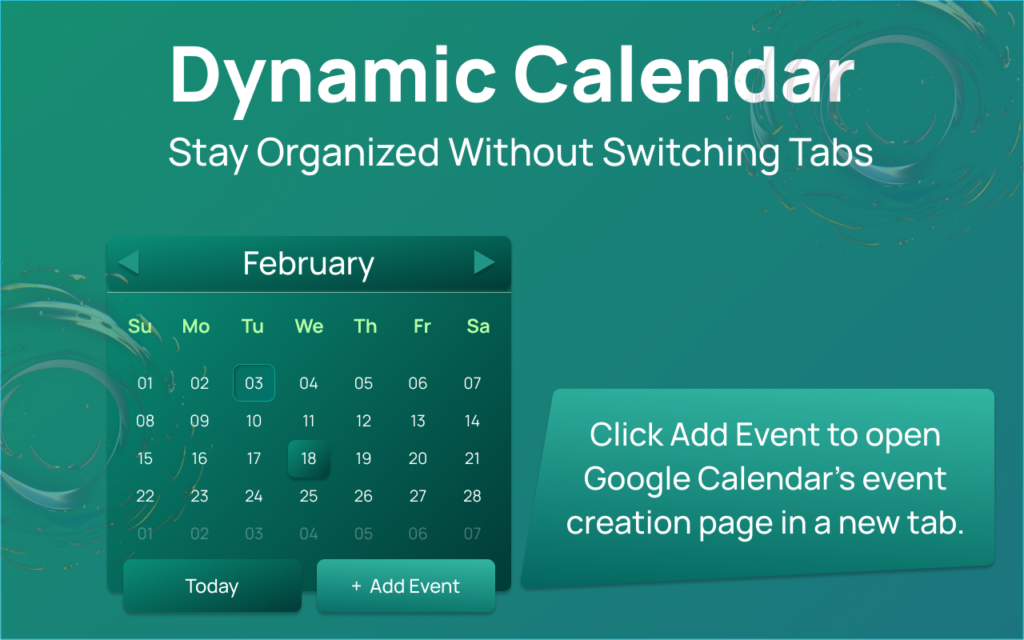
Quick Google Calendar Access
Need to create an event? Instantly open Google Calendar from the extension.
Works Completely Offline
No internet connection required — everything runs locally.
No Ads, No Tracking
No analytics, no background scripts collecting data.
How Dynamic Calendar Works
Using Dynamic Calendar is extremely simple:
- Install the extension from the Chrome Web Store.
- Click the Dynamic Calendar icon in your toolbar.
- View the monthly calendar instantly.
- Navigate between months or click “Today” to return to the current date.
- Open Google Calendar if you want to create an event.
No setup. No login. No learning curve.
Privacy and Security: Fully Transparent
Privacy is a major concern with browser extensions. Dynamic Calendar follows aDynamic Calendar follows a strict privacy-first approach, ensuring your data remains completely secure. It performs no data collection, no tracking, and no background data transfers. The extension requires no personal information and asks for no unnecessary permissions to operate. Everything runs locally within your browser, giving you full control, maximum transparency, and complete security at all times.
Who Should Use Dynamic Calendar?
Dynamic Calendar is perfect for:
- Students checking exam or assignment dates
- Office professionals managing schedules
- Freelancers planning deadlines
- Anyone who needs quick daily date access
- Privacy-conscious users
If you frequently check dates but don’t need complex reminders or syncing features, this extension is ideal.
Why Choose Dynamic Calendar Over Other Calendar Extensions?
Many calendar extensions are linked to online accounts, sync data continuously, and require multiple permissions. Dynamic Calendar focuses on simplicity, speed, and privacy.
Dynamic Calendar is designed for simplicity and efficiency. It requires no login, allowing you to start using it instantly after installation. With its fully offline functionality, you can access your monthly calendar anytime without needing an internet connection. The extension offers ultra-lightweight performance, ensuring fast loading and smooth operation without slowing down your browser. Its clean and modern design provides a clear, distraction-free experience, making date checking quick and effortless with zero distractions.
It is built for users who value efficiency over complexity.
Conclusion : Dynamic Calendar is a simple yet powerful browser extension that delivers instant access to a clean monthly calendar — without internet dependency or privacy concerns. Its lightweight design, offline capability, and zero-tracking policy make it an excellent productivity tool.
If you are looking for a fast, secure, and distraction-free calendar extension, Dynamic Calendar is definitely worth installing.
FAQs
Rating & Review
⭐⭐⭐⭐⭐ 5/5
Review:
Dynamic Calendar is an excellent browser extension for users who want quick and distraction-free access to dates. Its fully offline functionality, ultra-lightweight performance, and clean design make it incredibly smooth and reliable.
#DynamicCalendar #ChromeExtension #OfflineCalendar #PrivacyFirst #ProductivityTools #MinimalDesign #NoTracking #BrowserTools #Anslation#Carrerbook