
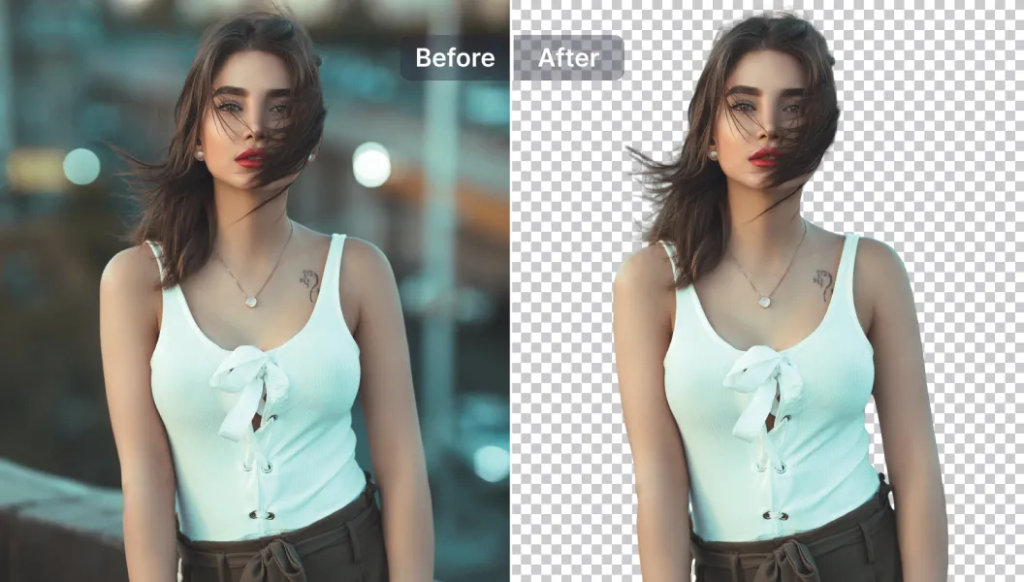
Professional image presentation plays a major role in branding, marketing, and online visibility. Clean background images make products, profile photos, and promotional designs look more polished and credible. The AltF Tool Background Remover is designed to simplify this process by automatically removing image backgrounds using AI technology.
Remove.bg simplifies what was once a time-consuming manual task. Instead of spending hours using complex editing software, users can remove backgrounds automatically in just a few seconds. The tool is designed for beginners and professionals alike, making high-quality image editing accessible to everyone.
Tool Overall Introduction
Remove.bg is an AI-powered background removal tool that automatically detects the subject in an image and removes the background with precision. The platform uses advanced machine learning algorithms to identify people, objects, and fine details such as hair strands and edges.
The tool is especially useful for:
- E-commerce product images
- Social media creatives
- Professional headshots
- Marketing banners
- Digital advertisements
- YouTube thumbnails
- Posters and promotional materials
It also offers API access for businesses that need bulk image processing and workflow automation. This makes it suitable not only for individuals but also for companies handling large volumes of images daily.
Website Design & User Interface
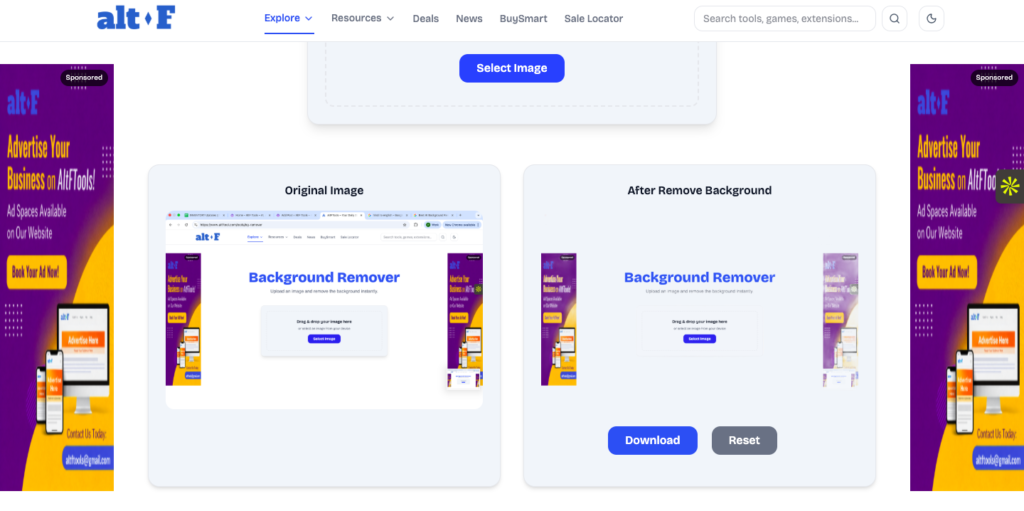
The website of Remove.bg is clean, modern, and extremely easy to navigate. The homepage clearly highlights the upload option, making the process simple even for first-time users.
The drag-and-drop feature allows users to upload images quickly. Once uploaded, the AI processes the image within seconds and displays the result immediately. Users can then edit the image futher by adding a new background, applying blur effects, or adjusting colors.
There are no complicated menus or technical settings, which makes the tool highly user-friendly. The interface focuses on speed, simplicity, and smooth performance.
Background Removal Performance
The core strength of Remove.bg lies in its AI accuracy. It performs exceptionally well when removing backgrounds from portrait images, product photos, and object-based visuals.
The AI carefully preserves:
- Facial features
- Clothing details
- Object edges
- Hair strands
- Fine outlines
While the performance is impressive in most cases, it may occasionally struggle with extremely complex or cluttered backgrounds. However, minor manual adjustments can be made using the editing tools provided.
Overall, the background removal quality is sharp, clean, and professional.
Speed & Output Quality
Speed is one of the biggest advantages of Remove.bg. Most images are processed within 5 to 10 seconds, making it ideal for users who need quick results.
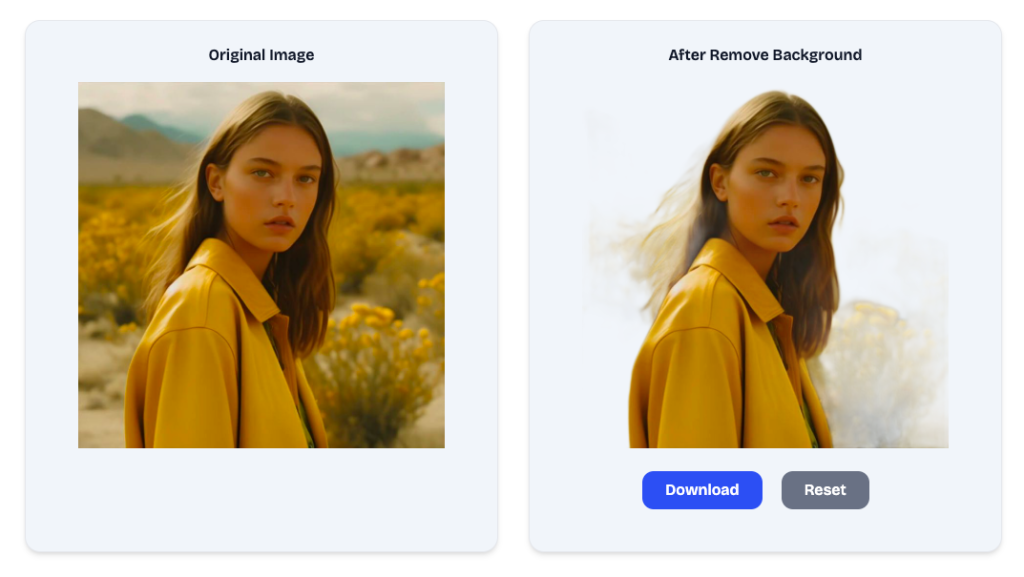
The output quality is strong, especially in the paid version. The free version offers limited resolution downloads, which are suitable for basic or personal use. However, the premium version provides high-resolution images that can be used for professional websites, advertisements, and commercial projects.
The output quality is strong, especially in the paid version. The free version offers limited resolution downloads, which are suitable for basic or personal use. However, the premium version provides high-resolution images that can be used for professional websites, advertisements, and commercial projects.
The AI ensures smooth edges and avoids rough cutouts in most situations, which significantly enhances the final output quality.
Image Quality After Background Removal
The image quality after background removal is generally impressive. The AI maintains clarity and detail, ensuring that the subject looks natural even after the background is removed.
Hair detailing is particularly strong compared to many other online tools. The final PNG file with a transparent background can be easily used in graphic design software without losing sharpness.
For professional designers, the HD output option ensures that images remain clear even when resized or printed.
Supported Formats & Usage
Below is a structured overview of supported formats and usage options:
| Category | Details |
|---|---|
| Supported Input Formats | JPG, JPEG, PNG |
| Output Format | PNG (Transparent Background) |
| Free Version Quality | Low to medium resolution |
| Paid Version Quality | High-resolution (HD) downloads |
| Online Access | Direct website upload with drag-and-drop |
| Desktop Application | Available for faster and bulk processing |
| API Integration | Enables automated background removal for businesses |
| Software Compatibility | Works with Photoshop, Canva, Illustrator, Figma |
| Bulk Processing | Supported via desktop app and API |
| Common Use Cases | E-commerce, social media, ads, branding, marketing creatives |
This flexibility makes the tool suitable for both personal and commercial use.
Main Features of the Tool
Here is a detailed feature overview:
| Feature | Explanation |
|---|---|
| AI-Powered Background Removal | Automatically detects and removes backgrounds with advanced AI technology. |
| One-Click Processing | Remove background instantly with a single upload. |
| High-Resolution Output | HD image downloads available in paid plans. |
| Bulk Processing | Process multiple images using desktop app or API. |
| Background Replacement | Add custom backgrounds, colors, or blur effects easily. |
| API Access | Integrate with business workflows for automation. |
| Fast Processing Speed | Results delivered within seconds. |
| Simple Interface | Beginner-friendly design with easy navigation. |
Pros & Cons
Pros
- Extremely fast processing
- High AI accuracy
- Easy to use for beginners
- Supports bulk image editing
- Clean and simple interface
- API available for businesses
Cons
- Free version has limited resolution
- Credits required for HD downloads
- Limited advanced manual editing tools
- May struggle with highly complex backgrounds
Final Thoughts
Remove.bg is a reliable, efficient, and intelligent background removal tool that makes image editing effortless. Its AI-driven technology, fast processing speed, and user-friendly interface make it a strong choice for content creators, online sellers, designers, and marketers.
While the free version is suitable for basic needs, professionals and businesses will benefit more from the paid plans that offer high-resolution output and automation features.
Disclaimer: This article is created for informational and educational purposes only. We are not officially affiliated with Remove.bg or its parent company. All product names, logos, and trademarks mentioned belong to their respective owners.
#RemoveBg #BackgroundRemoval #AIEditing #PhotoEditingTool #ImageEditing #TransparentBackground #GraphicDesign #DigitalMarketing #ContentCreation #EcommerceTools #OnlineBusiness #PhotoEditor #DesignTools #TechReview #MarketingTools
The Ultimate Gmail Performance Dashboard by AltF
The Gmail Analytics Extension by AltF Tool is a productivity-focused browser extension designed to provide users with…

How to Organize Your Favorite Websites with Altftool Bookmark Manager
In today’s digital world, we visit dozens of websites every day for work, learning, shopping,…

How to Shorten Long URLs Easily Using Altftool URL Shortener
In today’s digital world, sharing links has become a daily activity. Whether you are sharing…

Master Your Precision: Play Aim Trainer Pro Now
Aim Trainer Pro is a web-based utility hosted on AltFTool designed to help users test and…
Top Email Extractor Extensions for Fast and Easy Email Collection
In today’s digital world, collecting contact information efficiently is essential for marketers, researchers, business owners,…

How to Record Your Screen in One Click Using a Lightweight Chrome Extension
Screen recording has become an essential tool for professionals, educators, developers, and content creators. Whether…

