
In today’s digital world, data is everywhere. Whether you are a developer testing an API response, a student learning JSON structure, or a data analyst cleaning raw text, working with unformatted data can quickly become frustrating. Long strings without indentation, missing brackets, and syntax errors can waste valuable time.
That is exactly why DataFormat Pro was created.
DataFormat Pro is a powerful browser-based extension designed to format, validate, convert, and analyze JSON and XML data instantly. It eliminates the need to open multiple websites or external tools. Everything happens directly inside your browser, securely and efficiently.
Let’s explore what makes DataFormat Pro a must-have productivity tool.
Motive Behind DataFormat Pro

The main goal of DataFormat Pro is simple: make data formatting easy, fast, and secure.
Many professionals rely on online formatters that require uploading data to external servers. This raises privacy concerns, especially when working with sensitive API responses or confidential data. DataFormat Pro solves this problem by processing everything locally inside the browser. No uploads. No sharing. No hidden tracking.
It provides a complete formatting environment in one place so you can focus on your work instead of switching between tools.
Core Formatting Features
1. JSON and XML Formatting
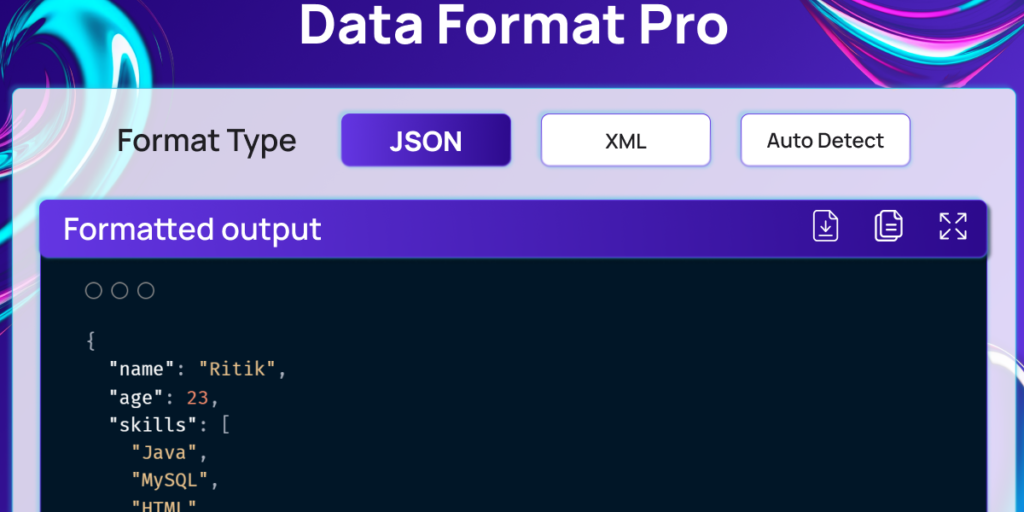
DataFormat Pro neatly formats messy JSON and XML files with proper indentation. Structured data becomes readable in seconds, helping you quickly identify keys, values, and nesting levels.
2. Auto-Detect Input Format
You do not need to manually select whether your input is JSON or XML. The extension automatically detects the format and prepares the appropriate tools.
3. Validation Support
One of the most helpful features is built-in validation. If your JSON or XML contains errors such as missing commas, incorrect brackets, or invalid structure, DataFormat Pro highlights them immediately. This saves hours of debugging time.
4. Minify and Convert
Need to compress your JSON for production use? The minify feature removes unnecessary spaces and line breaks.
You can also convert between formats when needed, making the extension versatile for different workflows.
5. Escape and Unescape Support
Working with encoded strings? The escape and unescape functionality ensures smooth handling of special characters within your data.
Text Processing Made Simple
Sometimes your data does not start in JSON or XML format. You might have raw text that needs structuring.
DataFormat Pro allows you to convert plain text into JSON format quickly. This is extremely useful for organizing logs, notes, or semi-structured data into clean, readable objects.
It turns chaos into clarity.
Flexible Input & Editing Tools
The extension is designed for convenience.
You can:
- Paste data directly into the editor
- Upload JSON or XML files
- Load sample data for testing
It also includes a built-in find and replace panel. This feature is incredibly helpful when modifying large datasets, renaming keys, or correcting repeated values.
Powerful Output Tools
After formatting your data, you can:
- View syntax-highlighted output for better readability
- Switch between themes to match your workspace style
- Copy formatted output instantly
- Download the formatted file for future use
Syntax highlighting improves visual clarity, especially when working with deeply nested structures.
Seamless Webpage Integration
One standout feature of DataFormat Pro is its webpage integration capability.
When you open a webpage that displays raw JSON or XML (such as API endpoints), the extension automatically detects the format and highlights it. With a single click, you can transform a plain, unreadable response into a structured and clean layout.
This is especially useful for developers working with APIs daily.
Customization and Settings
Every user has different preferences. That is why DataFormat Pro offers multiple customization options.
Theme Options
You can choose from six themes:
- Light
- Indigo Night
- Mint Teal
- Violet Glow
- Sky Gradient
- Ocean Blue
Whether you prefer a minimal light interface or a dark coding environment, there is a theme that fits your style.
Additional Settings
- Indentation control
- Key sorting options
- Auto-format toggle
- Line number visibility
These small details make a big difference in workflow efficiency.
Smart Background System
DataFormat Pro works intelligently in the background.
It stores recent formatting logs, helping you quickly revisit previous tasks.
It also detects API JSON and XML responses automatically, reducing manual effort.
The system feels smooth, responsive, and optimized for daily use.
Simple and Clear User Flow
Using DataFormat Pro is straightforward:
- Open the extension popup.
- Paste text, JSON, XML, or upload a file.
- The extension auto-detects the format.
- Select Format, Validate, Minify, Convert, or Text to JSON.
- View formatted output with syntax highlighting.
- Copy, download, or continue editing.
- Adjust themes or indentation settings if needed.
- On webpages, raw JSON/XML is auto-detected and highlighted instantly.
No complicated steps. No learning curve. Just efficiency.
Why DataFormat Pro Stands Out
DataFormat Pro is more than just a formatter. It is a complete data management companion for developers, analysts, students, and technical professionals.
It combines privacy, performance, customization, and simplicity in one extension. By keeping all processing local, it ensures that your data remains secure while delivering fast results.
In a world where productivity tools often feel bloated or overcomplicated, DataFormat Pro keeps things clean and practical.
Final Thought
If you frequently work with JSON, XML, or raw text data, DataFormat Pro can significantly improve your workflow. It removes friction, reduces formatting errors, and saves time. Instead of struggling with messy structures or unreliable online tools, you get a reliable for #matting environment built directly into your browser.
Simple tools that solve real problems are always valuable. DataFormat Pro does exactly that.
#Disclaimer: T his article is for informational purposes only. Features and functionality may vary depending on version updates. Always review extension permissions and settings before use.
#DataFormatPro #JSONFormatter #XMLTools #DeveloperTools #ProductivityExtension #BrowserExtension #Anslation #Carrerbook #Extension #ALTFTOOL

