

On paper, every workflow looks like a model of efficiency. A task gets submitted, someone works on it, a manager reviews it, it moves along to the next department, and eventually, the final result gets delivered. It looks straightforward, predictable, and clean.In reality, almost no workflow Tools operates like a textbook diagram.
Work gets stuck in unread inboxes. Approvals stall while managers travel. Team members waste hours waiting on missing information. A task gets bounced back because a single detail was left off the initial intake form, forcing someone to reopen it, fix the error, and re-submit it through the exact same loop. Before long, the entire process feels sluggish, and frustration builds across the team.
The most challenging part of fixing a sluggish process is that it is often hard to pin down why it is running so slowly. Everyone knows the overall output feels delayed, but pinning the blame on a single step is difficult without concrete data.
This is where a Workflow Bottleneck Finder comes into play. Instead of viewing a workflow as one giant, mysterious black box, this approach breaks down every individual step into three distinct time categories: active work, waiting, and rework.By categorizing time this way, the single biggest point of friction instantly comes into focus.
Understanding the Mechanics: Active, Wait, and Rework Time
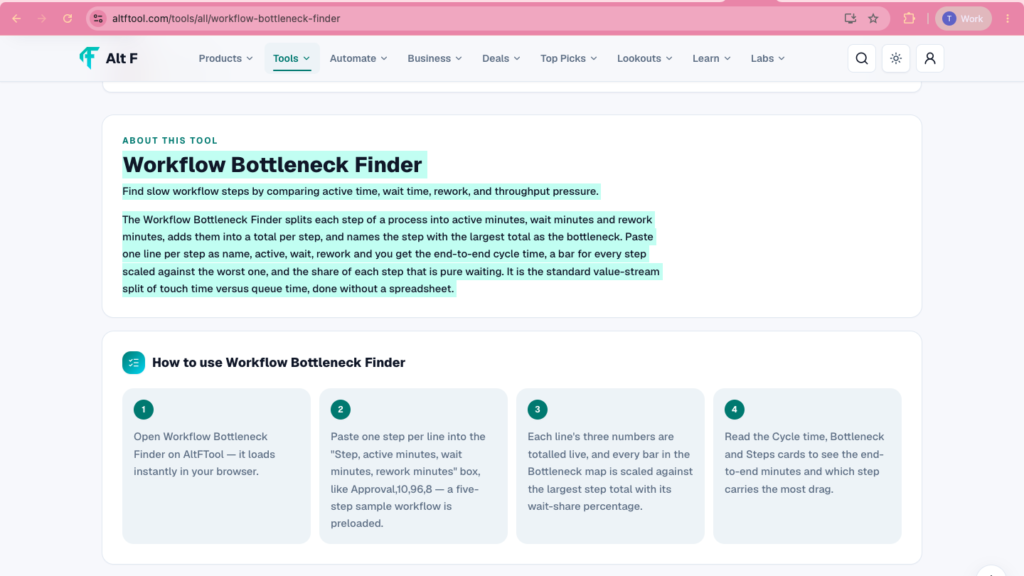
To fix a broken process, you have to understand the different ways time gets consumed. A task that takes two hours from start to finish might only involve ten minutes of actual labor. The Workflow Bottleneck Finder breaks every step into three specific categories:
1. Active Time
This is the hands-on period where an employee is actively engaging with the task. For instance, if an accountant spends 20 minutes reviewing an expense report and verifying receipts, those 20 minutes represent active time. It measures pure effort and operational capacity.
2. Wait Time
Wait time occurs when a task sits completely idle. The work is ready to move forward, but it is blocked by external dependencies. It might be sitting in a shared team inbox, waiting in a sign-off queue, or held up because another department hasn’t provided necessary data. A report might only take 15 minutes of active effort to write, but if it sits in a manager’s inbox for three days awaiting approval, wait time is destroying your cycle time.
3. Rework Time
Rework time is the hidden tax on team productivity. It represents the extra minutes or hours spent fixing mistakes, clarifying vague instructions, or re-doing work that was completed incorrectly the first time. Rework is especially insidious because teams often treat it as “normal work,” masking underlying quality and communication issues earlier in the pipeline.
How to Calculate and Isolate the Bottleneck
Analyzing a workflow using this framework is straightforward. For every step in your process, collect or estimate three numbers measured in minutes:
Step Total Time=Active Minutes+Wait Minutes+Rework Minutes
Once you sum these three values for every stage, the stage with the highest total value is your primary workflow bottleneck.
A Practical Example: Customer Support Ticketing

Consider a customer support team handling escalated technical inquiries across a three-step pipeline:
By calculating the total duration for each phase, Step 2 (Specialist Review) stands out as the primary bottleneck, taking 95 total minutes out of a 175-minute end-to-end cycle.
However, the real power of this framework lies in examining the composition of that 95-minute block:
- Active work accounts for only 25 minutes (26.3% of the time).
- Waiting time accounts for 60 minutes (63.2% of the time).
- Rework accounts for 10 minutes (10.5% of the time).
If leadership simply looked at total time and assumed the specialists were working too slowly, they might hire more specialists or demand faster turnaround times. But the data reveals that specialists only spend 25 minutes actually working on the ticket! The real problem is that tickets spend a full hour sitting in an unassigned queue waiting for attention.
Diagnosing the Root Cause Behind the Data
Finding the bottleneck is only the first step. The breakdown of time types tells you how to solve the problem:
┌─────────────────────────────────────────────────────────────────────────────┐
│                        DIAGNOSTIC DECISION MATRIX                          │
├───────────────────┬───────────────────────────┬─────────────────────────────┤
│ DOMINANT TIME     │ LIKELY ROOT CAUSE         │ RECOMMENDED ACTION          │
├───────────────────┼───────────────────────────┼─────────────────────────────┤
│ High Active Time  │ Complex task, manual processing, underskilled staff.  │ Automate repetitive tasks, simplify procedures, offer training. │
├───────────────────┼───────────────────────────┼─────────────────────────────┤
│ High Wait Time    │ Approval bottlenecks, handoff delays, understaffing.   │ Set up auto-approvals, streamline handoffs, reallocate staff.   │
├───────────────────┼───────────────────────────┼─────────────────────────────┤
│ High Rework Time  │ Unclear instructions, missing intake data, poor quality.│ Standardize forms, mandate intake fields, improve guidelines.   │
└───────────────────┴───────────────────────────┴─────────────────────────────┘
The Active Time Bottleneck
If the bottleneck is driven primarily by active time, the actual work being performed is labor-intensive, overly complex, or being done manually when it shouldn’t be.
- The Fix: Introduce templates, automate manual data entry, streamline standard operating procedures (SOPs), or reallocate workload to additional team members.
The Wait Time Bottleneck
If wait time dominates the step, work is getting delayed by handoffs, approval queues, or resource shortages. The person doing the work isn’t slow; they simply aren’t getting the task in a timely manner.
- The Fix: Implement clear SLAs (Service Level Agreements) for handoffs, establish automatic escalation rules for delayed approvals, or empower junior staff to make decisions without waiting for executive sign-off.
The Rework Time Bottleneck
If rework time is consuming a huge portion of the total time, the problem isn’t the step itself—it is the quality of the work coming into that step.
- The Fix: Fix the intake process. Require mandatory form fields, create clearer handoff documentation, or standardize acceptance criteria so work is done correctly the first time.
Why Customer Experience Depends on Total Cycle Time
It is easy for internal teams to focus exclusively on active labor time because that is the time they feel busy working. However, your customers and stakeholders experience the total end-to-end cycle time.
[ Customer Submits Request ] ──► [ 100-Minute Total Elapsed Time ] ──► [ Customer Receives Output ]
                                            │
               ┌────────────────────────────┴────────────────────────────┐
               │                                                         │
               ▼                                                         ▼
    [ 20 Min Active Labor ]                                   [ 80 Min Idle Waiting ]
  (What the team perceives)                                  (What the customer feels)
If a client submits an inquiry that requires 20 minutes of active work, but the ticket sits in a queue for 80 minutes before anyone opens it, the client experiences a 100-minute delay. Telling a frustrated customer that “the task only took 20 minutes to complete” means nothing to them—they only care about when they received the final result.
By minimizing wait and rework times, you drastically shorten total cycle times without forcing your staff to work at an unsustainable, high-stress pace.
Versatile Applications Across Business Functions
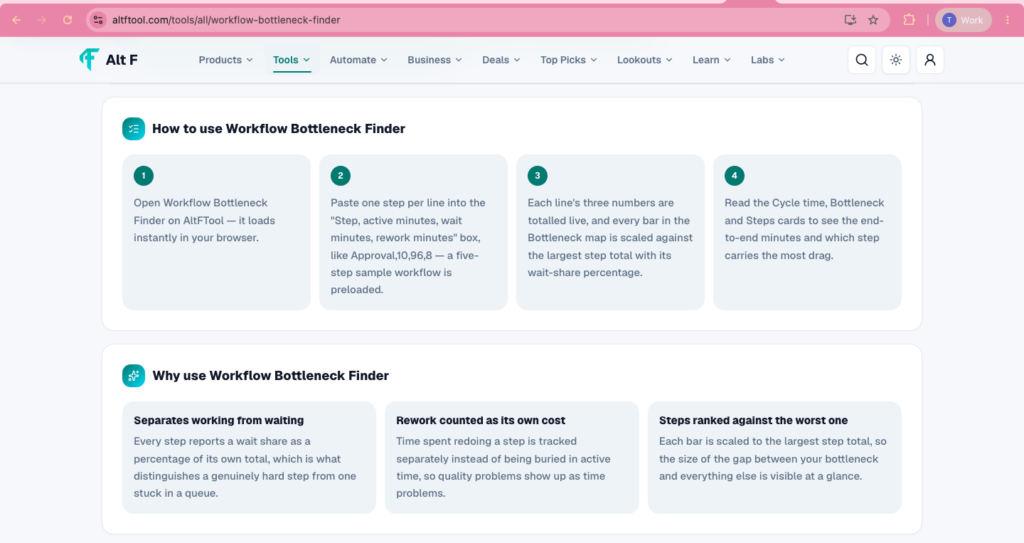
This diagnostic method is universal. You can apply active, wait, and rework tracking across virtually any business operation:
- Content & Marketing: Tracking time spent drafting copy (Active), waiting for compliance sign-off (Wait), and editing rejected drafts (Rework).
- Software Development: Measuring sprint coding (Active), pull request code review queues (Wait), and bug fixing (Rework).
- HR & Onboarding: Evaluating time spent interviewing candidates (Active), waiting for background check clears (Wait), and re-collecting missing payroll paperwork (Rework).
- Finance & Procurement: Analyzing time spent generating purchase orders (Active), awaiting executive sign-off (Wait), and correcting invoice discrepancies (Rework).
Actionable Next Steps After Identifying a Bottleneck
Once you run the numbers and identify the primary bottleneck in your process, follow these structured steps to fix it:

- Isolate the Primary Bottleneck: Focus exclusively on the single step taking the most total time. Do not try to fix every stage of the workflow at once.
- Analyze the Time Ratio: Determine whether the delay is driven by Active, Wait, or Rework time.
- Map the Handoffs: If Wait time is high, map out exactly who touches the task right before and right after the bottleneck to see where the handoff breaks down.
- Implement Targeted Friction Reduction: Apply a specific fix (e.g., automated intake forms for rework, auto-approvals for wait times, or macro templates for active labor).
- Re-Measure Cycle Time: Run the numbers again after two weeks to verify that the bottleneck has shifted or shrunk, then move on to the next slowest step.
Improving a workflow isn’t about pushing employees to work faster or adding stress to their daily routines. Real efficiency comes from eliminating dead time—the hours work spends sitting quietly in inboxes, waiting for approvals, or being done a second time because of simple, preventable mistakes.
FAQ’S
1. What is a Workflow Bottleneck Finder?
A Workflow Bottleneck Finder helps identify the slowest step in a process by comparing active time, waiting time, and rework time.
2. How does the Workflow Bottleneck Finder work?
Enter each workflow step with its active, wait, and rework minutes. The tool calculates the total time for each step and highlights the step with the largest total.
3. What is the difference between active time, wait time, and rework time?
Active time is the time spent working on a task, wait time is time spent in a queue or delay, and rework time is time spent correcting or repeating work.
4. Why is finding workflow bottlenecks important?
Finding bottlenecks helps teams understand where delays are happening and where process improvements can have the biggest impact.
5. Can I use a Workflow Bottleneck Finder without a spreadsheet?
Yes. You can enter your workflow steps and time values directly to see cycle time, step comparisons, and waiting-time shares without building a spreadsheet.

