There is a lot of noise surrounding artificial intelligence right now. Every single day, a new platform launches claiming it will completely transform how you live, work, and organize your day. But if you have actually tried using most of these tools, you have probably noticed a frustrating pattern: many of them simply fail to live up to the hype.
Some platforms are overcomplicated, requiring hours of setup just to learn a basic feature. Others feel entirely unnecessary—trying to automate quick, simple tasks just to slap an “AI-powered” badge on the landing page.
Simplicity always wins. The true measure of a great software tool isn’t how impressive its underlying technology sounds, but a very simple question: Does it give you real hours of your life back without adding extra frustration?
If a tool takes care of tedious busywork so you can focus on creative, strategic, and high-impact tasks, it deserves a permanent spot in your daily routine. Otherwise, it is just digital clutter.
This guide skips the obvious names everyone already talks about (like basic ChatGPT, Claude, or coding assistants) to focus on genuinely useful, accessible, and high-leveraged AI tools that quietly streamline your workday. Whether you are conducting deep research, organizing complex projects, or summarizing endless video meetings, this smart AI stack can easily save you 10 to 20 hours of repetitive work every single week.
The Core Principle: Eliminate Busywork, Not Brainwork

Before jumping into individual tools, it helps to understand how to approach AI productively.
Using AI shouldn’t mean turning your brain off completely. If you delegate all your critical thinking to automated tools, your natural problem-solving skills will slowly rust like an unused muscle.
The smart approach is to use AI to eliminate busywork, not critical thinking. Let automated tools handle formatting, transcribing, preliminary web scanning, basic design layouts, and inbox sorting. That way, your mental energy remains fresh for high-level decision-making, creative direction, and strategy.
       [ Repetitive Busywork ]  ---> Handled by AI Tools
       [ High-Level Strategy ] ---> Guided by Human Judgment
1. Google NotebookLM: Your Personal AI Research Partner
- Official Link: notebooklm.google
- Best For: Synthesizing complex PDFs, long documents, and multi-source research.
- Estimated Time Saved: ~2 to 3 hours per week.
When you are facing dozens of dense PDF reports, long meeting transcripts, or endless slide decks, reading through every single page manually can drain your entire afternoon. NotebookLM solves this by acting as a personalized, private research assistant tailored exclusively to your specific files.
Unlike public chatbots that pull information randomly from the internet, NotebookLM focuses strictly on the sources you upload. You can import up to 50 individual sources at once—including PDFs, Google Docs, text files, slides, and web links—with up to 500,000 words per source.
Upload Documents (PDFs, Slides, Web Links)
                │
                ▼
NotebookLM Analyzes & Indexes Sources
                │
                ▼
Generate Summaries, Direct Quotes, Citations & Audio Overviews
Key Features & Capabilities:
- Grounded Answers with Citations: When you ask NotebookLM a question, it generates answers drawn directly from your uploaded materials, complete with direct citations and inline references so you can verify the facts instantly.
- Audio Overviews: With a single click, NotebookLM can transform your written sources into a natural, two-host conversational podcast episode. You can listen to a comprehensive overview of a 50-page strategy document while commuting or making coffee.
- Study Guides & Key Takeaways: Automatically generate outline briefs, study guides, FAQs, and structured timelines from complex reference material.
2. Gemini Deep Research: Autonomous Web Research Agent
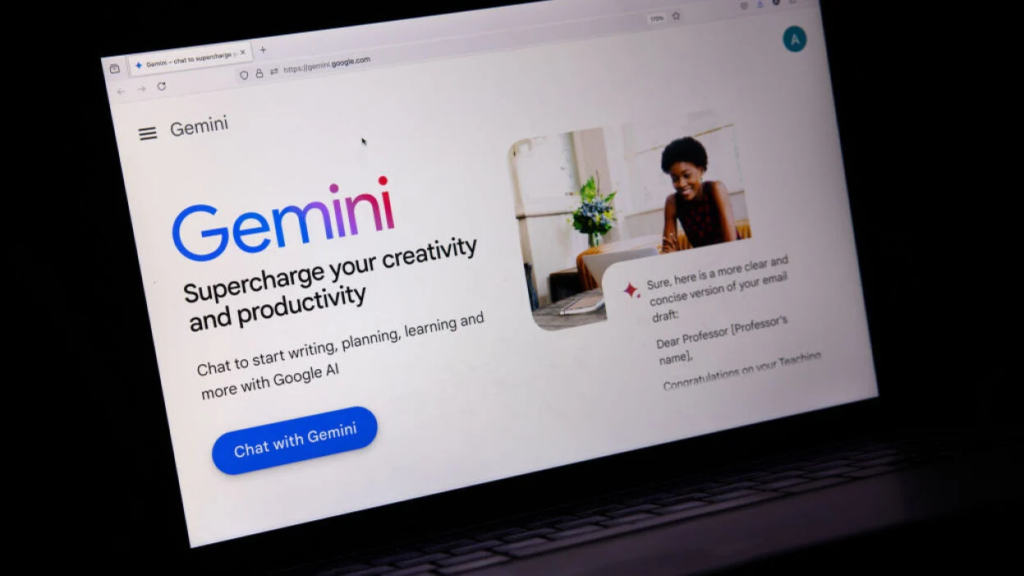
Official Link: gemini.google.com/deepresearch
Best For: Conducting multi-step market research, industry reports, and detailed competitive analysis.
Estimated Time Saved: ~3 to 4 hours per week.
Standard search engines require you to type a phrase, open ten different browser tabs, skim through articles, cross-reference conflicting details, and paste notes into a document. Gemini Deep Research replaces that manual process with an autonomous research agent.
Instead of answering your query instantly with a brief surface-level summary, Deep Research takes a complex question, builds a multi-step investigation plan, browses hundreds of web pages in real-time, evaluates source credibility, and compiles a comprehensive, multi-page analytical report complete with structured headings and references.
How It Streamlines Your Workflow:
- Transparent Reasoning: You can watch the agent work in real-time as it maps out research queries, visits specific web pages, evaluates data points, and adjusts its search direction dynamically.
- Document Integration: You can upload your own internal company files, spreadsheets, or project briefs alongside its real-time web research to combine internal data with external market trends.
- Interactive Visual Content: It can automatically convert complex research findings into interactive Canvas elements, quizzes, structured comparative tables, and audio summaries for team sharing.
3. Napkin AI: Instant Visuals and Diagrams from Pure Text
- Official Link: napkin.ai
- Best For: Turning raw written ideas, articles, and briefs into clear, editable diagrams and infographics.
- Estimated Time Saved: ~2 hours per week.
Communicating complex business ideas through solid walls of text often leads to misinterpretation and disinterest. However, creating professional graphic diagrams, mind maps, and flowcharts in traditional design tools usually requires hours of tedious manual drawing and icon alignment.
Napkin AI solves this problem by turning written text into clean visual diagrams instantly. You simply paste your raw notes, article drafts, or project outlines into the editor. The platform automatically analyzes your sentences and suggests relevant visual layouts—including process flows, decision trees, Venn diagrams, mind maps, and comparative charts.
Standout Features:
- Fully Editable Elements: Every generated diagram is completely customizable. You can swap out icons, adjust connector lines, change color palettes, tweak fonts, and alter shapes without breaking the overall layout logic.
- Flexible Export Options: Once your visual is complete, you can export it cleanly as a PNG, PDF, vector SVG, or directly into slide formats like PowerPoint.
- No Complex Prompting Required: You don’t need to learn special visual-design prompts. Simply highlight any paragraph of text and click the spark icon to view instant visual layouts.
4. Otter AI: Automated Meeting Transcriptions and Action Items
Official Link: otter.ai
Best For: Capturing live meeting transcripts, generating meeting recaps, and tracking assigned tasks automatically.
Estimated Time Saved: ~2 to 3 hours per week.
Taking manual notes during a busy meeting usually means you are half-listening to the speaker while frantically typing bullet points. Otter AI acts as a silent co-pilot that automatically joins your video calls across platforms like Zoom, Google Meet, and Microsoft Teams.
It records the conversation, distinguishes between different speakers, and generates a clean, searchable transcript in real time.
Video Call Starts (Zoom / Meet / Teams)
                │
                ▼
Otter AI Auto-Joins & Records Audio
                │
                ▼
Real-Time Speaker Identification & Transcription
                │
                ▼
Concise Executive Summary + Automated Action Item Extraction
Why It Belongs in Your Productivity Stack:
- Automated Executive Summaries: Otter converts a 60-minute meeting into a clean 30-second bulleted summary, allowing team members who missed the call to catch up instantly.
- Action Item Detection: The platform automatically detects assigned follow-up tasks, highlights who is responsible, and organizes them within the context of the conversation.
- Interactive Chat Interface: You can use the built-in AI chat to ask questions about past meetings (e.g., “What deadline did Sarah set for the design phase?”) without scrubbing through hours of recorded video.
5. Fyxer: Intelligent Email Triage and Draft Generation
- Best For: Clearing out overflowing inboxes, drafting contextual replies, and prioritizing important emails.
- Estimated Time Saved: ~3 hours per week.
Managing email is often one of the biggest time sinks in the modern workday. Sorting through marketing clutter, internal updates, and client requests drains mental energy and disrupts focused work.
Fyxer functions like an executive assistant for your inbox. It categorizes incoming mail based on urgency, filters out spam, and automatically drafts polite, context-aware responses written in your natural tone of voice.
| Feature | Standard Email Workflow | Fyxer-Assisted Workflow |
| Inbox Sorting | Manual skimming & folder filing | Automated priority categorization |
| Replying to Inquiries | Typing every response from scratch | Reviewing & approving pre-drafted context-aware replies |
| Follow-Up Tracking | Manual calendar reminders | Automated detection of pending action items |
6. Fathom: Instant Meeting Recaps for Small Teams
- Best For: Free, clean meeting recordings, summaries, and instant CRM highlights.
- Estimated Time Saved: ~1 to 2 hours per week.
Similar to Otter, Fathom is designed to eliminate manual note-taking during client calls, sales demos, and team check-ins. It runs quietly in the background during video calls, capturing key moments with zero friction.
One of Fathom’s strongest capabilities is its ability to push meeting summaries and action items directly into popular workflow tools like Slack, Notion, Asana, and CRMs like HubSpot or Salesforce instantly after a call ends.
7. Perplexity AI: Real-Time Research and Fact-Checking

- Best For: Replacing traditional search engine queries with direct, cited answers.
- Estimated Time Saved: ~1 hour per week.
Traditional search engines often force you to wade through pages of sponsored links, SEO-stuffed blogs, and pop-up ads just to find a single straightforward fact. Perplexity AI operates as a conversational search engine that combines real-time web indexing with language modeling.
Instead of presenting a list of links, Perplexity provides concise, clear answers written in plain English, supported by inline numbered citations pointing directly to reliable web sources.
8. Wispr Flow: Seamless Voice Dictation for Daily Work
- Best For: Writing emails, document drafts, and messages using natural speech.
- Estimated Time Saved: ~2 hours per week.
Most people can speak significantly faster than they can type. Wispr Flow leverages voice-recognition technology to convert your spoken thoughts into clean, polished written text across any application on your computer.
Unlike basic, rigid voice-to-text tools that transcribe every vocal stumble literally, Wispr Flow automatically removes filler words (“um,” “ah,” “like”), fixes grammar, formats paragraphs logically, and applies proper punctuation on the fly.
9. Asana with AI Workflows: Zero-Email Project Management
- Best For: Streamlining task assignments, tracking project milestones, and reducing status update meetings.
- Estimated Time Saved: ~4 to 5 hours per week.
Project management often devolves into endless back-and-forth email chains and status check-ins. Integrating AI features into Asana allows teams to automate routine task creation, summarize long project discussion threads, and predict potential project bottlenecks before they cause delays.
By setting up automated rules and intelligent task tracking, team leaders can maintain complete visibility over complex projects without needing constant sync meetings.
10. Grammarly AI: Polished, Professional Communication
- Best For: Checking tone, fixing grammar, and refining written communication in real time.
- Estimated Time Saved: ~1 hour per week.
Clear communication is essential for professional success, but re-reading and editing every email, report, or slide deck takes up precious time. Grammarly AI works directly inside your browser and desktop apps to catch spelling mistakes, suggest conciseness improvements, and adjust sentence tone to match your audience.
The Master AI Productivity Comparison
| AI Tool | Primary Function | Ideal Use Case | Generous Free Tier Available? |
| NotebookLM | Document Research & Audio | Analyzing long PDFs, slides, and multi-source files | Yes (Free for Google account holders) |
| Gemini Deep Research | Autonomous Web Research | Multi-step market research & detailed reporting | Yes (Free tier available) |
| Napkin AI | Visual Design Assistant | Generating editable diagrams & mind maps from text | Yes (Generous free quotas) |
| Otter AI | Meeting Assistant | Live meeting transcription & automated summaries | Yes (Up to 300 minutes/month free) |
| Fyxer | Email Management | Smart inbox triage & draft generation | Yes (Free trial options) |
| Perplexity AI | Conversational Search | Real-time web fact-checking & cited answers | Yes (Free access available) |
| Wispr Flow | Voice Dictation | Converting speech into clean text across apps | Yes (Free version available) |
How to Get the Best Results: Mastering the Art of Prompting
Even the most advanced AI tool will produce mediocre results if you feed it vague instructions. The secret to getting exceptional outputs lies in giving the system clear context, constraints, and explicit goals.
Standard Vague Prompt (Produces Generic Output):
“How can I manage my workday better?”
High-Leverage Structured Prompt (Produces Actionable Results):
“I am a project manager working 9 to 5, handling 4 client accounts simultaneously while attending around 10 hours of video meetings per week. Create a structured, time-blocked weekly schedule that reserves 2 hours of uninterrupted focus time each day for strategic work, and give me a daily template for managing meeting follow-ups efficiently.”
     [ Vague Prompt ]   ---> Generic, broad advice
     [ Detailed Prompt ] ---> Tailored, actionable system
Frequently Asked Questions
1. Will using AI tools make my core critical thinking skills weaker over time?
Only if you delegate strategic decision-making completely to automated systems. The most effective way to use AI is as a high-speed assistant that handles repetitive mechanics—like summarizing long files, transcribing meetings, or drafting basic email templates—while you retain full control over strategy, critical judgment, and final decision-making.
2. Do I need to pay for premium subscriptions to benefit from these tools?
No. Almost every tool featured in this guide—including NotebookLM, Gemini Deep Research, Napkin AI, and Otter AI—offers a highly capable free tier or generous usage quotas that allow you to build an effective automated workflow without spending anything.
3. How do I protect confidential business data when using AI platforms?
Always review the privacy policies of any AI tool before uploading sensitive internal documents. Tools like Google’s NotebookLM provide grounded environment options for account holders, but for highly confidential corporate files, ensure you are using enterprise-grade accounts where data is explicitly excluded from public model training cycles.
4. What is the single best tool to start with if I feel overwhelmed?
Start by identifying where your workday leaks the most time. If you spend hours reading long reports, start with NotebookLM. If video meetings drain your afternoons, try Otter AI or Fathom. Pick just one tool to integrate into your routine for a week before introducing others.
5. How can I ensure AI-generated content sounds natural and authentic?
Treat AI outputs as preliminary first drafts rather than finished products. Always review, edit, and adjust the language to match your personal tone of voice, verify cited facts for accuracy, and add personal anecdotes or context that an automated tool cannot provide.