If you’ve spent any time on the internet lately, you know the feeling: every single day, three new AI apps launch claiming they will revolutionize your life, build your business, and brew your morning coffee.
The problem? Most of them want a $20-a-month subscription. If you signed up for every promising app out there, your credit card statement would look like a phone number.
Here’s the good news: you don’t need to spend a dime.
There are dozens of fantastic AI tools that offer generous free plans. Whether you run a small business, work as a freelancer, or just want to automate the boring parts of your day, you can build an entire working tech setup without touching your wallet.
Below is a breakdown of the best free AI apps across every major category, written in plain language so you can find what you need and get back to work.
At a Glance: Quick Summary

| Category | Recommended Free Tool | Standout Feature |
| Chatbots | ChatGPT | Excellent all-rounder for writing, logic, and problem-solving |
| Search Engines | Perplexity | Direct answers with clear sources and easy follow-ups |
| Browsers | Perplexity Comet | Smart assistant that can complete web tasks on its own |
| Image Generation | ChatGPT / Canva | Simple text-to-image tools for quick visuals |
| Photo Editing | Pixlr | Modular editor with quick background removal |
| Video Creation | Runway | Generates video clips straight from text prompts |
| Voice & Audio | ElevenLabs | Human-sounding AI voices with natural tones |
| Writing | Rytr | Great for short-form copy, emails, and blogs |
| Automation | Zapier | Connects thousands of apps to run tasks on autopilot |
| App Building | Softr | Builds web apps using simple databases like Google Sheets |
| Meetings | Fathom | Free transcriptions and automated meeting summaries |
| Shortwave | Smart inbox organizer built for Google users | |
| Scheduling | Reclaim | Automatically reschedules overlapping events |
| Project Management | Hive | Turns single prompts into full project plans |
| Presentations | Gamma | Generates slide decks and web pages in seconds |
| Social Media | Publer | Prepares posts, images, and handles scheduling |
| CRM | HubSpot | Track leads and customer interactions without paying |
| Sales | Lavender | Helps write personalized cold emails that get replies |
| Notes | Evernote | Search across hand-written notes, PDFs, and text |
| Grammar | Grammarly | Fixes typos, tone, and sentence structure anywhere |
| Websites | Wix | Simple site builder powered by smart design prompts |
| Resumes | Teal | Matches your resume directly to job descriptions |
| Recruiting | Zoho Recruit | Scans resumes and posts jobs across board networks |
| AI Detection | Sapling | Checks if text was written by a human or a computer |
1. AI Chatbots & Search
ChatGPT (Best General Chatbot)
Why it’s great: It is still the king of conversational AI. You can ask it to explain tricky topics, write draft emails, check your code, or brainstorm ideas. The free plan gives you access to capable language models, document uploads, web browsing, and simple image generation. It’s the easiest starting point for anyone new to AI.
Perplexity (Best for Research & Search)
Why it’s great: Think of Perplexity as a search engine that talks like a person. Instead of giving you a page of ads and blue links, it reads the web for you, writes a clear summary, and cites every source. You can ask follow-up questions without repeating yourself, making deep-dive research fast and painless.
Perplexity Comet (Best Smart Browser)
Why it’s great: Comet is a web browser with AI built into its core. It learns your browsing habits, tidies up unused tabs, and includes an assistant that can perform web actions for you—like navigating to a site, filling out a form, or drafting a customer service message—while you watch and control the process.
2. Content, Design & Media

Pixlr (Best for Quick Photo Editing)
Why it’s great: You don’t need to purchase or learn heavy editing software just to fix a photo. Pixlr offers easy visual tools in your browser, including one-click background removers, cutout tools, and automatic object cleanup.
Runway (Best for AI Video)
Why it’s great: Runway lets you generate video clips simply by typing a descriptive text prompt. While video generation is still evolving, its free plan is a fun, low-risk way to experiment with creating motion graphics or quick background visuals for social posts.
ElevenLabs (Best for Real-Sounding Voiceovers)
Why it’s great: Most robot voices sound flat and mechanical. ElevenLabs produces shockingly natural, human-like voiceovers. You can tweak tone, speed, and emotion, making it ideal for narrating short videos, audio tracks, or presentations.
Rytr (Best for Everyday Writing)
Why it’s great: If you get stuck staring at a blank page, Rytr helps break the block. It features short templates for social captions, blog outlines, product descriptions, and email responses, giving you a workable draft in seconds.
3. Productivity & Everyday Admin

Zapier (Best for Connecting Your Tools)
Why it’s great: Zapier works like digital glue. It connects the apps you already use—like Gmail, Slack, Google Sheets, and your AI tools—so they can share information automatically. For instance, you can set it up to automatically draft a reply whenever a specific email arrives.
Softr (Best for Building Quick Web Apps)
Why it’s great: Softr lets you build web apps, client portals, or internal team tools without writing code. You simply connect a Google Sheet or Airtable database, and Softr converts your data into a clean, usable web interface.
Fathom (Best for Zoom & Google Meet Summaries)
Why it’s great: Taking notes during a client call means you aren’t fully listening. Fathom joins your call, transcribes everything said, and delivers a organized summary with key action items straight to your inbox the moment the call ends.
Shortwave (Best for Inbox Management)
Why it’s great: Shortwave turns your messy inbox into an organized task list. It works seamlessly with Gmail and Google Calendar, helping you summarize long email chains, draft quick replies, and schedule events without leaving your inbox.
Reclaim (Best for Automatic Calendar Defense)
Why it’s great: Reclaim is like a personal assistant for your schedule. It automatically blocks time for your habits, lunch, and deep work. If a urgent meeting gets booked over your focus time, Reclaim automatically reshuffles your calendar to find a new slot.
4. Business, Sales & Management

Hive (Best for Project Planning)
Why it’s great: Instead of manually creating tasks, subtasks, and timelines for every new project, you can type a quick prompt into Hive (e.g., “Set up a launch plan for a new podcast”). It will generate a full task structure that you can assign to your team.
Gamma (Best for Presentations & Decks)
Why it’s great: Building slide decks from scratch can take hours. With Gamma, you type in a topic or paste a short outline, and it builds a complete, modern presentation deck with clean design formatting, images, and text placeholders ready to edit.
Publer (Best for Social Media Management)
Why it’s great: Managing multiple social media channels can feel like a full-time job. Publer uses built-in AI to help write post drafts, suggest trending topics, generate images, and schedule everything across your accounts in advance.
HubSpot CRM (Best for Client Tracking)
Why it’s great: Keeping track of customers, sales leads, and deals doesn’t require expensive software. HubSpot’s free tier provides a clear customer database, email tracking, and clean organization to ensure no lead falls through the cracks.
Lavender (Best for Sales Email Outreach)
Why it’s great: Lavender acts as a real-time coach for your sales emails. As you write, it scores your email based on readability, tone, and length, giving you specific suggestions to improve your response rate.
5. Notes, HR & Specialized Tools
Evernote (Best for Searching Notes)
Why it’s great: Evernote remains a powerful tool for storing ideas, meeting notes, clipped web pages, and documents. Its smart search features allow you to ask questions across your saved PDFs, images, and typed text to find information fast.
Grammarly (Best for Typos and Tone)
Why it’s great: Grammarly runs quietly in the background of your browser and phone, catching spelling mistakes, awkward grammar, and confusing sentence structures across almost every website and app you use.
Wix (Best for Fast Website Creation)
Why it’s great: Wix uses smart design prompts to help you launch a website in minutes. You answer a few questions about your business, and it lays out a modern site structure that you can easily customize with text and photos.
Teal (Best for Job Seekers)
Why it’s great: Tailoring your resume for every single job application is exhausting. Teal compares your resume directly against a job posting, highlighting missing keywords and suggesting improvements so your application stands out.
Zoho Recruit (Best for Hiring)
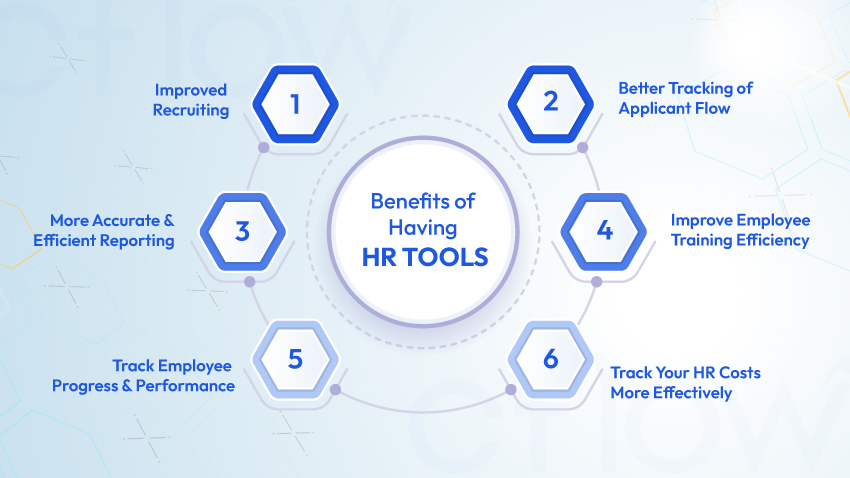
Why it’s great: Small businesses and hiring managers can use Zoho Recruit to parse incoming resumes, organize candidate profiles, and post job listings across dozens of job boards from a central dashboard.
Sapling (Best for AI Detection)
Why it’s great: If you need to verify whether a piece of content was written by a person or generated by an AI assistant, Sapling provides a fast, simple check to help maintain quality and originality.
How to Get Started Without Overwhelming Yourself
When faced with dozens of new apps, the biggest mistake is trying to adopt all of them at once. Instead, pick one pain point in your current daily routine:
- If you spend too much time writing emails: Start with Grammarly or ChatGPT.
- If your calendar is a mess: Give Reclaim a try.
- If meetings eat up your day: Turn on Fathom.
Once you find a free tool that saves you an hour a week, you can slowly explore others. The goal isn’t to use more AI—it’s to spend less time on routine tasks so you can focus on the work that actually matters.
FAQs
1. Which free AI tools are actually worth using?
ChatGPT, Claude, Gemini, and Perplexity are top-tier for research, writing, and brainstorming. For staying organized and managing projects without spending a cent, tools like ClickUp are hard to beat.
2. Are free AI tools safe and reliable for office work?
Yes! They’re great for drafting emails, organizing schedules, and summarizing long documents. Just remember to double-check any data or facts before hitting send.
3.How do these tools actually boost productivity?
They take care of busywork—like formatting notes, generating first drafts, and sorting through search results—so you can focus on high-impact work instead of repetitive admin.
4.Are free AI tools practical for small businesses?
Definitely. Small teams and freelancers can handle customer service, content creation, and workflow management without adding extra monthly subscriptions to their overhead.
5.What’s the catch with free AI plans?
You’ll hit usage caps faster and won’t always get access to the absolute newest models. But for standard everyday tasks, the free tiers offer more than enough power.