Managing projects successfully requires more than just assigning tasks and meeting deadlines. Modern teams work across multiple locations, handle complex workflows, and collaborate using digital platforms. This is where project management tools become essential. They help organize tasks, improve communication, monitor progress, and ensure projects are completed on time and within budget.
With so many project management tools available, choosing the right one can be confusing. Each platform offers different features, pricing, and collaboration options designed for various team sizes and industries. This guide reviews the most popular project management tools, compares their strengths and weaknesses, and helps you select the best solution for your needs.
What Is a Project Management Tool?
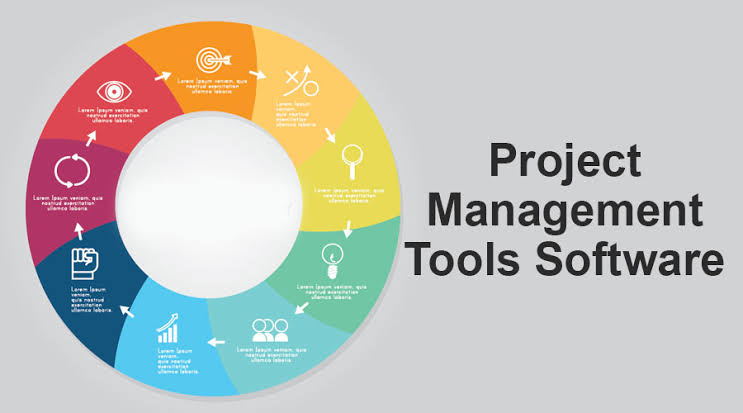
A project management tool is software that helps individuals and teams plan, organize, execute, and monitor projects efficiently. Instead of relying on spreadsheets or lengthy email conversations, these tools centralize everything in one place, making it easier to assign responsibilities, track deadlines, and collaborate effectively.
Whether you’re managing a small personal project or coordinating a large business initiative, project management software keeps everyone informed and ensures that work progresses smoothly from start to finish.
Why Project Management Tools Are Important
As businesses grow, managing multiple projects becomes increasingly difficult. Missed deadlines, poor communication, and unclear responsibilities can affect productivity and customer satisfaction. Project management software addresses these challenges by providing a structured workflow for teams.
These tools improve transparency by showing who is responsible for each task, what stage a project has reached, and which deadlines are approaching. Managers can monitor progress in real time, while team members can focus on completing their assigned work without confusion.
Key Features to Look For
Before choosing a project management tool, it’s important to understand which features will benefit your team the most. Different businesses have different requirements, but several core features are useful for almost every project.
Look for tools that offer:
- Task creation and assignment
- Project timelines
- Kanban boards
- Gantt charts
- Calendar integration
- File sharing
- Team collaboration
- Progress tracking
- Time tracking
- Reporting dashboards
- Mobile access
- Automation features
The right combination of features can significantly improve your team’s productivity and workflow.
Popular Project Management Tools
Several project management platforms have become industry favorites because of their flexibility and user-friendly interfaces.
Some of the most widely used options include:
- Trello
- Asana
- Monday.com
- ClickUp
- Jira
- Notion
- Wrike
- Basecamp
- Microsoft Project
- Smartsheet
Each tool serves different types of users, from freelancers and startups to large enterprises managing complex projects.
Comparing User Experience

Ease of use is one of the most important factors when selecting project management software. A complicated interface can slow down adoption and reduce team productivity.
Some tools focus on simplicity with drag-and-drop boards, while others provide advanced customization for experienced project managers. The best choice depends on your team’s technical experience and workflow requirements.
Task Management Capabilities
Task management is the foundation of every project management platform. Good software allows users to create tasks, assign responsibilities, set deadlines, add descriptions, attach files, and monitor completion status.
Many tools also support recurring tasks, priority labels, dependencies, and reminders. These features help teams stay organized while reducing the risk of missed deadlines.
Collaboration Features
Modern teams often work remotely or across multiple offices, making collaboration tools essential. Project management platforms allow team members to communicate through comments, file sharing, notifications, and real-time updates.
Instead of searching through long email chains, all project discussions remain connected to the relevant tasks, making communication faster and more organized.
Reporting and Analytics

Project managers need accurate information to make informed decisions. Reporting dashboards provide insights into project progress, completed tasks, team performance, and upcoming deadlines.
Many platforms also offer customizable reports that help businesses identify bottlenecks, improve resource allocation, and monitor overall project performance.
Automation Saves Time
Automation is becoming one of the most valuable features in project management software. Instead of manually updating task statuses or sending reminders, automation handles repetitive work automatically.
Examples include assigning tasks when a project starts, notifying team members about approaching deadlines, or moving completed tasks to the next stage. Automation improves efficiency while reducing human error.
Cloud-Based Accessibility

Cloud technology allows teams to access project information from anywhere with an internet connection. Employees working from home, traveling, or collaborating across countries can view updates in real time.
Cloud-based platforms also synchronize information automatically, ensuring everyone works with the latest project data.
Pricing and Value
Project management software is available in both free and paid versions. Free plans often include basic task management, while premium plans offer advanced reporting, automation, integrations, and larger storage capacities.
When comparing pricing, consider your team’s size, required features, and long-term growth. The cheapest option isn’t always the most cost-effective if it lacks important functionality.
Common Mistakes When Choosing Project Management Software
Many businesses choose software based only on popularity instead of evaluating their actual needs. Others purchase expensive enterprise solutions when simpler tools would be sufficient.
Another common mistake is failing to involve team members during the selection process. Since employees use the software daily, their feedback is valuable when choosing the right platform.
How to Select the Right Tool

Start by identifying your team’s biggest challenges. Do you need better communication, improved scheduling, detailed reporting, or workflow automation? Once you’ve identified your priorities, compare different platforms based on those requirements.
Most software providers offer free trials, allowing you to test the interface before making a financial commitment. Encourage your team to explore different features and provide feedback during the trial period.
Future Trends in Project Management Software
Project management tools continue to evolve with artificial intelligence, predictive analytics, and workflow automation. AI can now recommend task priorities, estimate project completion times, summarize meetings, and identify potential risks before they become major issues.
As hybrid work environments continue to grow, project management platforms will become even more collaborative, intelligent, and integrated with other business applications.
How Project Management Tools Improve Team Collaboration
One of the biggest advantages of project management software is that it keeps everyone connected. Team members can communicate, share updates, upload files, and discuss tasks within a single platform. This eliminates the need for long email chains and scattered conversations across multiple apps.
Real-time collaboration ensures everyone stays informed about project progress. Team members can instantly see completed tasks, pending work, and upcoming deadlines, making it easier to coordinate efforts and avoid misunderstandings.
Managing Multiple Projects Efficiently

Many businesses handle several projects at the same time, making organization essential. Project management tools provide separate workspaces, dashboards, and timelines for each project, allowing managers to monitor progress without confusion.
With everything organized in one place, teams can easily switch between projects, prioritize important tasks, and allocate resources more effectively. This structured approach reduces stress and helps projects stay on schedule.