

Creative tools have become an essential part of modern digital projects. Whether you’re designing a website, editing videos, creating social media content, writing blog posts, or building a marketing campaign, the right tools can make your work faster, more organized, and more professional. In 2026, creative software is more powerful than ever, offering AI-powered features, cloud collaboration, and automation that help both beginners and professionals produce high-quality results.
Choosing the right creative tools depends on your project, skill level, and workflow. Instead of relying on multiple complicated applications, many creators now use integrated platforms that simplify designing, editing, planning, and collaboration. This guide explores the most important creative tools for digital projects and explains how they can improve productivity and creativity.
Why Creative Tools Matter
Creative tools help individuals and businesses turn ideas into professional digital content. They reduce repetitive work, improve accuracy, and make collaboration easier. Whether you’re working independently or as part of a team, these tools allow you to organize projects, manage files, and deliver high-quality work within deadlines.
As digital marketing, online businesses, and content creation continue to grow, using the right creative tools has become an important competitive advantage.
Graphic Design Tools
Graphic design software helps users create logos, social media graphics, presentations, marketing materials, website visuals, and digital illustrations. Modern design platforms offer ready-made templates, drag-and-drop editing, AI-assisted design suggestions, and cloud storage that simplify the design process.
These tools are suitable for both beginners creating simple graphics and professional designers working on advanced branding projects.
Video Editing Tools
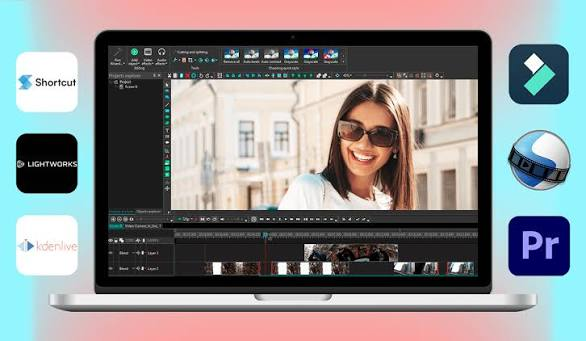
Video content continues to dominate digital platforms, making video editing tools increasingly valuable. These applications allow creators to trim clips, add transitions, include subtitles, improve audio, apply visual effects, and export videos in multiple formats.
Many modern editing platforms now include AI features that automatically remove backgrounds, generate captions, enhance video quality, and speed up editing workflows.
Content Writing Tools
Writing remains one of the most important parts of digital communication. Content writing tools help users draft articles, improve grammar, organize ideas, optimize readability, and maintain a consistent writing style.
Many platforms also support SEO optimization by suggesting keywords, improving content structure, and identifying readability improvements.
Image Editing Tools
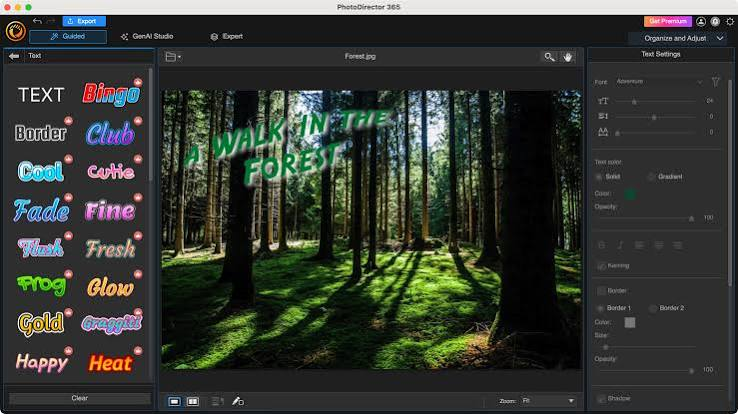
Image editing software allows creators to enhance photographs, remove unwanted objects, adjust colors, create visual effects, and prepare images for websites and social media.
AI-powered editing features have made professional-quality image editing faster and more accessible, even for beginners.
Website Design Tools
Website builders and design platforms help businesses create professional websites without requiring extensive coding knowledge. Users can customize layouts, add interactive elements, optimize mobile responsiveness, and publish websites quickly.
Many website design tools also integrate with marketing platforms, analytics software, and e-commerce systems.
Project Collaboration Tools

Creative projects often involve designers, writers, marketers, developers, and clients working together. Collaboration tools simplify communication by allowing teams to share files, assign tasks, track progress, and provide real-time feedback.
Cloud-based collaboration reduces confusion and ensures everyone works with the latest project version.
AI-Powered Creative Tools
Artificial Intelligence is transforming creative work by automating repetitive tasks and improving efficiency. AI can generate design ideas, suggest content improvements, create images, edit videos, summarize information, and automate workflows.
Rather than replacing creativity, AI supports professionals by allowing them to focus more on strategy, storytelling, and innovation.
Choosing the Right Creative Tool
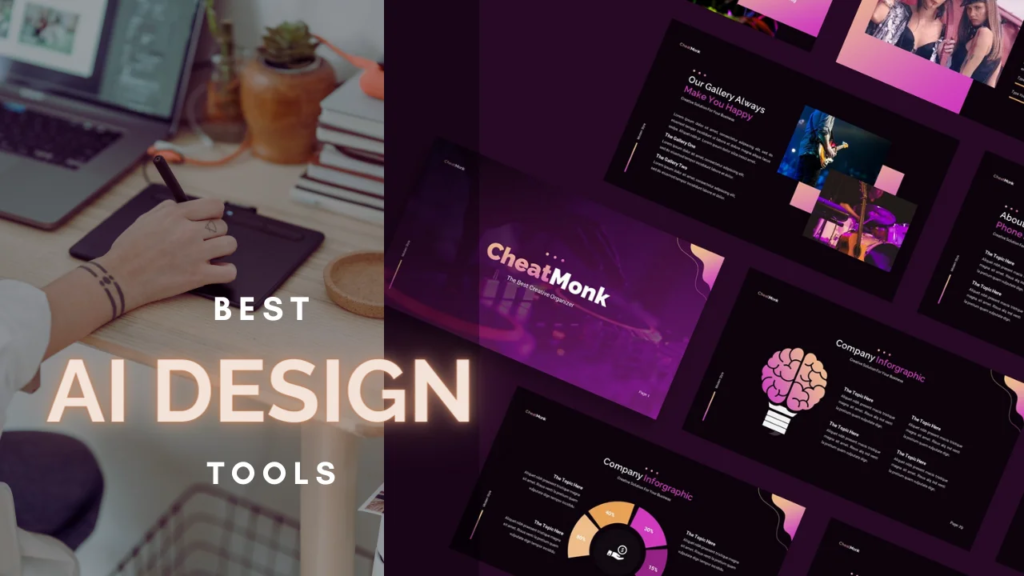
The best creative tool depends on your specific needs. Consider the following factors before making a decision:
- Your project requirements.
- Ease of use.
- Collaboration features.
- AI capabilities.
- Pricing and subscription plans.
- Integration with other software.
- Cloud storage availability.
- Customer support and regular updates.
Selecting tools that match your workflow helps improve both efficiency and the quality of your final work.
Comparison of Creative Tools
| Creative Tool Category | Primary Purpose | Key Benefits |
|---|---|---|
| Graphic Design Tools | Create digital designs and branding | Professional visuals and templates |
| Video Editing Tools | Edit and produce videos | Faster editing and high-quality output |
| Content Writing Tools | Create and optimize written content | Better readability and SEO |
| Image Editing Tools | Enhance and edit photos | Professional image quality |
| Website Design Tools | Build websites | Easy website creation and customization |
| Collaboration Tools | Manage team projects | Improved communication and productivity |
| AI Creative Tools | Automate creative tasks | Faster workflows and enhanced creativity |
Tips for Getting the Most from Creative Tools
Using creative software effectively requires more than simply installing applications. Learning keyboard shortcuts, organizing project files, using templates wisely, and keeping software updated can significantly improve productivity.
It’s also helpful to regularly explore new features, experiment with AI-powered capabilities, and collaborate with team members to streamline workflows. Choosing only the tools you truly need can reduce complexity and help you stay focused on your creative goals.
Future of Creative Tools
Creative tools will continue to evolve as artificial intelligence, cloud computing, and automation become more advanced. Future platforms are expected to provide smarter design assistance, real-time collaboration, personalized recommendations, and seamless integration across multiple devices.
As technology improves, creators will spend less time on repetitive tasks and more time developing innovative ideas and engaging content.
Creative tools have become an essential part of digital projects in every industry. From graphic design and video editing to content writing and team collaboration, these tools help creators work more efficiently while producing professional-quality results.
By selecting the right creative software for your needs and taking advantage of AI-powered features, you can improve productivity, simplify workflows, and deliver outstanding digital projects with greater confidence.
Frequently Asked Questions (FAQs)
1. What are creative tools?
Creative tools are software applications that help users design graphics, edit videos, create content, build websites, and manage digital projects.
2. Why are creative tools important?
They improve productivity, simplify workflows, enhance collaboration, and help creators produce professional-quality content.
3. Can beginners use creative tools?
Yes. Many modern creative platforms offer user-friendly interfaces, templates, tutorials, and AI-assisted features suitable for beginners.
4. How is AI changing creative tools?
AI automates repetitive tasks, generates design ideas, improves content, enhances images and videos, and speeds up creative workflows.
5. How do I choose the right creative tool?
Choose a tool based on your project type, ease of use, collaboration features, budget, AI capabilities, and integration with your existing workflow.

