
Every growing business hits the same wall. Early on, you can handle everything yourself: Workflow you answer every email, manually move tasks from one person to the next, copy-paste data between tools, and send quick messages to remind people about deadlines. It feels manageable because you’re close to the work.
But as you get more customers, those quick tasks pile up. What used to take ten minutes now takes hours. Suddenly, you and your team are spending more time managing the business than actually doing the work that brings in revenue. You’re buried in admin chores.
That is where automation makes a massive difference. It isn’t about chasing the latest tech trend or trying to look modern. It’s simply about cleaning up your day-to-day operations. When you automate the repetitive stuff, you give your team their time back. They can finally focus on deep thinking, creative problem-solving, and actually talking to your customers—the things a computer can never replicate.
What We Actually Mean by “Workflow Automation”
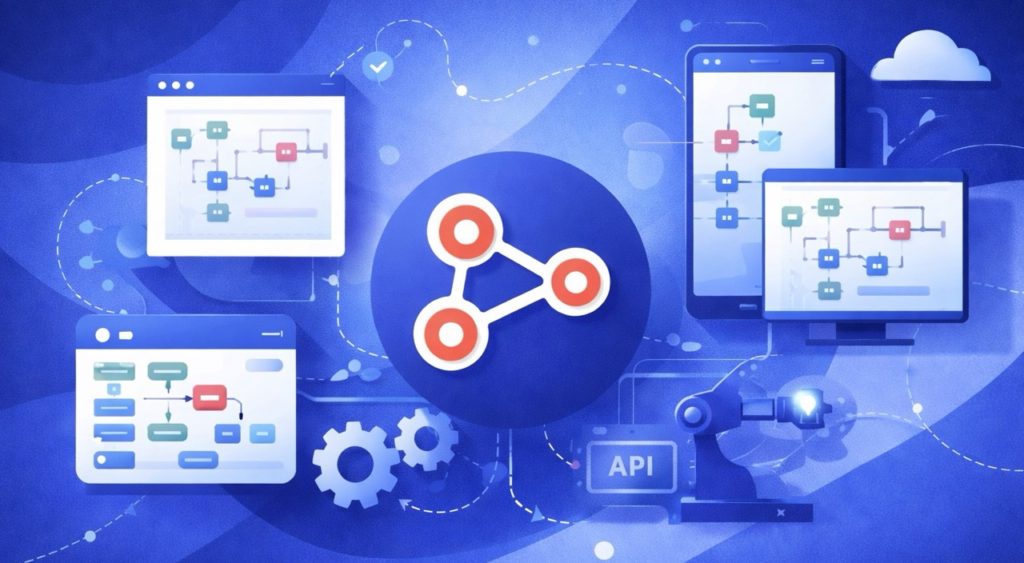
At its core, workflow automation just means setting up your software to handle a sequence of steps for you based on a simple trigger. Instead of a human manually moving a lead into a CRM, typing out a welcome email, or alerting a manager, the tech does it in the background.
You don’t have to overhaul your whole company overnight. The best way to start is by picking one small, repetitive chain of events.
Think about what happens when someone fills out a contact form on your website. Without automation, that message sits in an inbox until someone sees it, logs the details, and replies. With automation, the second they hit submit, the system instantly logs them as a lead, pings the right salesperson on Slack, and shoots the customer a friendly confirmation email. It takes seconds, it happens every single time, and nobody had to lift a finger.
Why You Can’t Afford to Wait
A common mistake is thinking, “We’re too small for this right now. We’ll build systems when we’re bigger.” But waiting actually makes scaling a lot more chaotic.
When things take off, everything hits you at once. More leads come in, your customer service queue gets backed up, and internal communication starts breaking down. Without a solid foundation, things slip through the cracks. Emails get missed, follow-ups happen late, and your team gets stressed out.
Building simple automations early on gives you a framework to grow into. It keeps your service consistent even when you’re incredibly busy. Plus, onboarding new employees becomes ten times easier because your systems already guide them through the process. You aren’t relying on people to memorize every little step; the workflow handles the heavy lifting.

The Best Places to Start

If you aren’t sure where to begin, look for the bottlenecks where your team loses the most time.
- Customer Communication: This is usually the easiest win. Think of things like automated appointment reminders, order confirmations, or quick follow-ups. Customers love fast responses, and this guarantees they get them.
- Lead Management: Don’t let new business get cold. You can set things up so that new leads are instantly sorted, tagged, and handed off to the right team member the moment they show interest.
- Project Handoffs: When a designer finishes a draft, the system can automatically assign the review task to the copywriter or manager. No more work getting stuck in someone’s inbox because they didn’t know it was their turn.
- Basic Admin & Finance: Generating invoices, sending payment reminders, and organizing files into the right folders are perfect tasks to hand over to software.
What Makes an Workflow Automation System Actually Work?
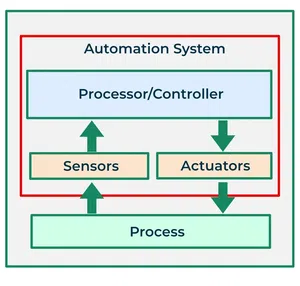
More complicated is rarely better. The best systems are straightforward, reliable, and easy to change.
First, the workflow has to make sense to the people using it. If a system is too convoluted, your team will find a workaround or stop using it entirely. It should match the way you already naturally work, not force you to rewrite your entire business model.
Second, it has to be completely dependable. An automation that only works 80% of the time is worse than no automation at all, because you’ll constantly waste time double-checking its work to see if it broke.
Finally, keep it flexible. Your business will look different six months from now. Choose tools that let you easily tweak a step or add a new team member without needing to hire a developer to recode the whole thing.
The Human Impact of Better Systems Workflow
When you clean up messy processes, the shift in team morale is immediate. People feel less frantic.
Your marketing team can actually focus on strategy and campaign ideas instead of cleaning up messy spreadsheets. Your sales team can spend their day building real relationships instead of doing data entry. Workflow Automation for Growing BusinessesYour support team can take the time to deeply resolve tough customer issues instead of copy-pasting the same basic answers all day.
Automation also saves us from our own human errors. We all get tired, distracted, or rushed. We forget a follow-up or mistype a number. Software doesn’t. By letting technology handle the rigid, data-heavy tasks, you drastically lower the risk of mistakes.
Finding the Right Balance (And Mistakes to Avoid)

The biggest trap is trying to automate everything right away. Some things genuinely require human touch and intuition. If you try to turn every single interaction into a robotic process, your business will start to feel cold and rigid.
Another trap is automating a broken process. If your method for onboarding a client is confusing and messy, automating it will just make it confusing and messy faster. Sit down with a pen and paper first. Fix the process, simplify the steps, and then build the automation.
Lastly, talk to your team before you build anything. The people doing the job every day know exactly where the real headaches are. Build the workflows with their input, and make it a habit to check in every few months to see what needs adjusting.
Looking Forward

At the end of the day, automation isn’t about replacing people or pretending to be a massive corporation. It’s about building a sustainable business that can grow without burning everyone out. It gives you the breathing room to look up from the daily grind and focus on the big picture. Systems give you stability, and stability is what makes real growth possible.
FAQs
1. What is workflow automation?
Workflow automation uses software to complete repetitive business tasks automatically, saving time and reducing manual work.
2. Why is workflow automation important?
It improves efficiency, reduces errors, speeds up processes, and helps businesses scale more effectively.
3. Can small businesses use workflow automation?
Yes, small businesses can automate everyday tasks like emails, approvals, customer follow-ups, and project management.
4. What are the benefits of workflow automation?
It saves time, increases productivity, improves accuracy, enhances collaboration, and reduces operational costs.
5. Which business processes can be automated?
Common processes include customer support, marketing, sales, HR onboarding, invoicing, approvals, and task management.

