
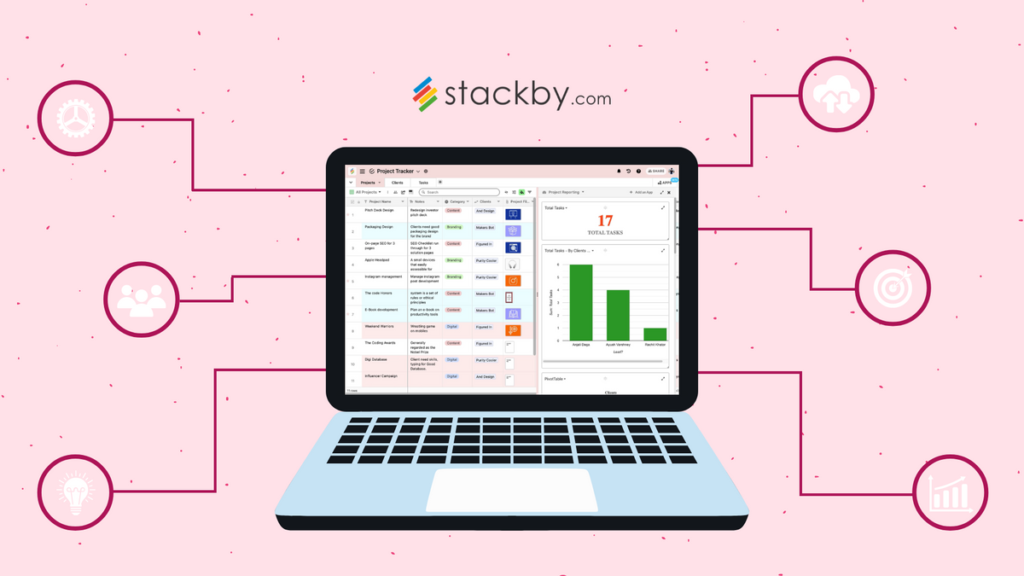
Modern businesses are moving faster than ever, making efficient workflow management essential for success. Whether you are managing a small business, leading a remote team, or working as a freelancer, the right workflow management tools can simplify daily operations, improve collaboration, and boost overall productivity.
In 2026, workflow management has evolved beyond simple task tracking. Artificial intelligence, automation, cloud collaboration, and real-time analytics are transforming how teams organize projects and complete work. Businesses now rely on smart platforms to eliminate repetitive tasks, improve communication, and ensure every project stays on schedule.
This guide explains everything you need to know about workflow management tools, their benefits, must-have features, and the best options available in 2026.
What Are Workflow Management Tools?
Workflow management tools are software solutions that help businesses organize, automate, monitor, and optimize work processes. They provide a centralized platform where teams can assign tasks, track project progress, share files, communicate efficiently, and automate repetitive activities.
Instead of using spreadsheets, emails, and multiple messaging apps, organizations can manage everything from one dashboard, reducing confusion and improving productivity.
Why Workflow Management Tools Matter in 2026

Businesses today operate across multiple locations and time zones. Hybrid and remote work environments require seamless collaboration and instant access to project information. Workflow management software makes this possible by connecting people, processes, and technology in one place.
Some of the biggest reasons companies use workflow management tools include:
- Improved team collaboration
- Better project visibility
- Reduced manual work through automation
- Faster decision-making
- Increased productivity
- Better deadline management
- Enhanced customer satisfaction
- More accurate reporting and analytics
Organizations that invest in workflow management solutions often experience fewer delays, stronger teamwork, and better project outcomes.
Key Features of Modern Workflow Management Tools
Task Management
Task management remains the foundation of every workflow platform. Users can create tasks, assign responsibilities, set priorities, and monitor completion status in real time.
Workflow Automation
Automation removes repetitive tasks such as sending reminders, assigning work, updating statuses, and generating reports. This saves valuable time and reduces human error.
Project Planning

Project planning features help teams organize work using calendars, Kanban boards, timelines, and Gantt charts to ensure every milestone stays on track.
Team Collaboration
Built-in communication features like comments, file sharing, notifications, and team discussions keep everyone informed without switching between multiple applications.
Time Tracking
Many workflow management platforms include time tracking to measure productivity, monitor employee workloads, and improve project estimates.
AI-Powered Assistance
Artificial intelligence is becoming a standard feature in 2026. AI can prioritize tasks, summarize meetings, recommend deadlines, generate reports, and automate repetitive workflows.
Cloud Access
Cloud-based software allows employees to access projects from anywhere using desktops, tablets, or smartphones.
Reporting and Analytics
Interactive dashboards provide valuable insights into project performance, team productivity, resource allocation, and workflow efficiency.
Benefits of Workflow Management Tools
Increased Productivity
Employees spend less time on administrative work and more time completing meaningful tasks.
Better Collaboration
Shared workspaces allow teams to communicate effectively regardless of their location.
Improved Organization
Projects become easier to manage with centralized documentation, deadlines, and task assignments.
Reduced Errors
Automation minimizes mistakes caused by manual data entry and repetitive processes.
Faster Project Completion
Clear workflows eliminate bottlenecks, allowing projects to move smoothly from start to finish.
Enhanced Transparency
Managers gain complete visibility into project progress, employee workloads, and pending tasks.
Cost Savings


Improved efficiency helps organizations reduce operational costs while maximizing output.
Types of Workflow Management Tools
Project Management Software
Designed to manage projects, timelines, deadlines, and team collaboration.
Business Process Management (BPM) Software
Focuses on automating complex business processes across departments.
Task Management Applications
Ideal for individuals and small teams needing simple task organization.
Document Workflow Tools
Help organizations manage approvals, document sharing, and digital signatures.
Customer Workflow Platforms
Support customer service, sales pipelines, and client relationship management.
Best Workflow Management Tools in 2026
Asana
Asana continues to be one of the most popular workflow platforms thanks to its intuitive interface, automation features, and excellent collaboration capabilities.
Best for:
- Marketing teams
- Agencies
- Remote teams
Monday.com
Monday.com provides customizable workflows suitable for businesses of every size. Its visual dashboards make project tracking simple and effective.
Best for:
- Growing businesses
- Operations teams
- HR departments
ClickUp
ClickUp offers an all-in-one productivity solution that combines documents, goals, tasks, dashboards, automation, and AI features.
Best for:
- Startups
- Software development
- Content teams
Trello
Trello remains an excellent option for visual task management using Kanban boards. Its simplicity makes it perfect for beginners.
Best for:
- Freelancers
- Small businesses
- Personal productivity
Notion
Notion combines documentation, project management, databases, and collaboration into one flexible workspace.
Best for:
- Knowledge management
- Content creation
- Team documentation
Jira

Jira is the preferred workflow platform for software development teams using Agile and Scrum methodologies.
Best for:
- Developers
- Engineering teams
- IT departments
AI Trends Shaping Workflow Management in 2026
Artificial intelligence is transforming workflow management by making software smarter and more proactive.
Major AI trends include:
- Automatic task prioritization
- Smart workflow recommendations
- AI meeting summaries
- Predictive project scheduling
- Intelligent resource allocation
- Natural language search
- Automated report generation
- AI chat assistants
- Workflow optimization suggestions
These capabilities allow teams to work more efficiently while reducing manual effort.
How to Choose the Right Workflow Management Tool
When selecting workflow software, consider the following factors:
Team Size
Choose software that supports your organization’s current size while allowing room for future growth.
Budget
Evaluate pricing plans carefully, including subscription costs, user limits, and premium features.
Ease of Use
An intuitive interface encourages faster adoption and reduces employee training time.
Integration Options
Ensure the platform integrates with tools your business already uses, such as email, cloud storage, CRM systems, and communication platforms.
Security
Look for enterprise-grade security, data encryption, regular backups, and compliance certifications.
Mobile Accessibility
A reliable mobile app enables employees to stay productive while traveling or working remotely.
Customer Support

Responsive technical support and comprehensive documentation are valuable during implementation.
Common Workflow Management Mistakes
Many organizations fail to maximize their workflow software because they:
- Overcomplicate workflows
- Ignore automation features
- Skip employee training
- Fail to monitor workflow performance
- Choose software without scalability
- Create unnecessary approval processes
- Neglect regular workflow improvements
Avoiding these mistakes leads to greater efficiency and better long-term results.
Future of Workflow Management
Workflow management will become increasingly intelligent over the coming years. AI-driven automation, predictive analytics, machine learning, and advanced collaboration features will continue to reshape how organizations operate.
Future platforms will likely automate entire business processes, identify inefficiencies before they occur, and provide personalized recommendations for improving productivity.
Companies that embrace these innovations will gain a significant competitive advantage in an increasingly digital business environment.
Conclusion
Workflow management tools have become an essential part of modern business operations. They help organizations streamline processes, improve communication, automate repetitive work, and increase overall productivity. In 2026, AI-powered automation and cloud collaboration are making these platforms more powerful than ever.
Whether you manage a startup, enterprise, or freelance business, investing in the right workflow management tool can save time, reduce operational costs, and help your team deliver better results. By understanding your business needs and choosing software with the right features, you can build more efficient workflows that support long-term growth and success.
FAQ’s
1. What is a workflow management tool?
A workflow management tool is software that helps businesses organize tasks, automate processes, track progress, and improve team collaboration.
2. Why are workflow management tools important in 2026?
They increase productivity, reduce manual work, improve communication, and use AI-powered automation to streamline business operations.
3. Which industries benefit from workflow management tools?
Industries such as IT, marketing, healthcare, finance, education, manufacturing, and e-commerce all benefit from workflow management software.
4. What features should I look for in a workflow management tool?
Look for task management, workflow automation, collaboration tools, time tracking, reporting, AI features, integrations, and mobile access.
5. Can small businesses use workflow management tools?
Yes. Many workflow management tools offer affordable plans and scalable features, making them ideal for startups, freelancers, and small businesses.

