
Read the Ultimate Guide to Graphic Design Tools in 2026 and discover the best software for creating logos, social media graphics, presentations, illustrations, and marketing materials. Compare features, learn expert tips, and choose the right design tool for your creative projects.
n the year 2026, the traditional boundaries that once separated professional creative designers from the rest of the workforce have completely collapsed. Graphic design is no longer a highly gatekept mystery confined to specialized advertising agencies or individuals who spent years mastering incredibly dense, frustrating software interfaces.
Today, entrepreneurs, university students, independent content creators, corporate marketers, and local small business owners all must act as visual communicators to survive and thrive. Building a distinct visual identity has become an essential baseline skill across almost every single industry. Thankfully, the rapid maturity of cloud architecture, drag-and-drop user design interfaces, and advanced artificial intelligence integration has radically changed the creative playing field. This comprehensive guide serves as your definitive roadmap to navigating the massive graphic design software ecosystem, helping you identify the exact programs that match your skill set, project parameters, and financial budget.
Understanding the Mechanics of Modern Design Software
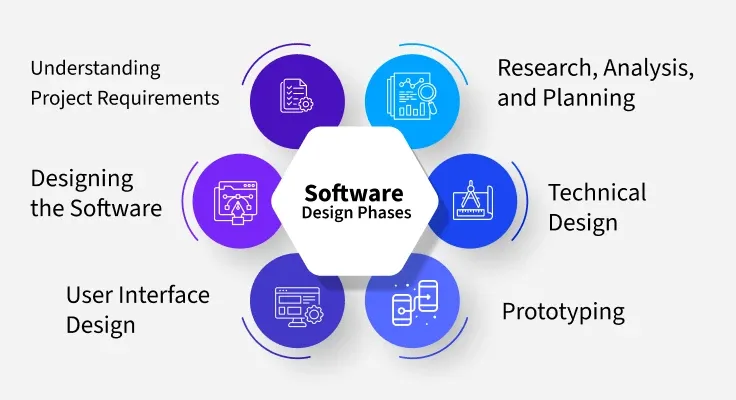
To choose the right asset for your workflow, you must first understand exactly what a graphic design tool does in the modern digital landscape. At its fundamental core, graphic design software is any application or cloud platform that allows a human user to manipulate typography, digital imagery, vector shapes, and color palettes into a unified visual arrangement. These platforms act as a digital canvas where raw, unstructured concepts are converted into polished, professional materials like vector logos, promotional posters, multi-slide business presentations, and user interface layouts.
The software landscape is broadly split into two distinct philosophies. On one side, you have highly accessible, template-driven ecosystem platforms built specifically for speed, agile execution, and individuals with absolutely zero formal artistic training. On the opposite side of the spectrum lie the deep, high-precision desktop applications engineered specifically for technical masters who require absolute control over every individual pixel, anchor point, and color rendering profile. Recognizing where your specific needs fall along this creative spectrum is the crucial first step toward optimizing your daily workflow.
The Concrete Value of Investing in Visual Integrity
Many people mistakenly believe that design is merely a cosmetic afterthought or a superficial coat of paint applied to a product at the very end of its development loop. In reality, excellent visual layout is a primary driver of human trust, credibility, and commercial engagement. When a potential customer encounters a messy, misaligned social media graphic or a business card featuring clashing color schemes, their brain instantly associates that lack of care with a lack of overall professionalism.
By utilizing modern graphic design tools, you instantly unlock the ability to generate immaculate, professional-grade materials that command immediate consumer attention. These platforms allow small organizations to maintain rock-solid brand consistency across dozens of digital channels through the use of centralized brand kits that lock in specific fonts, hex codes, and icon styles. Furthermore, well-executed design breaks down complex, dry data sets into highly digestible visual narratives, transforming confusing spreadsheets into beautiful infographics that audiences actually want to read and share.
Dissecting the Creative Ecosystem by Practical Utility
Not all graphic design programs are built to accomplish the same tasks, and understanding the specific sub-categories of these applications prevents you from using the wrong tool for an intricate project. Photo editing software is engineered specifically for pixel manipulation, color correction, background extraction, and complex digital compositing, making it the absolute favorite domain of professional photographers and digital artists. Conversely, vector design tools operate on mathematical coordinate formulas rather than pixels, meaning they generate illustrations, iconography, and corporate logos that can be scaled infinitely from the size of a tiny smartphone app icon to a massive highway billboard without losing a shred of crisp clarity.
Beyond these traditional pillars, the industry has seen a massive surge in dedicated social media publishing suites and interactive user interface design platforms. These specific applications prioritize real-time team collaboration, rapid prototyping, and automated formatting, allowing multiple remote marketing specialists to work simultaneously on a single master file. Finally, we have the emergence of dedicated artificial intelligence generator engines, which act as powerful creative accelerators by instantly translating text prompts into workable templates, textures, and early concept sketches.
Profiling the Core Design Titans
The current software market contains a handful of powerful platforms that dominate the industry, each catering to a very specific type of user. Canva remains the absolute king of accessible, template-driven design, providing millions of non-designers with an incredibly intuitive drag-and-drop ecosystem to build high-converting marketing collateral in mere minutes. For professional, heavy-duty image manipulation, Adobe Photoshop stands as the unassailable industry benchmark, offering an unparalleled depth of advanced masking, layer blending, and creative control that no free application can truly replicate.
Essential Features that Define an Exceptional Platform
When you are actively evaluating which software platform to integrate into your daily business or personal workflow, there are several non-negotiable features that you must look for to ensure long-term productivity. First and foremost, the user interface must be clean, logical, and highly responsive, as a cluttered workspace dramatically slows down your creative output and increases user frustration. A truly great modern tool must also provide immediate, seamless access to an extensive, high-quality library of licensed stock imagery, vector icons, and diverse typographical families directly within the application workspace itself.
Furthermore, robust cloud synchronization and historical version tracking are absolutely vital for safeguarding your valuable files against sudden hardware failures or accidental overwrites. The platform should support comprehensive layered editing styles, allowing you to tweak individual background elements or text strings without permanently altering the rest of your composition. Lastly, look for systems that incorporate modern automated export pipelines, which allow you to instantly render out a single master design into dozens of different file formats and pre-cropped dimensions optimized for every major digital platform with a single mouse click.
Navigating the Nuances of Free Versus Premium Software
The choice between adopting a completely free open-source tool or committing to a premium, high-priced monthly software subscription ultimately depends on your current volume of work and commercial intent. Free, open-source design tools like GIMP and Inkscape are fantastic options for students, hobbyists, and individuals who are just beginning to explore the basic fundamentals of layout, layering, and digital illustration. These free platforms provide surprisingly deep feature sets that are more than capable of handling straightforward, non-commercial personal projects without requiring financial overhead.
https://www.canva.com/magic-design/However, once you begin designing graphics professionally for paying clients or utilizing visual assets to scale a legitimate business enterprise, the advanced automation and seamless collaborative capabilities of premium software become well worth the investment. Premium platforms grant you access to massive libraries of licensed commercial assets, advanced cloud-based teamwork environments, and cutting-edge time-saving features that drastically reduce your billable hours. In the professional arena, the amount of time you save by utilizing premium automated tools quickly offsets the monthly subscription costs.
The Industrial Evolution: How Artificial Intelligence Empowers the Creator

Artificial intelligence has completely rewritten the rulebook of visual creation, transitioning from a futuristic novelty into an indispensable daily assistant. Modern artificial intelligence tools do not replace human creativity; rather, they eliminate the tedious, repetitive digital grunt work that historically consumed hours of a designer’s day. Features like instant automated subject isolation allow users to perfectly extract an object or person from a messy background in less than a second, a task that used to require meticulous, frame-by-frame manual pen-tool tracing.
Furthermore, machine learning algorithms are incredibly adept at analyzing massive design trends to offer intelligent contextual suggestions for real-time layout adjustments, complementary color harmonies, and ideal font pairings. These systems can instantly expand the borders of an existing photograph using generative fill technology, seamlessly inventing new matching scenery out of thin air. By automating the mechanical aspects of editing, technology frees up human creators to focus almost entirely on the overarching conceptual strategy and artistic direction of their projects.
Aligning Your Project Needs with the Perfect Software Solution
To prevent yourself from becoming completely overwhelmed by the sheer volume of available software options, you must learn to strategically match the nature of your creative project with the specific strengths of a tool. If your primary objective is to maintain a high-volume, daily social media presence for a retail brand, your absolute best bet is a cloud-based layout platform packed with pre-formatted templates that allow for rapid-fire asset creation. Trying to build a high-volume daily social media feed using an advanced, heavy-duty photo manipulation program is an inefficient use of time that will ultimately slow down your output.
Conversely, if you are tasked with designing a foundational corporate logo that will be printed on everything from microscopic clothing labels to massive company buildings, you must absolutely use a dedicated vector design application. Attempting to build a corporate logo inside a basic photo editing program will result in a pixelated, non-scalable file that will completely fall apart when sent to a professional commercial printing press. Always let the final delivery requirements of your specific project dictate the software you open.
Foundational Principles for Creating Stunning Visuals
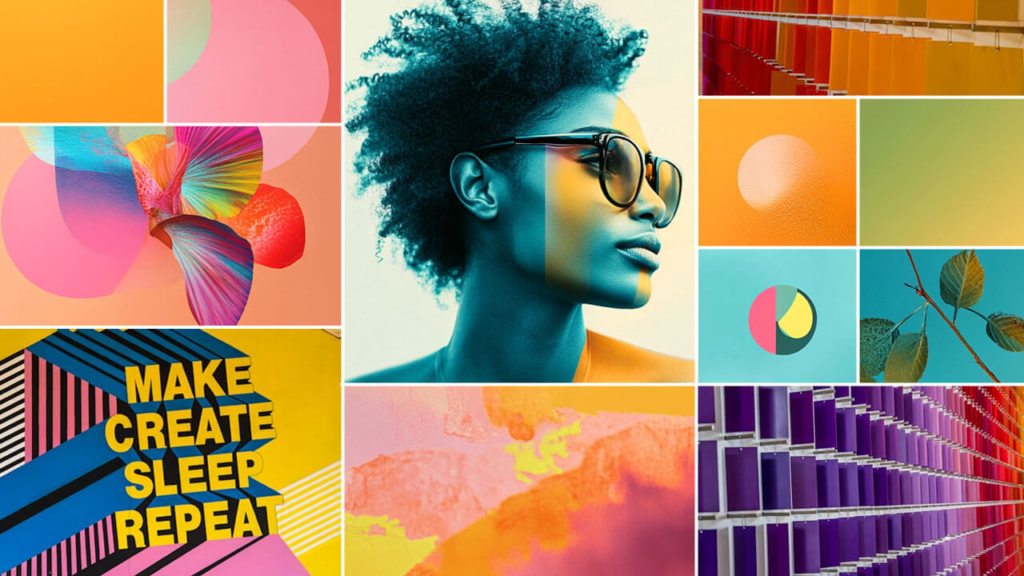
Possessing the most advanced, expensive graphic design software in the world means absolutely nothing if you do not understand the core principles of effective visual arrangement. The most common mistake made by amateur designers is overcomplicating the canvas by cramming every single pixel full of text, shapes, special effects, and bright colors. Truly spectacular design relies heavily on the strategic implementation of negative space, which is the empty breathing room around design elements that allows the viewer’s eyes to naturally rest and navigate the layout.
Always limit your typographic choices to a maximum of two complementary font families per project—one clean, bold font for your primary headings and a highly legible, simple font for your body text. Maintain a strict visual hierarchy by making your most important message the largest, most vibrant element on the page, ensuring that a viewer can instantly grasp the core purpose of your graphic within a single glance. Keep your color palettes tight and intentional, using no more than three cohesive tones that align beautifully with the underlying emotional mood of your brand.
Fatal Design Pitfalls to Actively Avoid
When you are first starting out on your creative path, it is incredibly easy to fall into bad habits that instantly ruin the polish of your work. One of the most devastating errors is the uneven stretching or compressing of images, which occurs when a user drags a corner handle without maintaining the original aspect ratio, resulting in highly unprofessional, distorted visuals. Always ensure that you hold down the proper aspect-ratio lock keys on your keyboard whenever you are resizing photography or brand iconography.
Another massive pitfall is a complete disregard for contrast, such as placing dark grey text directly over a dark blue background layer. If your text is not instantly legible from a distance, your design has fundamentally failed its primary communication objective. Additionally, always double-check the final alignment of your elements using digital grid systems rather than just guessing by eye; minor misalignments of just a few pixels are incredibly jarring to the human brain and instantly make an otherwise beautiful layout look incredibly sloppy.

