Artificial Intelligence (AI) has transformed the way people work, communicate, and manage their daily responsibilities. What once seemed like advanced technology reserved for large companies is now accessible to everyone. Whether you are a student, freelancer, entrepreneur, or office professional, AI can help automate repetitive tasks, improve productivity, and free up valuable time for more meaningful work.
Instead of spending hours organizing emails, scheduling meetings, or creating reports, AI-powered tools can complete these tasks quickly and accurately. The result is less stress, better organization, and more time to focus on creativity and decision-making.
This guide explores how artificial intelligence can simplify your everyday routine, the benefits of automation, and practical ways to start using AI in your personal and professional life.
What Is AI Automation?
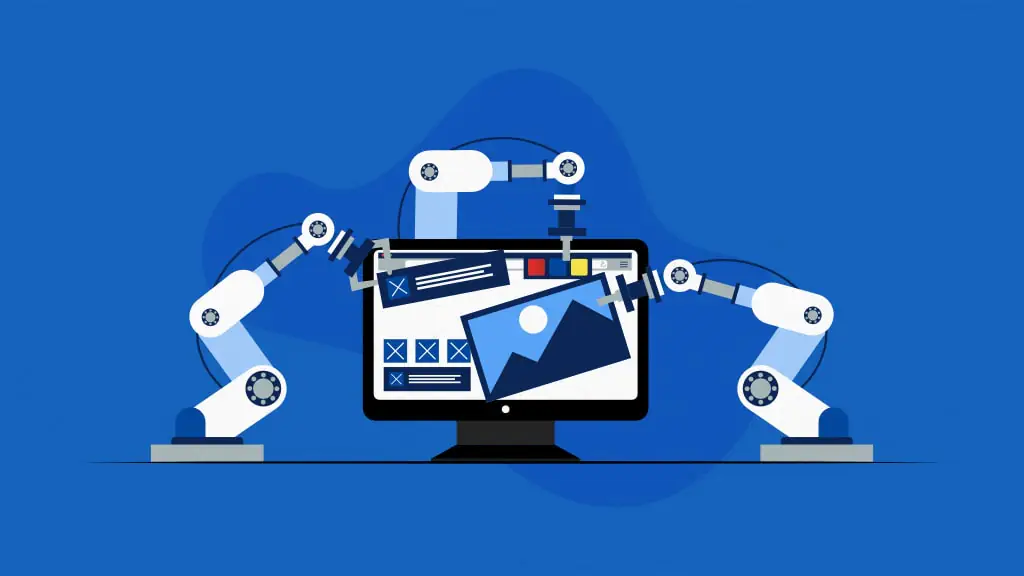
AI automation is the process of using artificial intelligence to perform tasks with minimal human involvement. Unlike traditional automation, which follows strict rules, AI can understand language, recognize patterns, analyze information, and make intelligent decisions based on data.
For example, an AI assistant can automatically organize your inbox, schedule appointments based on your calendar, summarize long documents, or even draft professional emails. As AI continues to improve, it becomes capable of handling increasingly complex tasks while adapting to your preferences.
Benefits of Automating Daily Tasks
Save Time Every Day
One of the biggest advantages of AI automation is time savings. Many daily activities involve repetitive work that doesn’t require much creativity. AI can complete these tasks within seconds, giving you more time to focus on important responsibilities.
Improve Productivity
Constantly switching between emails, meetings, reports, and administrative work can reduce productivity. AI minimizes these interruptions by handling routine tasks automatically, allowing you to concentrate on projects that require your expertise.
Reduce Errors
Human mistakes are common when performing repetitive work such as data entry or scheduling appointments. AI follows consistent processes and helps reduce errors, improving both efficiency and accuracy.
Stay Organized

AI tools can organize files, reminders, calendars, notes, and tasks in one place. Instead of manually tracking deadlines, AI keeps everything updated and sends reminders when needed.
Better Work-Life Balance
By reducing time spent on repetitive activities, AI allows people to spend more time with family, pursue hobbies, or simply relax after work.
Daily Tasks You Can Automate
Email Management
Managing emails can consume several hours each week. AI email assistants can automatically:
- Sort emails into categories
- Identify important messages
- Remove spam
- Suggest replies
- Draft responses
- Schedule follow-up emails
Instead of checking every email manually, AI prioritizes what matters most.
Calendar Scheduling
Finding a meeting time that works for everyone can be frustrating. AI scheduling tools simplify the process by checking calendars, suggesting available times, sending invitations, and updating appointments automatically.
These tools also remind participants before meetings and adjust schedules if conflicts arise.
Task and Project Management
AI-powered productivity platforms help users create daily to-do lists, prioritize work, estimate deadlines, and monitor project progress.
Some tools even analyze your workload and recommend the best order for completing tasks based on urgency and importance.
Note Taking
Taking notes during meetings often means missing important parts of the discussion. AI note-taking applications can record conversations, convert speech into text, summarize meetings, and identify action items.
This makes collaboration more efficient while reducing manual documentation.
Content Creation
AI writing assistants help create blog posts, emails, reports, social media captions, presentations, and marketing copy. While human editing remains important, AI significantly speeds up the writing process by generating ideas, improving grammar, and organizing content.


Automating Personal Tasks
Artificial intelligence is useful beyond the workplace. Many personal responsibilities can also be simplified.
Managing Finances
AI budgeting applications automatically categorize expenses, monitor spending habits, identify unusual transactions, and provide monthly financial reports.
These insights help users make smarter financial decisions without maintaining complicated spreadsheets.
Shopping Assistance
AI shopping assistants recommend products based on previous purchases, compare prices across retailers, notify users about discounts, and even generate grocery lists based on household habits.
Health and Fitness


Many fitness apps use AI to recommend workouts, track exercise progress, monitor sleep quality, and provide personalized health suggestions.
Virtual health assistants also remind users to drink water, take medication, or attend scheduled appointments.
Travel Planning
Planning a trip involves comparing flights, hotels, transportation, and attractions. AI simplifies the process by creating personalized travel itineraries, recommending destinations, tracking prices, and organizing reservations in one place.
AI Automation for Businesses
Businesses of every size benefit from AI automation because it improves efficiency while reducing operating costs.
Customer Support
AI chatbots provide instant responses to common customer questions twenty-four hours a day. They help solve simple problems while allowing customer service teams to focus on complex issues.
Marketing
Marketing professionals use AI to automate email campaigns, generate content ideas, analyze customer behavior, personalize advertisements, and measure campaign performance.
Automation ensures consistent communication with customers while saving significant time.
Data Analysis
Businesses generate enormous amounts of information every day. AI can quickly analyze this data, identify trends, create reports, and provide insights that support better business decisions.
Human Resources
HR departments use AI to screen resumes, schedule interviews, answer employee questions, and automate onboarding processes, making recruitment faster and more efficient.
Popular AI Tools for Daily Automation
Several AI tools are available for both personal and professional use. Some focus on writing assistance, while others specialize in scheduling, project management, note-taking, or workflow automation.
When choosing an AI tool, consider your specific needs, budget, ease of use, and integration with the software you already use. Starting with one or two tools is often the best approach before expanding your automation workflow.
Tips for Getting Started with AI Automation


If you’re new to AI, begin with small tasks rather than trying to automate everything at once.
Identify repetitive activities that consume the most time. Email management, scheduling, document organization, and reminders are excellent starting points.
Test different AI tools to determine which ones fit your workflow. Most platforms offer free versions or trial periods, allowing you to explore their features before making a commitment.
Always review AI-generated content for accuracy. Although AI is highly capable, human oversight ensures quality and prevents mistakes.
Continue learning as AI technology evolves. New features and tools appear regularly, offering even more opportunities to improve productivity.
Common Mistakes to Avoid
Many people expect AI to solve every problem immediately. Successful automation requires planning and gradual implementation.
Avoid automating tasks that require sensitive judgment or complex decision-making without proper oversight. Protect your personal information by using trusted platforms and enabling strong security settings.
Finally, remember that AI is designed to assist rather than replace human expertise. Combining automation with critical thinking produces the best results.
The Future of AI Automation
Artificial intelligence is advancing rapidly. Future AI systems will become even more personalized, understanding user preferences, predicting needs, and managing increasingly complex workflows.
As voice assistants, smart devices, and business software become more connected, automation will become an essential part of everyday life. Individuals and businesses that embrace AI today will be better prepared for tomorrow’s digital workplace.
FAQ’s
1. What is AI automation?
AI automation uses artificial intelligence to perform repetitive tasks automatically, helping save time and improve efficiency.
2. Can AI automate everyday tasks?
Yes. AI can automate tasks such as managing emails, scheduling meetings, organizing files, creating content, and setting reminders.
3. Is AI automation suitable for small businesses?
Yes. Small businesses can use AI to automate customer support, marketing, scheduling, and administrative tasks, reducing costs and increasing productivity.
4. Do I need technical skills to use AI tools?
No. Most AI tools are designed with user-friendly interfaces, making them easy to use without coding or technical expertise.
5. Is AI automation safe to use?
Yes, as long as you use trusted AI platforms, enable security features, and avoid sharing sensitive personal or business information unnecessarily.