Workflow management software is no longer just a luxury for tech startups—it has become the definitive backbone of the modern digital workplace. As teams become more distributed and projects grow increasingly complex, relying on scattered emails, frantic chat messages, and fragmented spreadsheets is a recipe for operational chaos.
Businesses require a centralized digital ecosystem to organize processes, automate repetitive tasks, improve collaboration, and track progress in real time. Whether you are operating a small business, scaling a rapid-growth startup, or steering a large enterprise, selecting the right workflow tool can drastically increase daily productivity and streamline your entire operational lifecycle.
Understanding Workflow Management Software
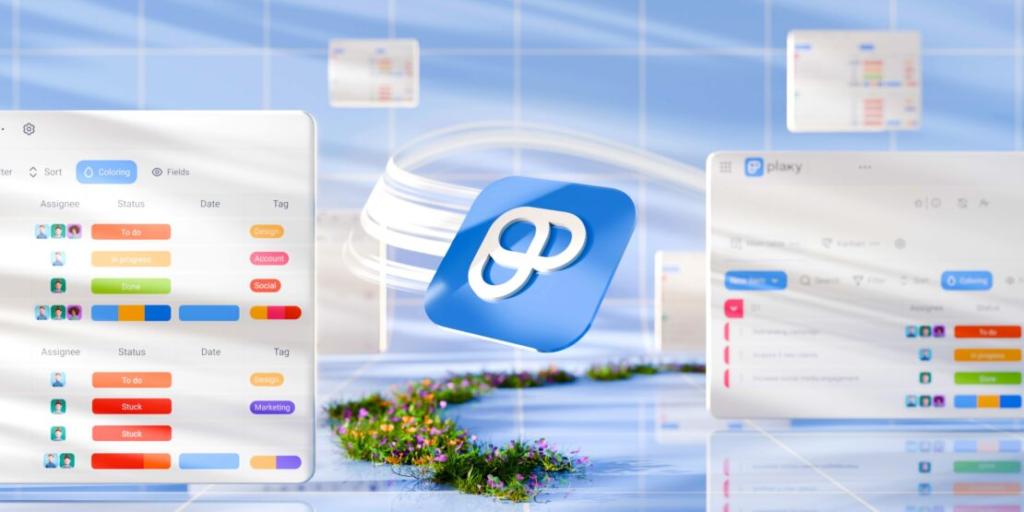
At its core, workflow management software is a comprehensive digital solution designed to help teams plan, execute, and monitor their daily work more effectively. Rather than allowing tasks to get lost in translation, these platforms centralize work into a single, visible space.
[Input / Request] ➔ [Automated Triage] ➔ [Team Assignment] ➔ [Review & QA] ➔ [Final Delivery]
By consolidating your business processes into a unified dashboard, your organization can drastically reduce internal confusion, maximize transparency, and ensure that projects move fluidly from initial ideation to final completion. It acts as the single source of truth for who is doing what, by when, and how.
Essential Features of Modern Workflow Platforms

When evaluating different workflow management tools, it is vital to look beyond basic task checklists. The most valuable platforms on the market offer a robust mix of the following capabilities:
- Task and Project Management: The ability to break massive projects down into manageable, bite-sized tasks, assign clear ownership, and set strict deadlines.
- Team Collaboration Tools: Integrated communication hubs, context-specific comment threads, and seamless file sharing that keep conversations tethered directly to the work being done.
- Workflow Automation: Visual builders that allow you to set up “if-this-then-that” rules, eliminating manual handoffs and repetitive data entry.
- Time Tracking and Analytics: Built-in timers and reporting dashboards that measure precisely how many hours are spent on specific initiatives, helping managers forecast resource constraints.
- Calendar and Deadline Management: Interactive calendars, Gantt charts, and timeline views that visually map out project dependencies and keep teams aligned with critical launch dates.
- Cross-Platform Integrations: Seamless connections with your existing tech stack, including business email, cloud storage providers, and primary communication networks.
- Custom Dashboards: Fully personalizable workspaces that allow individual contributors to see exactly what requires their immediate attention without getting overwhelmed by the entire company’s data.
Comprehensive Profiles of Leading Workflow Tools
The workflow software ecosystem is diverse, with different platforms tailoring their user experiences to specific organizational styles, team sizes, and technical methodologies.
| Software Platform | Best Suited For | Core Strengths |
| Asana | Cross-functional corporate teams | Highly intuitive UI, exceptional goal tracking, and clear dependency mapping. |
| Trello | Small teams and visual thinkers | Lightweight Kanban board design, simple drag-and-drop system, and low learning curve. |
| Monday.com | Mid-to-large scale enterprises | Massively customizable data columns, advanced automated workflows, and executive reporting. |
| ClickUp | Teams wanting an all-in-one suite | Aggressive feature set combining docs, goals, chat, whiteboards, and dashboards. |
| Notion | Knowledge-driven organizations | Unmatched wiki creation, flexible text databases, and seamless internal documentation. |
| Jira | Software engineering & Agile teams | Robust bug tracking, custom sprint planning, and deep development tool integrations. |
Deep Dive: Assessing the Big Six Platforms
1. Asana: Structural Clarity for Growing Teams
Asana shines brightest when managing complex, cross-functional projects that require input from multiple departments. It offers an incredibly clean layout that allows users to toggle seamlessly between list views, Kanban boards, timelines, and calendars.
The standout feature of Asana is its focus on strategic alignment. The platform allows leadership to connect high-level company goals directly to individual daily tasks. This ensures that every employee understands exactly how their minor contributions feed into the organization’s overarching success.
2. Trello: The Ultimate Visual Kanban Card System
Trello revolutionized task management by taking the traditional physical whiteboard and converting it into a sleek digital workspace. Utilizing a classic Kanban card system, users create vertical lists representing different stages of a process (e.g., To Do, In Progress, Review, Done) and slide task cards between them.
Because it is so lightweight and approachable, Trello is highly favored by creative agencies, freelancers, and small marketing squads. It requires virtually zero training to master, allowing teams to get up and running within minutes.
3. Monday.com: High-Octane Customization and Scaling
If your business handles highly variable data types and requires complex operational pipelines, Monday.com is a powerhouse choice. It treats workflows as dynamic, interactive spreadsheets on steroids. Users can add custom status buttons, tracking metrics, priority tags, and automated notification triggers to every single row of data.
The platform is built to handle heavy operational lifting for massive teams, making it an excellent fit for complex supply chain coordination, human resources onboarding sequences, and large-scale real estate operations.
4. ClickUp: The Feature-Rich Productivity Hub
ClickUp marketed itself on the bold promise of replacing all other workplace apps, and its feature set reflects that ambition. Rather than forcing you to purchase separate tools for doc editing, time tracking, screen recording, and task management, ClickUp bundles all of these elements into a single interface.
While the learning curve can be steep due to the sheer volume of menus and configuration settings, it provides unparalleled value for operations teams who want total control over every microscopic detail of their workspace layout.
5. Notion: Merging Knowledge Management with Workflows
Notion takes a fundamentally different approach by treating your workspace like an empty digital canvas. It allows users to build custom internal wikis, reference documents, and project databases using simple text blocks.
For companies that rely heavily on written culture, standard operating procedures (SOPs), and extensive documentation, Notion is an elegant solution. It bridges the gap between static company knowledge bases and active, moving task management.
6. Jira: The Unrivaled Standard for Technical Product Development
Built by Atlassian, Jira is the undeniable industry standard for software engineering and technical product development teams. It is explicitly tailored around Agile methodologies, giving development squads everything they need to run weekly sprints, manage product backlogs, track software bugs, and map out product releases.
Because it integrates natively with code repositories, Jira allows engineering managers to see exactly when a specific line of code has been pushed to production right from the task ticket itself.
How Workflow Software Maximizes Team Performance

Implementing a dedicated workflow tool fundamentally changes how a team behaves on a day-to-day basis. By replacing ambiguous, open-ended assignments with strict digital records, companies eliminate the silent productivity killers that plague unorganized offices.
The Death of the Internal Status Meeting
One of the most immediate impacts of workflow management software is the drastic reduction in administrative meetings. Instead of gathering a dozen professionals in a room just to hear everyone verbally list what they worked on yesterday, managers can simply look at a real-time progress dashboard. If a task is marked green, it is tracking perfectly; if it turns amber or red, the blockages are visible to everyone instantly.
Frictionless Communication Loops
When task updates occur inside an email inbox, critical context inevitably gets buried or lost. Workflow software solves this by embedding conversational threads directly inside individual task profiles. If a graphic designer needs feedback on a marketing asset, they upload the draft straight to the specific task card and tag the creative director. The ensuing feedback loop remains anchored to that exact asset permanently, creating a historical record that anyone can reference later.
Quantifiable Strategic Benefits of Implementation
Organizations that successfully transition from manual processes to dedicated workflow software report a 30% reduction in operational errors and a massive 40% increase in project delivery speeds within the first six months of adoption.
- Radical Resource Optimization: Managers gain a macro-level view of team capacity, allowing them to shift workloads away from overwhelmed employees and reallocate them to individuals with free bandwidth.
- Minimized Human Error: Manual oversights—like forgetting to email a client an invoice or overlooking an approval step—are virtually eliminated by system-enforced task dependencies.
- Accelerated Onboarding Invocations: New hires can get up to speed much faster by reviewing past completed tasks, reading nested comments, and following built-in process templates without needing constant oversight.
- Data-Driven Accountability: When every task has a single assigned owner and a hard deadline, shifting blame becomes impossible. The software fosters a culture of transparent ownership.
The Transformative Role of Automation
The true magic of modern workflow management software lies within its native automation capabilities. Everyday business administration is packed with repetitive, low-value manual tasks that silently drain employee energy and focus.
[Form Submission Received] ➔ [Auto-Create Task Card] ➔ [Ping Slack Team Channel] ➔ [Assign to Nearest Agent]
Automation acts as an invisible digital assistant working in the background. For example, you can write a simple rule: “When a client submits a support ticket through our website, automatically create a high-priority task card in our workflow system, tag the customer success team, and send an automated confirmation email back to the client.” By handling these micro-actions automatically, your employees can step away from data entry and devote their energy to critical problem-solving.
Choosing the Right Platform for Your Specific Needs

Navigating the crowded workflow software market requires a structured, analytical approach. To prevent costly software deployment failures, your leadership team should follow a clear, sequential evaluation process.
Step-by-Step Selection Methodology
1.Audit Current Operational Pain Points:Week 1.
Interview your team leads to map out exactly where communication breaks down, which tasks frequently slip through the cracks, and how much time is wasted on manual work.
2.Establish a Strict Feature List and Budget:Week 2.
Determine your non-negotiable requirements (e.g., must integrate with your CRM, must support Gantt charts) and calculate a sustainable per-user monthly budget.
3.Deploy Small-Scale Pilot Programs:Weeks 3-4.
Select two competing platforms and test them with a tiny, cross-functional pilot group of 5-10 employees to evaluate user adoption, interface speed, and ease of setup.
4.Execute Company-Wide Training and Rollout:Week 5.
Commit fully to your chosen platform, archive old legacy systems, design standardized workspace templates, and host mandatory hands-on training workshops for all staff.
The Evolution of Digital Workspaces

The future of workflow management software is deeply intertwined with Artificial Intelligence (AI), predictive automation, and zero-code development environments. Modern workflow tools are rapidly evolving from passive digital ledger systems into active, intelligent collaborative partners.
AI-Powered Predictive Analytics
Tomorrow’s workflow tools will not just track your deadlines; they will predict when you are going to miss them. By evaluating your team’s historical velocity and tracking individual performance metrics, integrated AI models can flag a project weeks in advance, alerting leadership that an initiative is statistically likely to face delays based on current output trends.
Conversational Workspace Generation
Selecting and deploying a dedicated workflow management tool is one of the most impactful operational decisions a modern business leader can make. By taking your business out of chaotic, unorganized text messages and grounding it within a clean, structured, and automated digital workspace, you set your organization up for scalable, predictable growth.
Whether you lean toward the clean simplicity of Trello, the structural cross-functional power of Asana, the high-octane customization of Monday.com, or the software engineering depth of Jira, the ultimate goal remains exactly the same: to give your team the profound clarity they need to focus on what truly matters, eliminate administrative friction, and achieve their strategic goals with far less effort.