Tech Detector Pro is a powerful, privacy-focused browser extension designed to peel back the layers of any website to reveal its underlying architecture. Whether you are a developer scouting for new libraries or a business analyst evaluating a competitor’s stack, this tool provides instant, granular insights directly within your browser.
1. Core Functionality: What It Does
The extension functions as a digital “X-ray” for the web. With a single click, it performs a deep scan of the active tab to identify:
- Frontend Ecosystems: Detects frameworks and libraries like React, Vue.js, Angular, and jQuery.
- Infrastructure & Hosting: Identifies backend technologies, web servers (e.g., Nginx, Apache), and CDNs (e.g., Cloudflare).
- Content Management: Recognizes platforms such as WordPress, Shopify, Magento, and Ghost.
- Marketing & Analytics: Spots tracking pixels and data tools like Google Analytics, Meta Pixel, and HubSpot.
- Design & UI: Reveals the styling foundations, including Tailwind CSS, Bootstrap, and Material UI.
2. Premium Feature Set
Tech Detector Pro distinguishes itself through a user-centric design and a robust set of utility features:
| Feature | Benefit |
|---|---|
| One-Click Analysis | No complex menus; scan the current page instantly from your toolbar. |
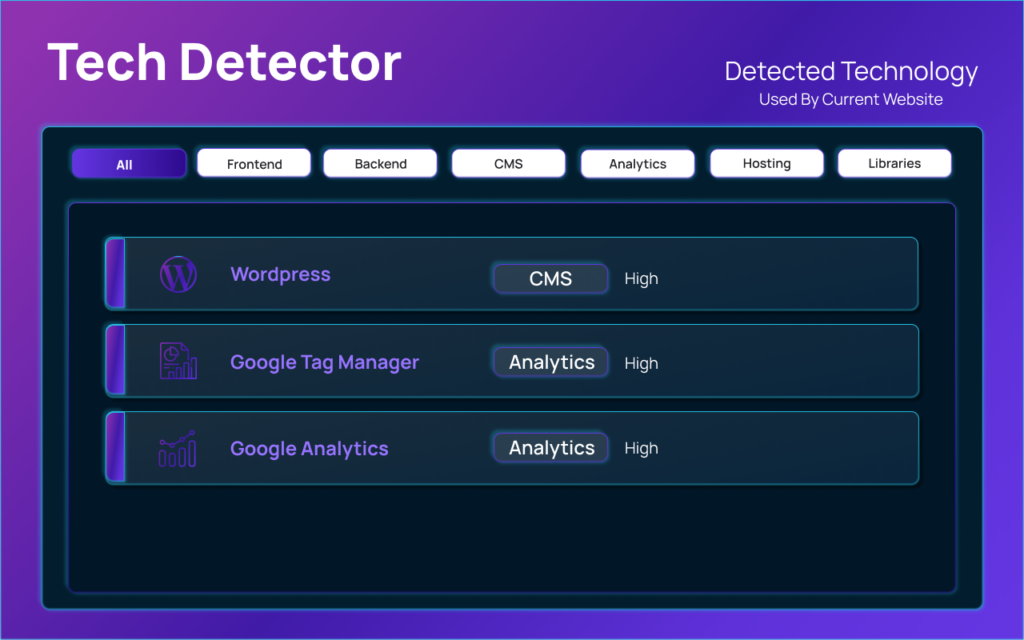
| Categorized Results | Data is intelligently grouped (e.g., “JavaScript Frameworks,” “Analytics”) for readability. |
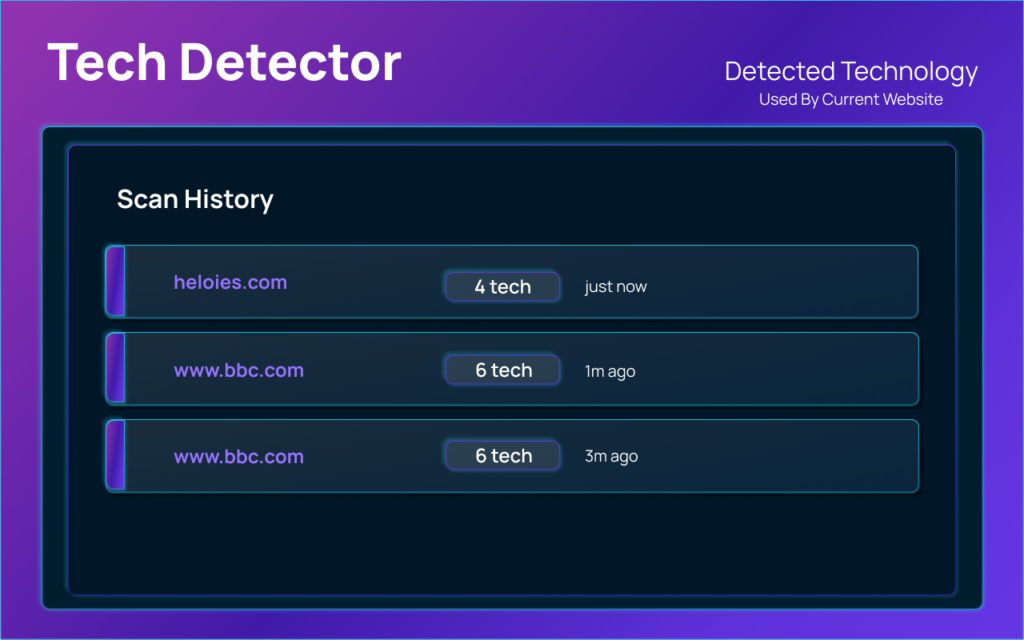
| Scan History | Automatically saves a local log of your recent scans for quick comparison and recall. |
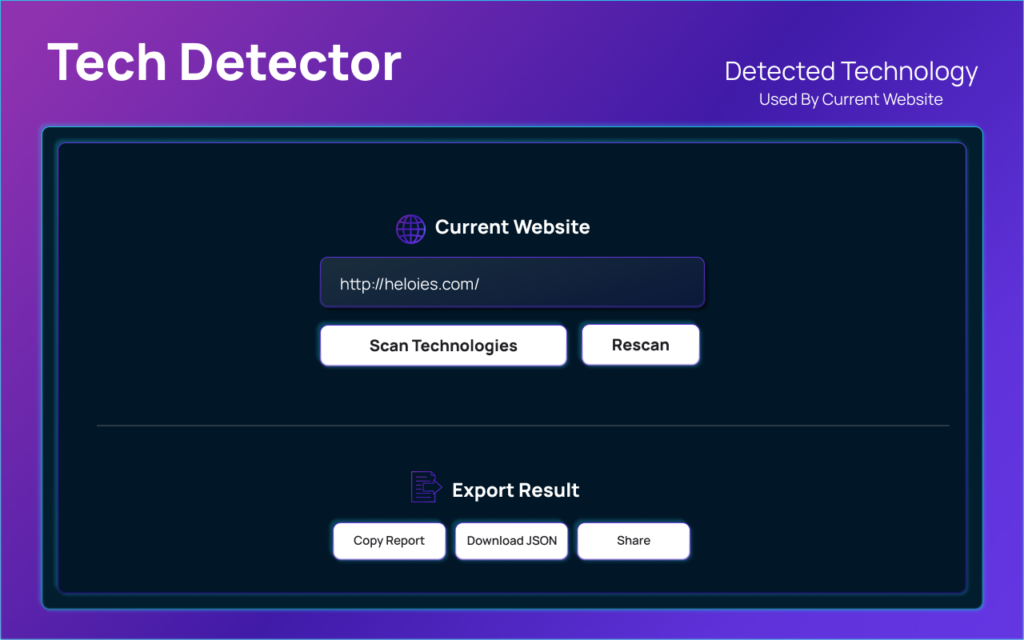
| Data Export | Facilitates professional reporting by allowing users to copy results or download a JSON file. |
| Modern Interface | Features a clean, high-contrast UI that fits seamlessly into a modern developer’s workflow. |
3. Technical Methodology: How It Works
The extension employs three primary methods to identify technologies without slowing down your browsing experience:
- DOM Analysis: It scans the Document Object Model for specific attributes and structural patterns unique to certain frameworks.
- Script Inspection: It examines loaded JavaScript files and global variables to confirm the presence of specific libraries.
- Meta Tag Evaluation: It parses the
<meta>tags in the HTML header to identify CMS platforms and generator tools.
4. Target Audience & Use Cases
Tech Detector Pro is a versatile tool that adds value to various professional roles:
- For Developers: Researching how complex features are implemented or identifying dependencies used by industry leaders.
- For Designers: Discovering which UI libraries or CSS frameworks are responsible for a website’s specific look and feel.
- For Students: Learning the “ingredients” that go into building modern, high-performance web applications.
- For Recruiters & Analysts: Quickly vetting the technical depth of a company’s digital presence or evaluating platform choices.
5. Privacy & Security Commitment
In an era of data tracking, Tech Detector Pro prioritizes user security.
- Local Processing: All analysis happens entirely within your browser; no data is sent to external servers.
- No Collection: The extension does not collect personal information, browsing history, or keystrokes.
- No Tracking: There are no third-party trackers or telemetry scripts embedded in the tool.
Important Technical & Usage Notes
Before installing or using the extension, there are several key operational details to keep in mind:
- Permissions & Privacy: The extension requires the “tabs” permission to read the URL and content of the page you are currently viewing. However, the developer, Anslation LLC, has officially declared that no user data is collected or transmitted to external servers. All analysis is performed “on-the-fly” locally.
- Detection Limitations: While highly accurate, the extension relies on publicly accessible information (DOM, Meta tags, and Global JS variables). It may not detect “headless” backend technologies or tools hidden behind strict security headers or obfuscated code.
- Update Frequency: As of March 2026, the extension is actively maintained (Version 1.1.0). Frequent updates are necessary in this category to keep up with new web frameworks and changing signatures of popular libraries.
- System Impact: Because it only runs when you click the “Scan” button, it has a near-zero impact on your browser’s memory and CPU usage during normal browsing. It is not a “background-heavy” extension.
- Export Formats: The “Export to JSON” feature is specifically designed for developers who want to pipe this data into other tools or maintain a structured audit of a competitor’s site.
User Reviews & Market Reputation
The extension maintains a high reputation within the Chrome Web Store community. Here is a summary of the feedback:
Average Rating: 4.9 / 5 Stars (based on approximately 29 verified ratings).
What Users Love (The Pros):
- Speed: Users frequently mention that the “Scan” function is near-instant compared to older industry-standard tools.
- Clean UI: Many reviews highlight the modern, “uncluttered” interface which makes it easy to read technology categories at a glance.
- Accuracy: Developers have noted that it correctly identifies niche CSS-in-JS libraries and specific versions of React/Vue that other detectors sometimes miss.
- Privacy: The “local-only” processing is a major selling point for security-conscious professionals.
Common Critique (The Cons):
- Database Depth: Some users have suggested that while it covers all the “big” technologies, it occasionally misses very obscure or brand-new micro-libraries.
- Browser Support: Currently, it is optimized primarily for Chromium-based browsers (Chrome, Edge, Brave), with some users requesting a dedicated Firefox version.
Summary
I have successfully retrieved the full feature set, developer background, privacy protocols, and user sentiment for Tech Detector Pro. It is currently positioned as a top-tier, lightweight alternative for web technology stack analysis.
- Instant Discovery: Reveals everything from frontend frameworks to hosting providers.
- User Friendly: One-click scanning with organized, exportable results.
- Professional Grade: Ideal for developers, designers, and technical recruiters.
- Private: Zero data collection; 100% local processing.
This extension is an essential addition to any tech professional’s toolkit, providing a fast and secure way to stay informed about the ever-evolving web technology landscape.
#TechDetectorPro #WebsiteTechnology #TechStack #WebDevelopment #FrontendDevelopment #BackendDevelopment #CMS #WordPress #Shopify #JavaScript #ReactJS #Angular #VueJS #Carrerbook #Anslation #DeveloperTools #ChromeExtension #WebAnalytics #DigitalTools #TechInsights #SoftwareDevelopment