
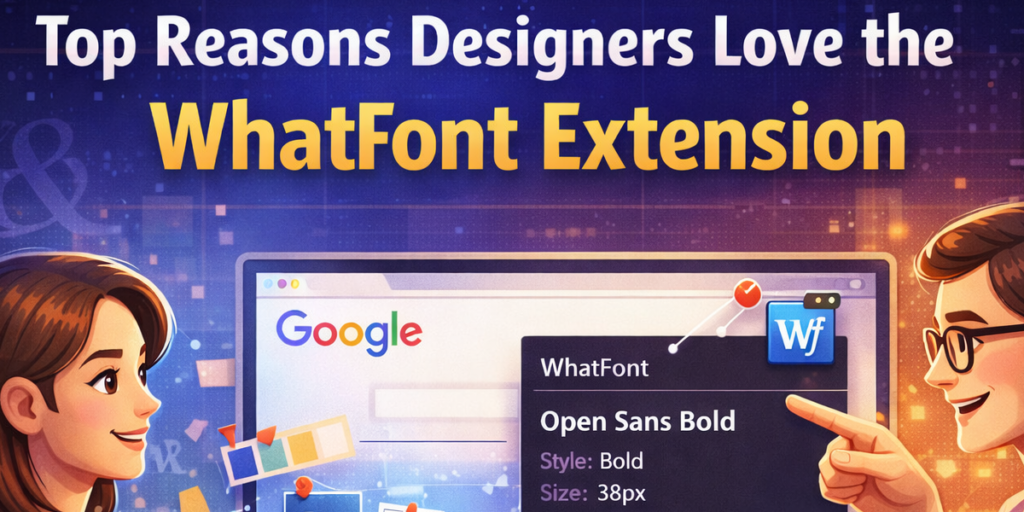
Typography is at the heart of great design. The right font can define a brand’s personality, improve readability, and elevate a website’s visual appeal. For designers and developers, identifying fonts used on inspiring websites has always been part of the creative process. Traditionally, this meant opening browser developer tools and digging through complex code.
That process is no longer necessary. WhatFont – Font Identifier was built to simplify font discovery and make typography inspection effortless. It allows users to instantly identify fonts and extract detailed styling information directly from any webpage, all without touching developer tools.
Here are the top reasons designers consistently choose and trust the WhatFont Extension in their daily workflow.
1. Instant Font Detection Without Developer Tools
One of the biggest advantages of WhatFont is its simplicity. Designers no longer need to inspect elements manually or navigate complicated CSS panels.
With a single click on the extension icon, font detection begins immediately. Whether you are browsing a portfolio, an e-commerce site, or a landing page, you can retrieve typography details in seconds. This streamlined process saves time and reduces friction during research.
2. Flexible Detection Modes for Different Needs
WhatFont offers three powerful detection options:
Hover Detection Mode
Simply move your cursor over any text, and font details appear instantly. This is ideal for quick checks when browsing multiple websites.
Click Detection Mode
Click on a specific text element to lock its information. This is perfect when you want to analyze typography more carefully without the information disappearing.
Scan Mode
Scan the entire page to identify unique font combinations used throughout the layout. This is especially useful when studying brand consistency or understanding a design system.
This flexibility makes the extension adaptable for both quick inspiration and detailed analysis.
3. Detailed Typography Information
Designers need more than just a font name. WhatFont goes deeper by displaying:
- Font family
- Font size
- Font weight
- Font style
- Line height
- Text color
This level of detail helps professionals accurately replicate typography styles in their own projects. Instead of guessing spacing or weight, designers can implement precise values.
4. CSS Snippet Generator
Another reason designers appreciate WhatFont is its built-in CSS snippet generator.
Once a font is identified, the extension can generate ready-to-use CSS code. This allows developers to copy styling properties directly into their project without manually rewriting them. It reduces errors and accelerates implementation.
5. Google Fonts Search Integration
If a font appears interesting but unfamiliar, WhatFont provides a quick search link for Google Fonts.
This feature speeds up the discovery process. Designers can instantly check availability, explore font variations, and integrate suitable alternatives into their own design systems.
6. Font History for Ongoing Projects
Creative work often involves revisiting inspiration sources. WhatFont stores recently detected fonts locally within the browser.
This history feature allows users to review previously identified typography without starting from scratch. It supports consistency and saves valuable research time.
7. Privacy-Focused and Local Processing
In an era where data privacy is a growing concern, WhatFont stands out by operating entirely through local processing.
It does not rely on external APIs or collect user data. All font detection happens within the browser environment. This ensures a secure experience while maintaining full functionality.
For professionals working on sensitive projects, this privacy-first approach builds trust.
8. Smooth and Intuitive User Flow
The extension is designed for ease of use. The process is straightforward:
Step 1: Open any webpage in Chrome.
Step 2: Click the WhatFont extension icon.
Step 3: Enable detection and choose Hover, Click, or Scan mode.
Step 4: Inspect text to retrieve detailed font information.
Step 5: View the font preview, copy CSS, or search the font online.
Step 6: Stop detection or clear font history when finished.
This logical workflow ensures that even beginners can use the tool confidently without a learning curve.
9. Enhances Creative Research
Designers constantly explore other websites for inspiration. Typography often sets the tone of a layout, but identifying it used to interrupt the browsing experience.
With WhatFont, inspiration flows naturally. You can browse, analyze, and collect font data without breaking concentration. This seamless integration supports creativity rather than slowing it down.
10. Improves Workflow Efficiency
Time is one of the most valuable resources in design and development.
By eliminating the need for manual inspection and providing ready-to-use CSS snippets, WhatFont significantly reduces research and implementation time. Over weeks and months, those saved minutes translate into meaningful productivity gains.
Why WhatFont Is a Must-Have for Designers and Developers
WhatFont is not just a font identifier. It is a workflow enhancer.
It combines speed, accuracy, flexibility, privacy, and usability into a compact browser extension. Whether you are building a website from scratch, analyzing competitor designs, or refining your typography choices, this tool provides clarity and precision.
For professionals who care about details, typography is never random. And WhatFont ensures those details are accessible instantly.
Final Thoughts
Design excellence often lies in small details, and typography is one of the most influential elements in digital design. WhatFont – Font Identifier simplifies the process of discovering and implementing those details.
Its hover detection, click inspection, scan mode, CSS generation, and privacy-first design make it a reliable companion for modern designers and developers.
If typography plays a role in your creative work, integrating WhatFont into your browser can elevate both efficiency and accuracy in your design process.
This article is for informational and educational purposes only. Features described are based on the extension’s stated functionality. Individual experience may vary depending on browser compatibility and usage environment. Users should review extension permissions and details before installation.
#WhatFont #FontIdentifier #WebDesignTools #TypographyDesign #ChromeExtension #UXDesign #FrontendDevelopment #CreativeWorkflow #Anslation #Carrerbook #Extansion #AltfTool

