
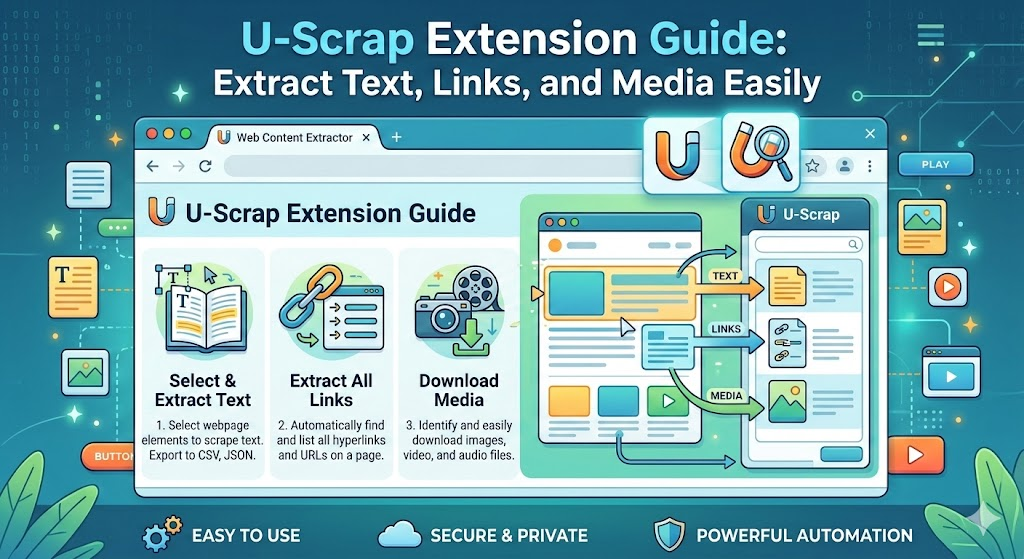
In today’s data-driven digital world, collecting information from websites is essential for research, analysis, content creation, and business intelligence. However, traditional web scraping often requires coding knowledge, technical tools, and complex setups. This is where Quick Web Scraper – U-Scrap becomes a powerful and practical solution. It allows users to extract structured website data directly from their browser with just one click, without writing any code.
This extension is designed for simplicity, speed, and efficiency. Whether you are a student, researcher, developer, marketer, or business owner, U-Scrap helps you collect and organize website data quickly and reliably.
What is Quick Web Scraper – U-Scrap?
Quick Web Scraper – U-Scrap is a browser extension that allows users to scrape structured data from any webpage instantly. It collects important elements such as headings, paragraphs, links, images, tables, lists, and metadata, and presents them in a well-organized preview dashboard.
Unlike traditional scraping tools that require scripts and technical setup, U-Scrap works entirely inside the browser. This makes it accessible for beginners while still being powerful enough for professionals.
The extension processes everything locally, ensuring faster performance and greater privacy.
Why Web Scraping is Important
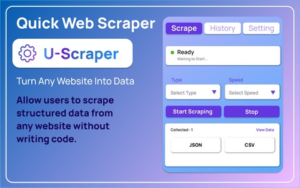
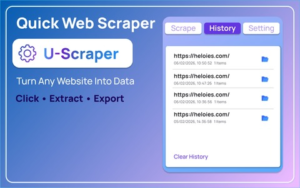
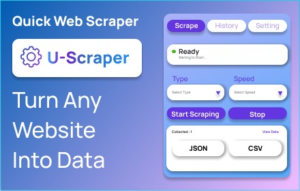
Web scraping helps users collect and analyze information efficiently. Instead of manually copying content from websites, users can extract data automatically and use it for research, reporting, analysis, or content organization.
Common uses include:
- Research and academic data collection
- Market research and competitor analysis
- Content auditing and website analysis
- SEO analysis and metadata extraction
- Data collection for business insights
- Development and testing purposes
U-Scrap simplifies all of these tasks by providing structured results instantly.
Key Features of Quick Web Scraper – U-Scrap
One-Click Scraping for Instant Results
The extension allows users to extract webpage data with a single click. There is no need to configure complex settings or write code. Simply open the extension and click the scrape button.
This saves time and makes data extraction accessible for everyone.
Complete Page Data Extraction
U-Scrap captures all important elements from a webpage, including:
- Headings and paragraphs
- Links and navigation elements
- Images and media files
- Tables and lists
- Forms and input fields
- Videos and embedded content
- Page metadata and structure
This ensures users get a complete overview of the webpage.
Organized Data Preview Dashboard
Once the scraping process is complete, the extension displays the extracted data in a structured dashboard. The data is separated into clear sections such as:
- Overview
- Content
- Media
- Structure
- Raw Data
This makes it easy to review and understand the extracted information.
Export Data in JSON and CSV Formats
Users can export the scraped data into commonly used formats like JSON and CSV. These formats are widely supported and can be used in spreadsheets, databases, analytics tools, or development environments.
This makes U-Scrap useful for both technical and non-technical users.
Flexible Controls and Settings
The extension includes refresh and close options, allowing users to update or exit the preview anytime.
It also includes an options page where users can adjust scraping behavior, including:
- Auto-scroll settings
- Wait time for dynamic websites
- Scraping preferences
This ensures accurate extraction even on modern, dynamic websites.
Secure Local Processing
All scraping and data processing happens locally in the user’s browser. This means the data is not sent to external servers, providing better privacy and faster performance.
Step-by-Step Guide: How to Use Quick Web Scraper – U-Scrap
Using U-Scrap is simple and straightforward:
Step 1: Open the target webpage
Navigate to the website you want to scrape.
Step 2: Open the extension popup
Click the U-Scrap extension icon in your browser toolbar.
Step 3: Click the scrape button
Start the scraping process with a single click.
Step 4: Review the preview dashboard
View the extracted data in organized sections like Content, Media, and Structure.
Step 5: Export the data
Download the scraped data in JSON or CSV format.
Step 6: Adjust settings if needed
Use the options page to customize scraping behavior.
Who Should Use Quick Web Scraper – U-Scrap?
This extension is useful for many types of users, including:
Researchers – Collect structured data for academic or professional research.
Developers – Analyze website structure and test data extraction workflows.
Digital marketers – Extract SEO data, links, and metadata.
Content creators – Collect references, headings, and media.
Business professionals – Gather competitor insights and market data.
Students – Collect information for projects and assignments.
Benefits of Using U-Scrap Extension
The extension offers several advantages:
- No coding required
- Fast and easy data extraction
- Structured and organized results
- Export support for common formats
- Works directly in the browser
- Privacy-friendly local processing
- Suitable for beginners and professionals
These benefits make U-Scrap a practical and efficient scraping solution.
Common Use Cases
Here are some real-world scenarios where U-Scrap is especially useful:
- Extracting article content for research
- Collecting product information from e-commerce websites
- Analyzing website structure and links
- Extracting image and media sources
- Saving metadata for SEO analysis
- Exporting structured data for reporting
Final Thoughts
Quick Web Scraper – U-Scrap is a powerful yet easy-to-use browser extension that simplifies website data extraction. It removes the technical barriers associated with traditional scraping tools and allows users to collect structured data quickly and efficiently.
With one-click scraping, organized previews, export options, and privacy-friendly local processing, U-Scrap is an excellent tool for anyone who needs to extract website data without coding. It saves time, improves productivity, and makes web scraping accessible to everyone.
AI Automation Guide 2026: Work Smarter, Faster & Better
Artificial intelligence and automation are changing the way people work, manage information, communicate, and complete…

Disclaimer
This article is for informational and educational purposes only. Users should always follow website terms of service, privacy policies, and applicable laws when extracting or using website data. The extension should be used responsibly and ethically.
#WebScraper #DataExtraction #BrowserExtension #WebScrapingTool #DeveloperTools #DigitalResearch #DataCollection #ProductivityTools #TechTools #UScrapExtension #Anslation #Carrerbook #AltfTool #Extension

