
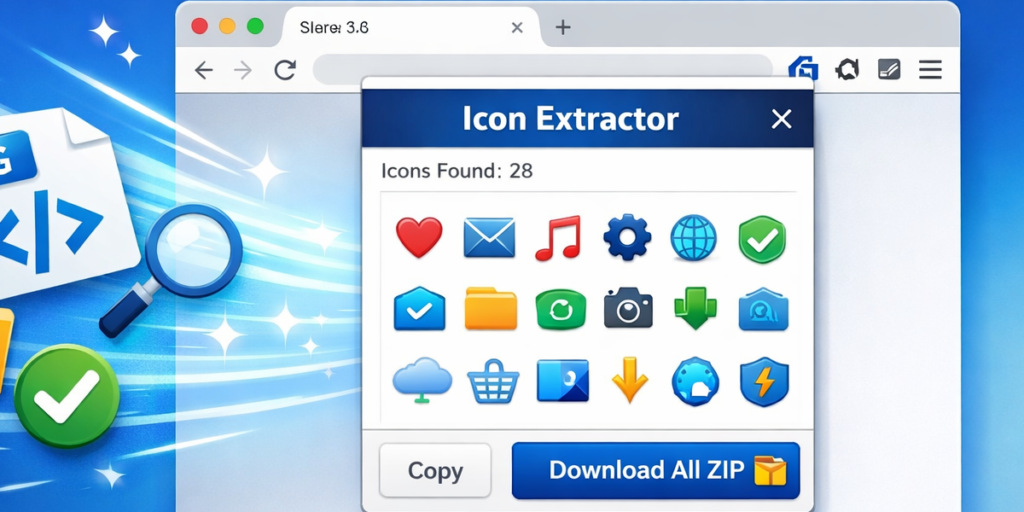
Icon Finder from Website is a powerful browser extension designed to simplify the process of extracting icons directly from any webpage. Icons play an essential role in web design, development, and content creation, but manually locating and extracting them from website source code can be time-consuming and complicated. This extension solves that problem by automatically scanning webpages and collecting visible icons, allowing users to copy or download them instantly.
Whether you are a web developer, designer, or digital creator, Icon Finder from Website helps streamline your workflow and saves valuable time.
Motive Behind Icon Finder from Website
The main purpose of Icon Finder from Website is to make icon extraction fast, simple, and accessible. Instead of manually inspecting the website’s source code or searching through developer tools, users can extract icons with just a few clicks.
The extension automatically scans the current webpage, detects various types of icons, and displays them in an organized preview. This allows users to quickly copy SVG code, download image files, or save all icons together in one ZIP file.
Key Features of Icon Finder from Website
Scan Current Webpage for Icons
The extension scans the active webpage and identifies all available icons. This eliminates the need for manual searching or technical inspection.
Detect SVG Icons
SVG icons are commonly used in modern websites because of their scalability and quality. The extension detects inline SVG elements as well as SVG sprite references, making them easy to access and copy.
Detect Image-Based Icons
Icon Finder from Website also detects image icons in popular formats such as PNG, WebP, GIF, and ICO. This ensures that users can extract icons regardless of the format used by the website.
Detect CSS Background and Mask Icons
Some websites use CSS background images or mask images to display icons. The extension can detect these hidden icons, providing a complete extraction solution.
Shadow DOM Support
Modern websites often use Shadow DOM to encapsulate elements. The extension can traverse Shadow DOM structures to locate icons that are otherwise difficult to detect.
Filter Icons by Type
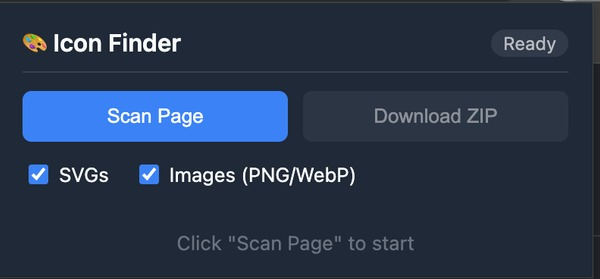
Users can filter results based on icon type, such as SVG or image format. This makes it easier to find specific icons quickly.
Grid Preview Interface
All detected icons are displayed in a clear grid layout inside the extension popup. This visual preview helps users easily identify the icons they need.
Copy SVG Code or Image URL
Users can copy SVG code directly for development purposes or copy image URLs for quick use in projects.
Download Individual Icons
Each icon can be downloaded separately, giving users flexibility in selecting only the icons they need.
Download All Icons as ZIP File
The extension allows users to download all detected icons in one ZIP file. This is especially useful for developers working with multiple icons.
Automatic Duplicate Removal
Duplicate icons are automatically removed, ensuring a clean and organized collection.
Skip Large Images
To focus on actual icons and avoid unnecessary files, the extension skips large images over 512px.
How to Use Icon Finder from Website
Step 1: Open the Target Website
Navigate to the website from which you want to extract icons.
Step 2: Click the Extension Icon
Click the Icon Finder from Website extension icon in your browser toolbar to open the popup interface.
Step 3: Click “Scan Page”
Press the “Scan Page” button. The extension will begin scanning the webpage for icons.
Step 4: View Detected Icons
After scanning, the extension will display all detected icons in a grid preview. This allows you to visually browse the results.
Step 5: Copy or Download Icons
You can copy SVG code, copy image URLs, or download individual icons based on your needs.
Step 6: Download All Icons as ZIP
If you want all icons, click the “Download ZIP” button to save them together in one file.
Benefits for Developers and Designers
Saves Time and Effort
The extension eliminates the need for manual inspection, allowing users to extract icons instantly.
Improves Workflow Efficiency
Developers and designers can quickly access and reuse icons, speeding up project completion.
Beginner-Friendly
The simple interface makes it easy to use even for users without technical knowledge.
Supports Modern Web Technologies
With support for SVG, CSS icons, and Shadow DOM, the extension works with modern websites.
Common Use Cases
- Extract icons for web development projects
- Reuse icons for UI and UX design
- Download icons for presentations or digital content
- Analyze website design elements
- Collect icons for educational or research purposes
Final Thought
Icon Finder from Website is a practical and efficient tool for anyone who works with web icons. Its ability to automatically scan webpages, detect multiple icon formats, and provide easy download options makes it extremely useful for developers, designers, and digital creators. By simplifying icon extraction, the extension helps users save time, improve productivity, and focus more on creativity rather than technical processes.
AI Automation Guide 2026: Work Smarter, Faster & Better
Artificial intelligence and automation are changing the way people work, manage information, communicate, and complete…

Disclaimer
This extension is intended for educational, development, and personal use purposes only. Users should respect copyright, licensing, and intellectual property rights when extracting and using icons from websites. Always ensure proper permission or licensing before using icons in commercial projects.
#IconFinder #IconExtractor #BrowserExtension #WebDevelopment #WebDesign #SVGIcons #DeveloperTools #DesignTools #ProductivityTools #ExtensionGuide #AltfTool #Extension #Anslation #Carrerbook

