
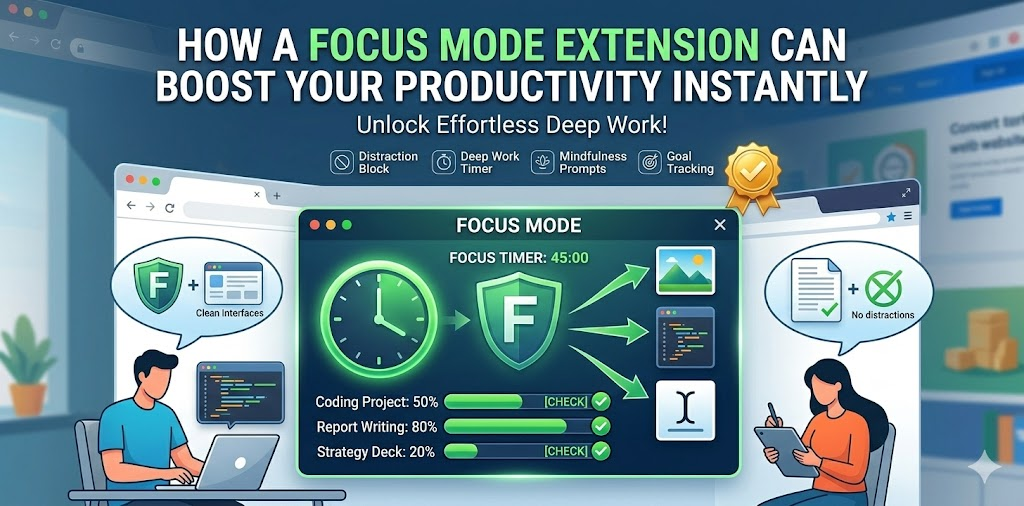
We live in a world where distractions are just one click away. You sit down to work, open your browser, and within minutes you’re scrolling through social media, reading unrelated articles, or watching videos you didn’t plan to watch. It’s not a lack of discipline — it’s the design of the modern internet.
That’s where a Focus Mode extension changes everything.
Instead of relying purely on willpower, Focus Mode creates a structured digital boundary between you and your distractions. The result? Immediate improvement in concentration, better time control, and measurable productivity gains.
Let’s explore how it works and why it’s so effective.
The Core Idea Behind Focus Mode
Focus Mode is built with a simple mission: reduce distractions during your work or study hours.
It allows you to block selected websites within a defined time range. If you attempt to visit a blocked site during active focus hours, you’re redirected to a motivational Deep Work page instead of the original content.
That interruption — small but intentional — is often enough to break the automatic habit of distraction.
Why Distraction Happens So Easily
Most online distractions aren’t planned. They’re reflexive.
You open a new tab to check something quickly. A social feed is one click away. A notification catches your attention. Suddenly, 20 minutes are gone.
Focus Mode interrupts this cycle by introducing friction. Instead of instant gratification, you see a blocked screen with a motivational message. That pause gives your rational brain time to regain control.
Key Features That Make It Effective
Toggle-Based Focus Mode
You control when Focus Mode is active with a simple On/Off switch. This ensures flexibility — you’re not permanently blocking anything. You decide when it’s time to focus.
Custom Focus Hours
You can define your working window, such as 09:00 to 17:00. During this period, selected websites remain blocked automatically.
This aligns your digital environment with your real-life schedule.
Manual Blocklist
Add and remove websites according to your needs. Whether it’s social media, news platforms, or entertainment sites, the blocklist is fully customizable.
You’re not locked into a predefined restriction list. It adapts to your habits.
Automatic Tab Monitoring
The extension uses a background service worker to monitor activity. Even if you try to open a blocked website in a new tab, it detects the action and redirects you instantly.
This ensures consistent enforcement without manual oversight.
Motivational Redirect Page
When a blocked site is accessed during focus hours, you’re redirected to a Deep Work screen.
Instead of endless scrolling, you see a motivational message reminding you why you activated Focus Mode in the first place.
It’s not punishment. It’s a gentle reset.
3-Second Unlock Delay
If you truly need access, the unlock button activates only after a 3-second delay.
Those three seconds are surprisingly powerful. They create a pause that often makes you reconsider whether accessing the site is truly necessary.
Emergency 10-Minute Access
Life isn’t rigid. Sometimes you genuinely need temporary access.
Focus Mode allows a 10-minute emergency unlock. After those 10 minutes, the site automatically becomes blocked again.
This balance prevents frustration while maintaining structure.
Daily Blocked Count Tracking
The extension tracks how many times you attempted to access blocked websites.
This feature provides insight into your habits. Over time, you can see patterns and measure improvement.
Awareness alone can significantly change behavior.
Synced Settings Across Devices
Settings are saved using chrome.storage.sync, meaning your preferences stay consistent across devices logged into your browser account.
Your productivity system travels with you.
How to Use Focus Mode Effectively
The setup is straightforward:
- Install and open the extension popup.
- Turn on Focus Mode.
- Set your working hours.
- Add websites you want to block.
- Refresh already opened tabs so blocking applies.
Once activated, the system works quietly in the background.
When you try to access a blocked website during active hours, you’re redirected. You can wait 3 seconds for unlock access or use the 10-minute emergency option if necessary.
After that temporary window closes, the site becomes restricted again automatically.
The Psychological Advantage
Focus Mode works because it changes the environment, not just your intention.
Instead of fighting distractions mentally, you remove easy access to them. This reduces cognitive load and preserves decision-making energy for meaningful tasks.
Productivity improves not because you’re working harder — but because you’re working with fewer interruptions.
Who Benefits Most?
Focus Mode is ideal for:
- Remote workers managing flexible schedules
- Students preparing for exams
- Freelancers juggling multiple projects
- Entrepreneurs needing uninterrupted deep work sessions
- Anyone struggling with online distractions
If your work happens in a browser, your focus system should too.
Instant Impact on Productivity
The improvement feels immediate because the biggest time leaks disappear.
No more automatic social checks.
No more endless scrolling during work hours.
No more accidental detours into unrelated content.
You stay aligned with your priorities.
And over time, that consistency compounds into significant productivity gains.
Final Thoughts
Focus Mode is not about restriction — it’s about intentionality.
By blocking distractions during defined hours and adding small but powerful friction points, it reshapes your browsing habits in a practical way. The combination of customizable scheduling, motivational redirects, delayed unlocks, and emergency access creates balance instead of rigidity.
Productivity doesn’t require superhuman discipline. Sometimes, it simply requires the right environment.
And Focus Mode helps you build that environment instantly.
This article is based on the provided documentation of the Focus Mode extension. Features and functionality may vary depending on browser updates, user configuration, and future enhancements. Productivity results differ based on individual habits and consistency of use.
#FocusMode #ProductivityBoost #DeepWork #StayFocused #ChromeExtension #TimeManagement #DigitalWellness #WorkSmart #Anslation #Carrerbook #AltfTool

