

Downloading images from modern websites is no longer as simple as right-clicking and saving. Today’s web pages rely on lazy loading, background rendering, dynamic image injection, and newer formats like WebP. What used to take seconds can now turn into a frustrating process of inspecting elements, dealing with low-resolution files, or missing images entirely.
That’s exactly where Image Download Helper comes in.
Designed for both Chrome and Firefox users, this extension simplifies the entire process of finding, filtering, previewing, and downloading images — all while keeping everything local and private inside your browser.
If you’re looking for a powerful yet easy-to-use image downloader in 2026, here’s everything you need to know.
Why Traditional Image Saving No Longer Works
Modern websites are smarter than ever. Images are often:
- Lazy-loaded only when you scroll
- Injected dynamically via JavaScript
- Rendered as background elements instead of visible image tags
- Compressed or displayed in alternate formats like WebP
Manual saving becomes inconsistent. You might grab thumbnails instead of full-resolution images. You might miss hidden assets entirely.
Image Download Helper solves this by scanning the active webpage intelligently, identifying images beyond the visible layer.
Key Features That Make It Stand Out
Smart Image Scanning
This extension doesn’t just look for basic image tags. It detects:
- Standard embedded images
- Lazy-loaded assets
- Background-rendered images
- Dynamically injected content
That means you get a more complete and accurate image extraction from any modern webpage.
Intelligent Filtering
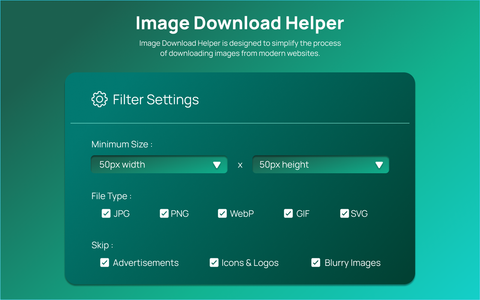
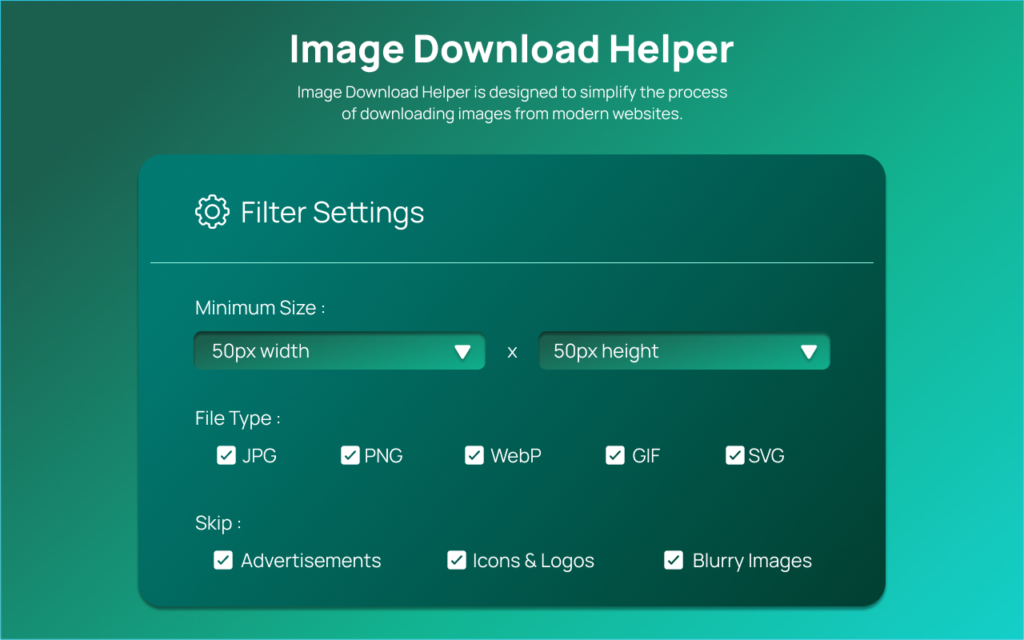
Not all images on a webpage are worth downloading. Icons, ads, tiny graphics, and blurry placeholders clutter results.
With intelligent filtering, you can:
- Set minimum width and height
- Filter by file type
- Skip ads and irrelevant assets
- Avoid low-quality images
This saves time and keeps your downloads clean and organized.
Image Preview Grid
Before downloading, you can review images in a paginated preview grid. Each image shows dimension overlays and selection indicators.
This visual confirmation ensures you’re choosing exactly what you want — no guesswork involved.
Bulk Download System with Progress Tracking
Whether you want a few selected images or the entire collection, bulk downloading makes it efficient.
The built-in progress tracker shows real-time status, so you always know what’s happening. You can even cancel the process mid-download if needed.
Custom Naming Patterns
File organization is often overlooked, but this extension handles it beautifully.
You can structure filenames using patterns like:
- {index}_{name}
- {width}x{height}_{name}
- Timestamp-based naming
This is especially helpful for designers, researchers, content creators, or anyone working with large batches of images.
WebP Conversion Support
WebP files aren’t always convenient. Image Download Helper allows optional conversion from WebP to JPG or PNG format during download.
This eliminates the need for separate conversion tools and streamlines your workflow.
Adjustable Image Quality
You can control compression quality between 10% and 100%, giving you flexibility between file size and image clarity.
This is ideal for web designers optimizing assets or marketers preparing images for different platforms.
Persistent Settings
Your preferences are saved using Chrome storage APIs, so you don’t need to reconfigure settings every time.
Once you set your filters and naming patterns, the extension remembers them.
Real-Time Notifications
Toast-style alerts keep you informed about:
- Successful downloads
- Warnings
- Errors
This keeps the process transparent and stress-free.
Modern User Interface
The clean Mint Teal themed interface is designed for clarity and ease of use. Everything is intuitive, well-labeled, and organized for efficiency.
No clutter. No confusion. Just functionality.
How to Use Image Download Helper
The process is simple and streamlined:
Step 1: Click the extension icon in your browser toolbar.
Step 2: Click “Scan Page” to extract all images from the active tab.
Step 3: Apply filters based on size, type, or skip preferences.
Step 4: Review images in the preview grid and select what you need.
Step 5: Configure download settings — folder name, filename pattern, format conversion, and quality.
Step 6: Click “Download Selected” or “Download All.”
Step 7: Monitor the progress bar and notifications. Cancel if needed or open your downloads folder.
The entire process is smooth and beginner-friendly.
Privacy and Performance
One of the most important aspects of this extension is that all processing happens locally within your browser using Chrome APIs.
That means:
- No external servers
- No image data uploaded
- No third-party tracking
- Faster performance
Your data stays on your device.
Who Should Use It?
Image Download Helper is ideal for:
- Graphic designers
- Content creators
- Digital marketers
- Researchers
- E-commerce managers
- Bloggers
- Students collecting reference material
If you regularly extract images from websites, this tool dramatically reduces friction.
Final Thoughts
In 2026, web content is more dynamic than ever. Standard right-click saving simply doesn’t keep up with modern site structures.
Image Download Helper bridges that gap with smart scanning, intelligent filtering, bulk downloading, file customization, and format conversion — all wrapped in a clean and user-friendly interface.
It’s efficient, private, and built for how today’s web actually works.
If image downloading has ever felt messy or inconsistent, this extension may be the upgrade your workflow needs.
This article is based on the provided documentation of the Image Download Helper extension. Features and functionality may vary depending on browser compatibility, future updates, and individual user settings. Always ensure you have permission to download and use images in accordance with copyright and website policies.
#ImageDownloadHelper #ChromeExtension #FirefoxExtension #WebTools2026 #DownloadImages #BrowserProductivity #DigitalWorkflow #TechGuide #Anslation #Carrerbook

