
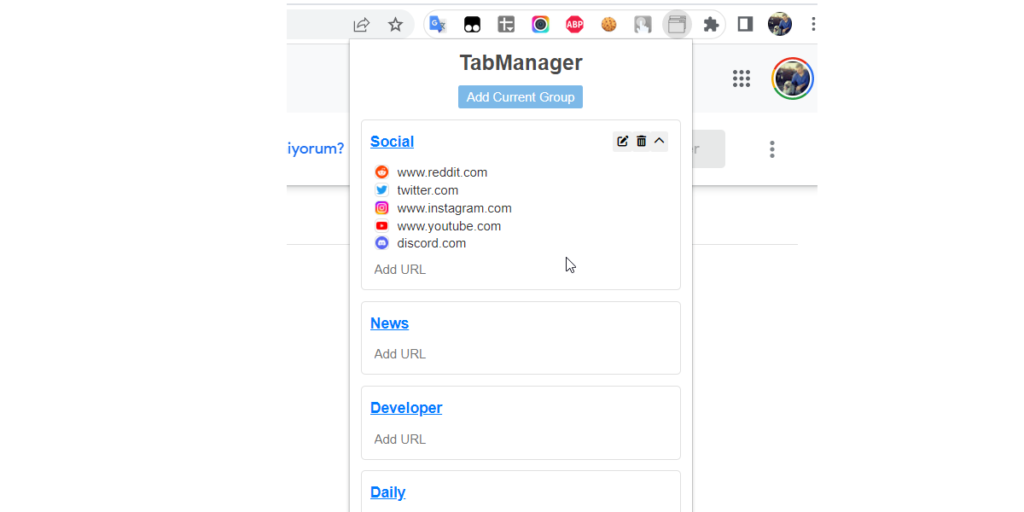
Tab Manager Pro is a powerful browser extension built to help users manage multiple open tabs efficiently. Whether you are a student researching topics, a developer working across tools, or a professional juggling multiple projects, browser tab clutter can quickly reduce productivity. Tab Manager Pro provides an organized and structured way to control, filter, and optimize your browsing experience.
This documentation explains the purpose, features, and workflow of the extension in a clear and practical format.
Motive
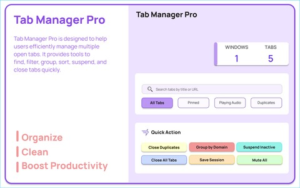
Modern browsing often involves dozens of open tabs at once. Over time, this leads to clutter, slower performance, duplicate pages, and difficulty finding important content. Tab Manager Pro is designed to simplify tab organization by offering intelligent tools to find, filter, group, sort, suspend, and close tabs quickly.
The extension not only reduces visual clutter but also helps improve browser performance by managing inactive tabs. It enhances workflow efficiency while giving users full control over their browsing sessions.
Core Features
1. Auto Suspend Inactive Tabs
Tab Manager Pro automatically discards tabs that have been inactive for 30 minutes using the chrome.tabs.discard API. This helps reduce memory usage and improves browser performance without permanently closing the tabs.
Inactive tabs remain visible and can be reloaded instantly when accessed again.
2. Full Tab Management Interface
The extension provides a complete tab management dashboard within the popup interface. Users can view all open tabs in one place, making navigation faster and more structured.
The interface allows quick searching, filtering, sorting, and performing actions without switching between windows.
3. Smart Tab Filters
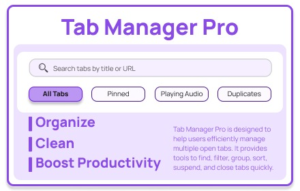
Users can filter tabs using predefined categories:
- All Tabs
- Pinned Tabs
- Audio Playing Tabs
- Duplicate Tabs
This filtering system makes it easy to isolate specific tabs instantly, especially when working with large numbers of open pages.
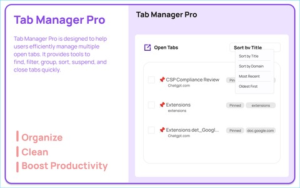
4. Flexible Sorting Options
Tabs can be sorted by:
- Title
- Domain
- Newest
- Oldest
Sorting improves organization and allows users to group related content logically, reducing time spent searching for specific tabs.
5. Multi-Select Tab Actions
Tab Manager Pro allows users to select multiple tabs at once. With multi-selection enabled, users can:
- Close selected tabs
- Pin or unpin tabs
- Group tabs together
This batch action capability significantly speeds up workflow management.
6. Quick Actions
For instant optimization, the extension includes powerful quick actions:
- Close Duplicate Tabs
- Group Tabs by Domain
- Suspend Inactive Tabs
- Mute All Tabs
- Close All Tabs
These shortcuts provide immediate control and reduce repetitive manual tasks.
7. Save Sessions
Users can save their current browsing session using chrome.storage.local. This feature allows restoration of important tab sets at any time.
Saved sessions help users pause work and return later without losing progress.
8. Dashboard View
The built-in dashboard provides deeper insights into browsing activity. It displays:
- Session history
- Tab statistics
- Estimated memory usage
- Restore or delete session options
This centralized overview improves tab organization and long-term session management.
9. Clean and Modern User Interface
Tab Manager Pro features a modern, visually appealing design. It includes:
- Gradient background styling
- Tab list with favicons for easy recognition
- Loading overlays for smooth processing
- Notification messages for user feedback
The clean layout ensures usability without overwhelming the user.
Step-by-Step User Flow
- The user opens the extension popup from the browser toolbar.
- The extension loads all currently open tabs automatically.
- The user searches, filters, or sorts tabs as needed.
- The user selects one or multiple tabs to close, group, pin, or mute.
- The user can apply quick actions such as Close Duplicates or Save Session.
- The user opens the Dashboard to review saved sessions and statistics.
- The user can restore a saved session or permanently delete it.
This streamlined workflow ensures efficient and structured tab management.
Performance and Productivity Benefits
Tab Manager Pro enhances productivity by reducing distraction and improving browser speed. Automatic tab suspension conserves memory, while duplicate detection prevents unnecessary tab overload.
By organizing tabs logically and offering bulk actions, the extension saves time and reduces cognitive overload during multitasking.
Ideal Users
Tab Manager Pro is suitable for:
- Students managing research materials
- Developers working across multiple tools
- Digital marketers handling campaigns
- Content creators juggling references
- Professionals working on multiple tasks
- Anyone struggling with excessive browser tabs
Its features are designed to benefit both casual and advanced users.
Final Thought
Tab Manager Pro transforms chaotic browsing into a structured and efficient experience. With features like automatic tab suspension, smart filtering, session saving, and bulk actions, it empowers users to take control of their workflow. In an era where multitasking is constant, having a reliable tab management system is essential for productivity and focus.
Disclaimer
This documentation is provided for informational purposes only. Performance improvements may vary depending on system configuration, browser version, and individual usage patterns. Users are responsible for managing saved sessions and important data appropriately.
AI Automation Guide 2026: Work Smarter, Faster & Better
Artificial intelligence and automation are changing the way people work, manage information, communicate, and complete…

#TabManagerPro #BrowserProductivity #TabManagement #ChromeExtension #WorkflowOptimization #DigitalProductivity #SessionManager #Anslation #Carrerbook #Extension #ALTFTOOL

