

Message Encryptor & Decryptor is a lightweight browser extension designed to help users securely encrypt and decrypt messages directly inside their browser. The tool works completely offline, meaning no data is transmitted to external servers. It provides a fast, simple, and private way to transform readable text into encrypted format and convert it back when needed.
This extension is ideal for users who want quick encryption without installing heavy software or relying on online encryption websites.
Motive
The primary goal of this extension is to offer a secure and easy-to-use offline encryption tool. Many online encryption tools require internet connectivity, which raises privacy concerns. Message Encryptor & Decryptor eliminates this risk by processing everything locally within the browser.
By using AES encryption powered through CryptoJS and an internal secret key, the extension ensures strong cryptographic protection while maintaining simplicity for everyday users.
Core Features
1. AES Encryption
The extension encrypts plain text using the AES (Advanced Encryption Standard) algorithm through CryptoJS.AES.encrypt. AES is widely recognized as one of the most secure encryption standards used globally.
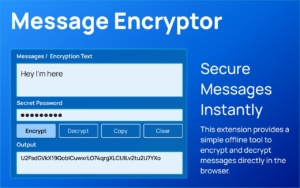
When a user enters plain text and clicks the ENCRYPT button, the tool converts the readable message into encrypted cipher text using a predefined internal secret key. This ensures consistency and reliability in encryption.
2. AES Decryption
Encrypted text can be converted back into its original readable format using the DECRYPT function. The extension uses CryptoJS.AES.decrypt to process the cipher text and convert the decrypted bytes into UTF-8 format.
If the encrypted message matches the internal secret key, the original message is restored accurately.
3. Copy Output
For convenience, the extension includes a one-click copy feature. It uses navigator.clipboard.writeText to instantly copy the encrypted or decrypted output to the clipboard.
This allows users to quickly paste the result into emails, chats, documents, or secure communication channels.
4. Clear Fields
The CLEAR button resets both input and output fields immediately. This helps users maintain privacy and keep their workspace organized after completing a task.
Clearing fields ensures that sensitive information does not remain visible in the popup interface.
5. Status Messages
The extension provides real-time feedback through status notifications. Users receive clear messages for actions such as:
- Encryption successful
- Decryption successful
- Text copied
- Fields cleared
- Error notifications
These messages improve user confidence and usability.
6. Lightweight and Clean UI
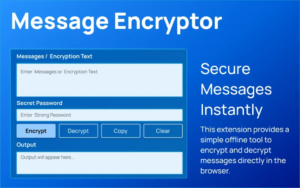
The extension features a simple popup interface with styled textareas and clearly labeled action buttons. The minimal design ensures ease of use while maintaining functionality.
Because it runs directly in the browser popup and does not rely on background servers, it remains fast and resource-efficient.
How the Extension Works
The encryption and decryption process happens entirely within the browser environment. Once the user enters text and selects an action, CryptoJS processes the data locally. No external API calls are made, and no information leaves the device.
This offline processing model enhances privacy and eliminates risks associated with online data transmission.
Step-by-Step User Flow
- The user opens the extension popup from the browser toolbar.
- The user types a plain message or encrypted text into the input box.
- The user clicks ENCRYPT to generate encrypted output.
- The user clicks DECRYPT to convert encrypted text back into readable format.
- The user clicks COPY to copy the generated output instantly.
- The user clicks CLEAR to remove all content from both input and output fields.
This streamlined workflow ensures that users can encrypt or decrypt messages within seconds.
Security Considerations
Since the extension uses AES encryption, it provides strong cryptographic protection. However, because it relies on an internal predefined secret key, encrypted messages can only be decrypted using the same key configuration within the extension.
For advanced enterprise-level security needs, additional encryption key management strategies may be required.
Who Can Use This Extension
Message Encryptor & Decryptor is suitable for:
- Developers testing encrypted data
- Students learning encryption basics
- Individuals sending private notes
- Professionals handling sensitive text locally
- Anyone who wants quick offline encryption
Its simplicity makes it accessible even for non-technical users.
Final Thought
Message Encryptor & Decryptor offers a practical balance between security and usability. By leveraging AES encryption through CryptoJS and operating entirely offline, it provides a reliable solution for quick message protection. Its lightweight interface, instant actions, and privacy-focused design make it a valuable browser utility for users who prioritize data security without complexity.
AI Automation Guide 2026: Work Smarter, Faster & Better
Artificial intelligence and automation are changing the way people work, manage information, communicate, and complete…

Disclaimer
This documentation is for informational purposes only. While AES encryption provides strong security, users are responsible for understanding how encryption works and for protecting sensitive information appropriately. The extension does not replace enterprise-grade security systems or professional cybersecurity solutions.
#MessageEncryptor #DataSecurity #AESEncryption #CryptoJS #BrowserExtension #PrivacyTools #OfflineSecurity #Anslation #Carrerbook #Extension #AlTFTOOL

