
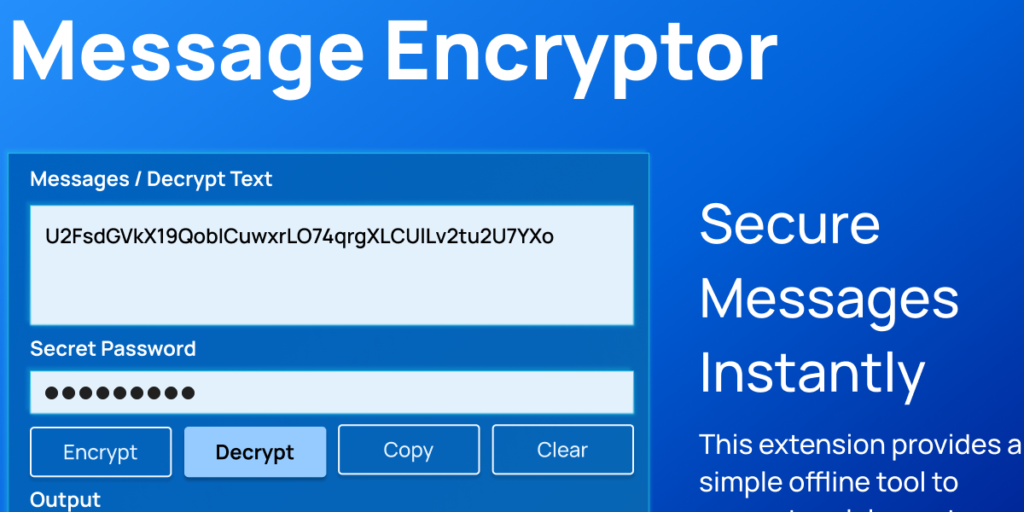
In a world where almost every conversation happens online, privacy is no longer optional. Whether you are sharing sensitive information, private thoughts, or confidential work details, protecting your messages has become essential. That is where a free Message Encryptor and Decryptor browser extension makes a real difference.
Designed as a simple, offline encryption tool, this extension allows users to secure their text directly inside the browser. No complicated setup. No technical background required. Just straightforward encryption and decryption with a clean, lightweight interface.
Why Message Encryption Matters
Every day, people exchange personal and professional information through chat platforms, emails, and web-based communication tools. While many services offer built-in security, adding an extra layer of encryption ensures that even if text is intercepted, it remains unreadable without proper decryption.
This extension focuses on one goal: giving users full control over their message security without sending data to external servers.
How the Extension Works
At its core, the extension uses AES encryption powered by CryptoJS. AES, short for Advanced Encryption Standard, is one of the most widely trusted encryption methods used globally. It converts readable text into encrypted ciphertext using a predefined internal secret key.
Because everything runs directly in the browser:
- No data leaves your device
- No messages are stored externally
- No third-party servers are involved
This makes it an offline encryption tool that prioritizes user privacy.
Key Features Explained
1. AES Encryption
The extension uses CryptoJS.AES.encrypt to transform plain text into encrypted output. Once encrypted, the text becomes unreadable and secure, protecting it from unauthorized access.
2. AES Decryption
Encrypted messages can be converted back into their original format using AES decryption. The extension processes encrypted bytes and converts them into UTF-8 readable text, restoring the original message instantly.
3. One-Click Copy Function
With built-in clipboard support using navigator.clipboard.writeText, users can copy encrypted or decrypted text in a single click. This makes sharing secured messages fast and convenient.
4. Clear Fields Instantly
A Clear button resets both input and output areas immediately. This prevents accidental exposure of sensitive text and keeps the interface tidy.
5. Real-Time Status Messages
The extension provides helpful notifications such as:
- Encryption successful
- Decryption successful
- Text copied
- Fields cleared
- Error messages if input is invalid
These updates ensure users always know what is happening.
6. Lightweight and Clean Interface
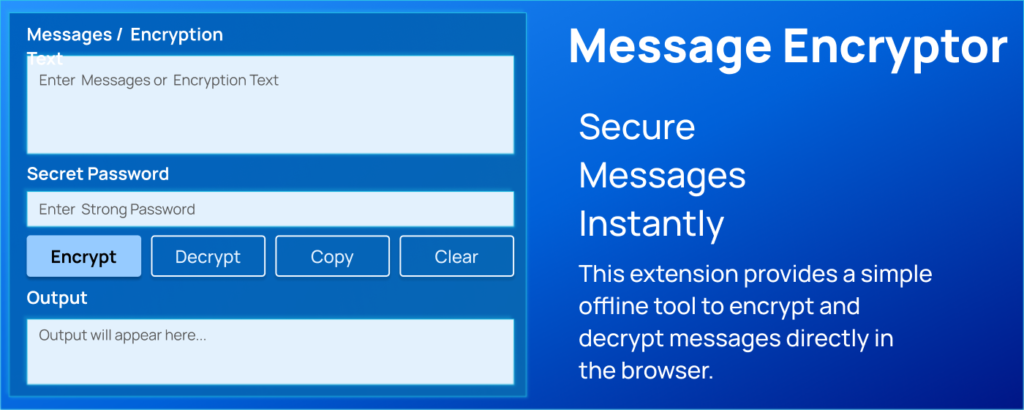
The popup design is intentionally minimal. Styled text areas and action buttons make the tool intuitive and distraction-free. Users can focus on their task without navigating complicated menus.
Simple User Flow
Using the extension is straightforward and designed for ease:
- Open the extension popup from your browser toolbar.
- Enter your plain message or encrypted text into the input field.
- Click ENCRYPT to generate secure encrypted output.
- Click Decrypt to convert encrypted text back to readable form.
- Use Copy to quickly copy the result.
- Click Clear to remove all text from both fields.
This smooth process makes encryption accessible to anyone, regardless of technical skill.
Who Can Benefit From This Tool?
This extension is ideal for:
- Freelancers sharing confidential client information
- Students discussing academic projects
- Professionals sending sensitive business data
- Individuals who value personal privacy in online chats
It adds a protective layer before sharing messages across platforms.
The Advantage of Offline Encryption
One of the strongest aspects of this extension is that it works entirely offline. Unlike web-based encryption tools, it does not rely on remote servers. This reduces the risk of data exposure and ensures full control remains with the user.
Offline tools also eliminate concerns about logging, tracking, or storing encrypted messages externally.
Final Thoughts
Privacy should not be complicated. A free Message Encryptor and Decryptor extension offers a practical way to secure online communication without technical barriers. By combining AES encryption, a user-friendly interface, and offline functionality, it empowers users to protect their conversations confidently.
In a digital world where information travels instantly, having a reliable encryption tool within reach is not just convenient. It is responsible.
This extension is designed for basic message encryption and decryption within the browser using a predefined internal secret key. While AES encryption is widely trusted, users should evaluate whether this tool meets their specific security requirements. The extension does not replace enterprise-level encryption systems or comprehensive cybersecurity solutions.
#MessageEncryption #OnlinePrivacy #DataSecurity #BrowserExtension #EncryptMessages #CyberSafety #DigitalPrivacy #SecureChats #AESencryption #PrivacyTool #ALTFTOOL #Extansion #Anslation #Carrerbook

