
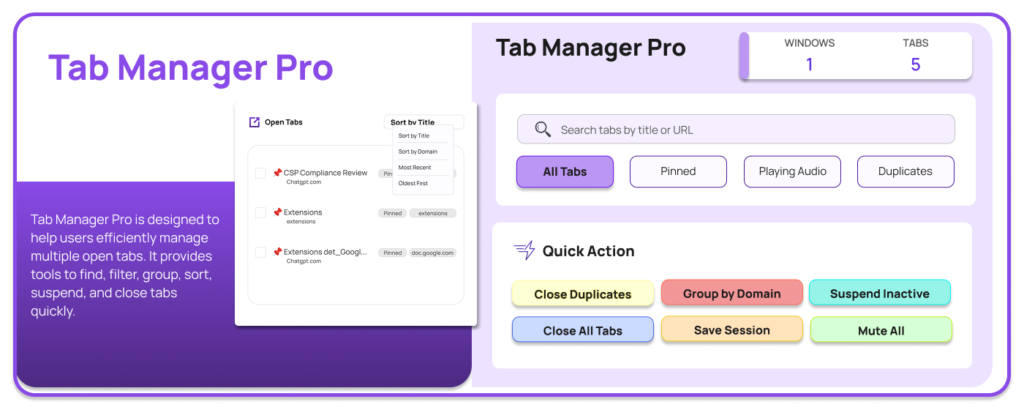
If you are someone who constantly works with multiple tabs open, you already know how quickly things can get overwhelming. Research, emails, social media, dashboards, documents — everything piles up. That is exactly where Tab Manager Pro by AltFTool steps in. It is built with one simple motive: to make tab management effortless, fast, and stress-free.
Why Tab Manager Pro Was Created
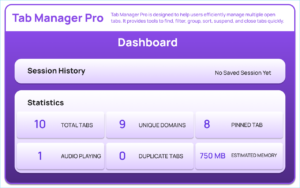
The main goal behind Tab Manager Pro is to help users efficiently manage multiple open tabs without losing focus. Instead of endlessly scrolling through tiny tab titles, this extension gives you complete control. You can find, filter, group, sort, suspend, and close tabs in seconds. It reduces clutter, detects duplicate tabs, saves sessions, and even shows useful statistics to make navigation smoother.
In short, it turns browser chaos into organized productivity.
Powerful Features That Make a Difference
One of the most practical features is Auto Suspend Inactive Tabs. Tabs that remain inactive for 30 minutes are automatically discarded using Chrome’s tab discard functionality. This helps improve browser performance and reduces memory usage.
The Full Tab Management Interface provides a clean popup dashboard where you can search, filter, and sort all your open tabs in one place. Instead of manually hunting for a specific tab, you simply type and find it instantly.
The extension also includes smart Tab Filters, allowing you to view:
- All tabs
- Pinned tabs
- Audio-playing tabs
- Duplicate tabs
Sorting options add even more flexibility. You can organize tabs by:
- Title
- Domain
- Newest
- Oldest
This makes it easier to manage large research sessions or work-related browsing.
Multi-Select and Quick Actions
Another standout feature is the Multi-Select Action system. You can select multiple tabs at once and choose to close, pin, unpin, or group them together. This saves a significant amount of time compared to handling tabs individually.
The Quick Actions panel further boosts productivity. With just one click, you can:
- Close duplicate tabs
- Group tabs by domain
- Suspend inactive tabs
- Mute all tabs
- Close all tabs
These features are especially helpful when your browser becomes overloaded and you need instant cleanup.
Save Sessions and Dashboard View
One of the most valuable features is Save Sessions. You can store your current tab session in local storage and restore it later. This is perfect for researchers, students, developers, and professionals who work on multiple projects at once.
The Dashboard View gives a broader overview. It displays saved sessions, tab statistics, estimated memory usage, and options to restore or permanently delete sessions. This adds an extra layer of control and organization.
Clean and Modern Interface
Tab Manager Pro comes with a modern, user-friendly interface. It includes a gradient background, tab list with favicons, smooth loading overlay, and notification alerts. The design is simple yet functional, ensuring you focus on productivity rather than complexity.
Final Thought
Tab Manager Pro by AltFTool is more than just a tab organizer. It is a productivity companion for anyone who works online daily. By combining automation, smart filtering, session management, and a clean interface, it transforms how you manage your browser. If tab clutter slows you down, this extension might be exactly what you need.
Frequently asked questions
Disclaimer : This blog content is created for informational purposes based on the provided documentation. Features and functionality may vary depending on updates or browser compatibility.
#TabManagerPro #AltFTool #ChromeExtension #ProductivityTools #BrowserManagement #TechTools #WorkSmarter #Carrerbook #Anslation

