

In today’s fast-paced digital world, staying on top of emails is essential. Whether you’re a professional managing client communications, a student tracking academic updates, or a business owner handling daily inquiries, constantly opening Gmail to check unread emails can be distracting and time-consuming.
Gmail Analytics is a lightweight browser extension designed to solve this problem efficiently. It allows users to monitor unread Gmail messages directly from their browser without repeatedly opening their inbox.
What Is Gmail Analytics?
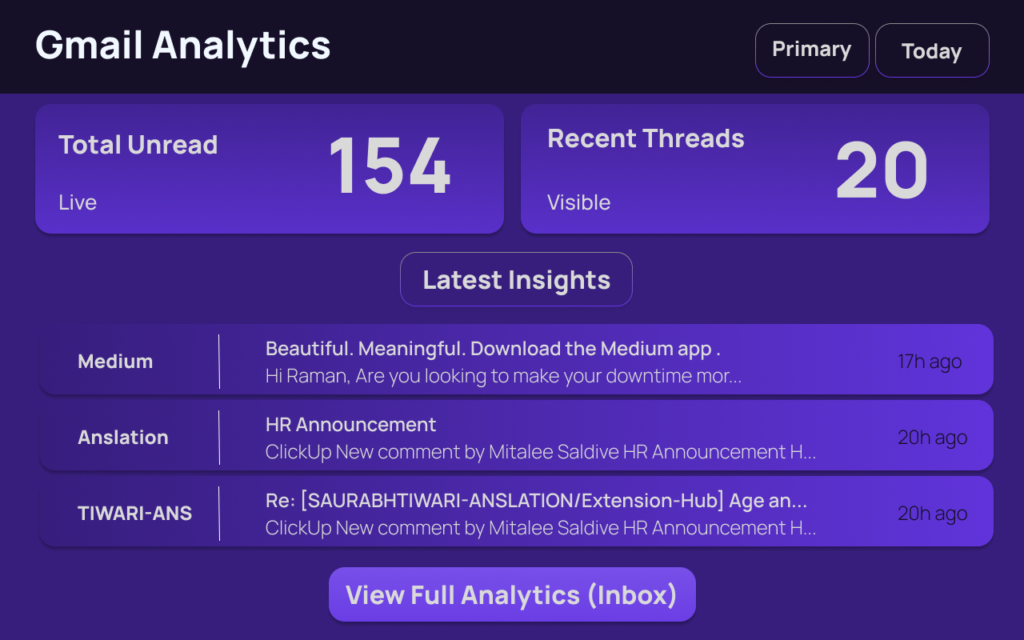
Gmail Analytics is a simple and efficient browser extension that checks your Gmail account for unread messages and displays the count directly in your browser.
Instead of switching tabs or refreshing your Gmail page multiple times a day, this extension provides real-time visibility of unread emails at a glance.
It is built for users who prefer a clean, distraction-free, and minimal interface without unnecessary features.
Key Features of Gmail Analytics
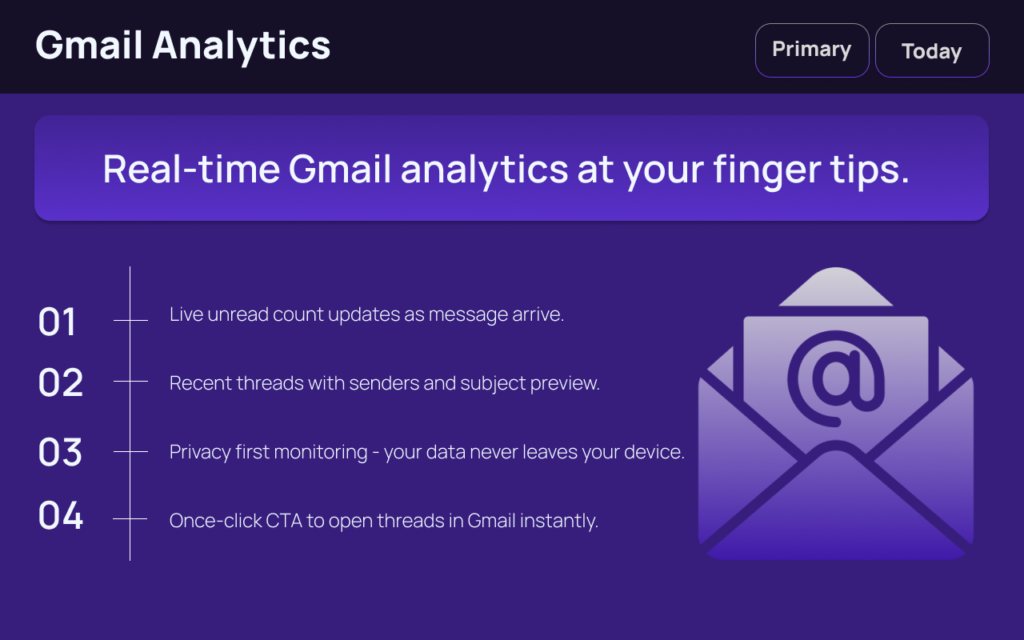
1. Checks Gmail for Unread Messages
The extension automatically connects to your Gmail account and monitors unread messages.
2. Displays Unread Email Count
You can instantly see how many unread emails you have directly from your browser.
3. Automatic Updates
The unread email count updates automatically to ensure accuracy in real time.
4. Works Directly from the Browser
No need to open Gmail repeatedly. Everything is visible from your browser toolbar.
Why You Should Install Gmail Analytics
Saves Time
Reduces the need to open Gmail frequently, helping you stay focused on your work.
Lightweight and Fast
The extension is designed to run smoothly without slowing down your browser.
Simple and Clean Interface
No clutter, no complicated dashboards—just the unread email count.
No Unnecessary Features
It focuses only on what matters: tracking unread emails efficiently.
Who Should Use Gmail Analytics?
- Professionals handling multiple client emails daily
- Students managing academic communications
- Remote workers and freelancers
- Anyone who wants quick visibility of unread Gmail messages
If you receive frequent emails and need a smarter way to track them, this extension can improve your productivity.
Privacy & Data Security
One of the most important concerns when using browser extensions is privacy.
Gmail Analytics does not collect, store, or share personal user data.
The extension only accesses the information necessary to determine the unread email count. It does not store or read email content.
This ensures users can monitor their inbox securely without compromising personal data.
Final Thoughts : Gmail Analytics is an ideal solution for users who want a fast, distraction-free way to monitor unread Gmail messages. Its simplicity, speed, and privacy-focused design make it a practical productivity tool for everyday use.
User Rating & Review
Rating: ⭐ ⭐⭐⭐⭐ 5 / 5
What Users Say:
“Gmail Analytics is incredibly simple and fast. I can check unread emails instantly from my browser without opening Gmail. It’s lightweight, distraction-free, and a real productivity booster!”
Note: This extension is new on the Chrome Web Store, so its rating may increase as more users try and review it.
Install Here: Gmail Analytics
FAQs
#GmailAnalytics #EmailProductivity #UnreadEmails #Carrerbook #Anslation #BrowserExtension #WorkSmart #AltFtool #Extension #TimeSaver #EmailManagement

