
If you want to calculate your exact age in years, months, and days without any complex formulas, the Age Calculator Chrome Extension is a very useful tool. I personally used this extension, and the result was both accurate and instant. The best part is that it’s extremely easy to use, even for beginners.
Where to Find the Age Calculator Extension
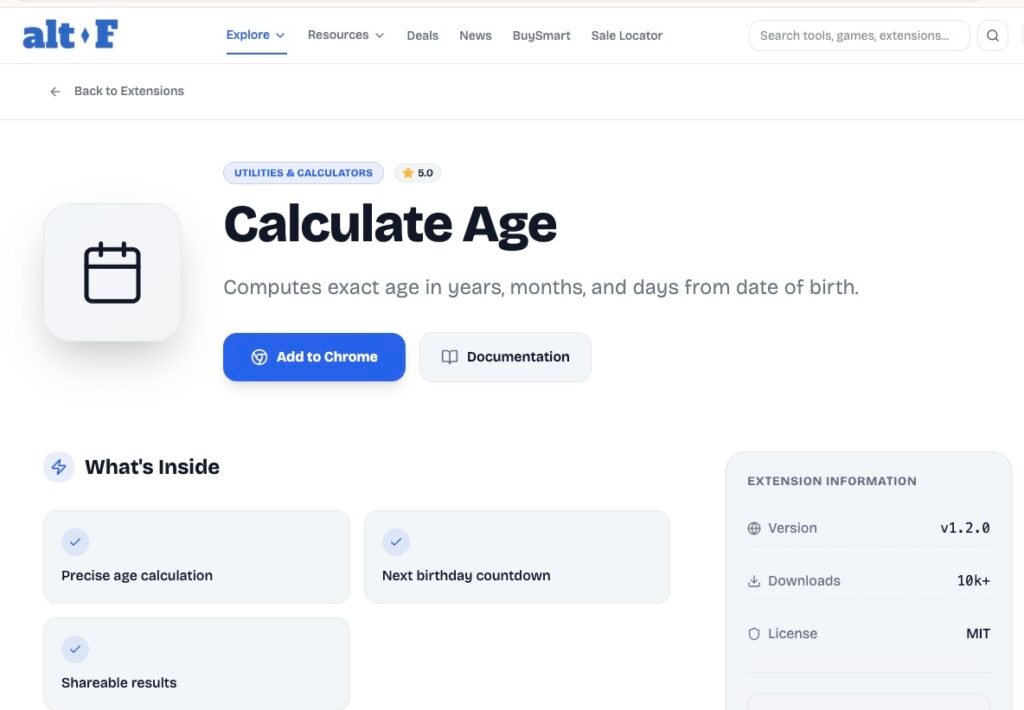
This extension is available on the ALTF Tool website. I first went to the ALTF Tool website and searched for “Age Calculator Extension.” It was easy to find thanks to the simple and clean interface.
How to Use the Age Calculator Extension – Step by Step Guide
Follow these simple steps to install and use the Age Calculator Chrome Extension:
Step 1: Search on the Website
Go to the ALTF Tool website and type “Age Calculator Extension” in the search bar to find the extension page.
Step 2: Add to Chrome
Once you locate the extension, click on the “Add to Chrome” button. The extension will be installed in your Chrome browser within a few seconds.
Step 3: Open the Extension
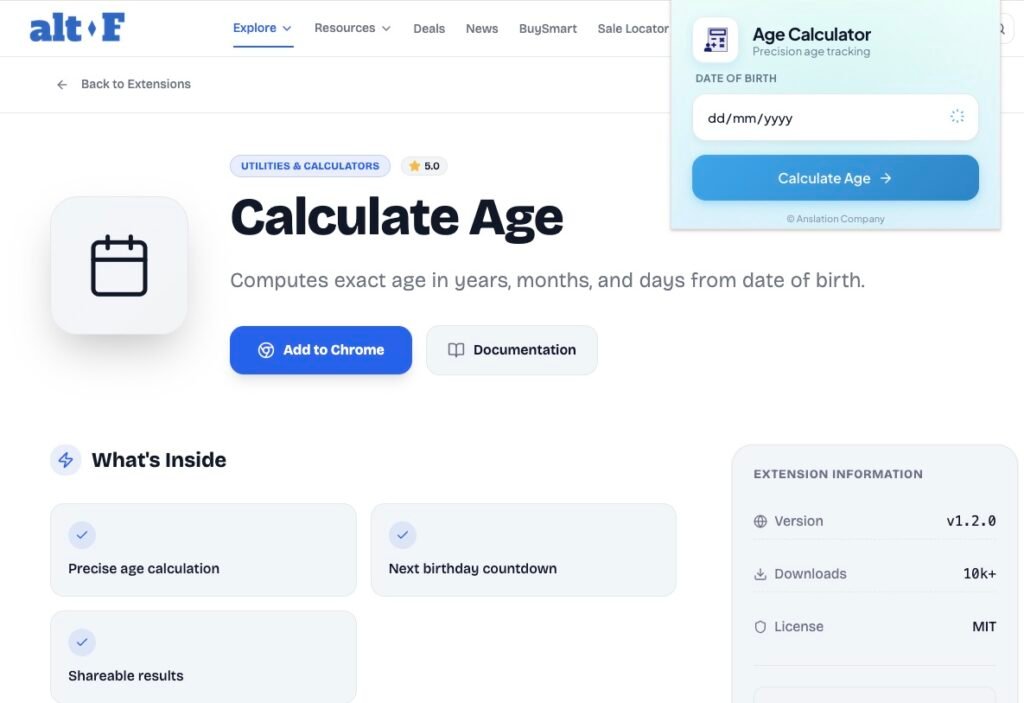
After installation, access the extension from the Chrome extensions section in your browser.
Step 4: Enter Birth Details
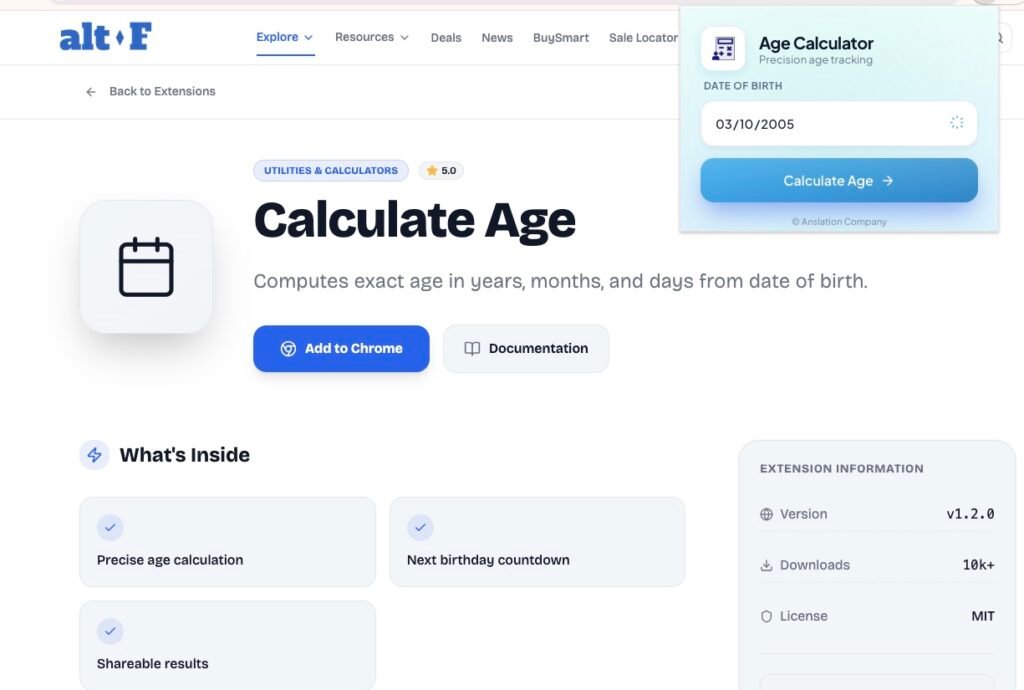
Enter the required date of birth in the provided input fields.
Step 5: Click on Calculate Age
Click the “Calculate Age” button to instantly view the exact age displayed in years, months, and days.
Personal Experience
I found this extension very useful, especially when you need to calculate the exact age for forms or documents. It’s free from unnecessary ads and has no complicated steps. Just enter your birth date, and the result appears instantly.
Whether you are a beginner or a professional, this extension can save time and effort for anyone who needs accurate age calculation.
Where Can You Use the Age Calculator Extension?
Age calculation isn’t just for curiosity—it can be directly helpful in daily life, forms, work, and personal planning. Based on my own experience using the extension, here’s how it can be useful:
Government Forms & Official Documents
The extension calculates age instantly and accurately in years, months, and days once the birth details are entered. This makes it highly useful for school admission forms, competitive exams, passport applications, and scholarship forms—any situation where an exact age is required.
School & College Admissions
The extension makes it simple to verify age eligibility. For students and teachers, this helps check minimum and maximum age criteria for admissions easily.
Job Applications & Competitive Exams
Many jobs have strict age limits. Using this extension, I could instantly check my exact age, ensuring I meet eligibility criteria without mistakes.
HR & Office Work
HR professionals can use the extension to verify employee ages quickly. From my experience, just entering a birth date gives accurate results, saving time compared to manual calculation.
Parents & Family Use
Parents can use it to track children’s age, plan vaccinations, or check school eligibility—all easily and accurately.
Event Planning & Milestones
It’s perfect for tracking birthdays, anniversaries, or retirement milestones. You can know exactly when someone turns 18, 21, or 60, which is helpful for planning events accurately.
Key Features of the Extension

- Fast and instant results
- Simple and user-friendly interface
- Accurate age calculation
- Direct access from Chrome
- No technical knowledge required
Why This Extension Is So Helpful
| Benefit | How It Helps |
|---|
| Time-Saving | Manual age calculation can lead to mistakes and takes time. This extension gives results within seconds. |
| Accurate Results | It displays age clearly in years, months, and days for a complete and precise breakdown. |
| Easy to Use | Simply enter your birth date and click on “Calculate Age” to get instant results. |
| Always Accessible | Since it’s a Chrome extension, it’s directly available in your browser—no need to search for separate websites. |
| No Technical Knowledge Required | No formulas or manual calculations are needed. Anyone can use it easily. |
Who Can Use This Extension?
One thing I really liked about this extension is that it’s not limited to just one type of user. Honestly, almost anyone can benefit from it.
- General users who simply want to know their exact age without doing manual calculations.
- Students who need to check their age eligibility for school or competitive exams.
- Teachers who want to quickly verify students’ age details.
- Parents who track their children’s exact age for admissions or vaccinations.
- Job applicants who need to make sure they meet strict age limits before applying.
- HR professionals who maintain employee records and need quick age verification.
- Government form fillers who must enter exact age without any mistakes.
- Event planners who track milestone birthdays like 18, 21, or 60.
Basically, anyone who needs to calculate their own or someone else’s exact age can benefit from this tool.
Conclusion : The Age Calculator Extension is a small but highly useful tool. It makes daily tasks faster, easier, and error-free. Especially for those who frequently fill forms or check eligibility, this extension is extremely helpful.
From my personal experience, the extension is practical, reliable, and a time-saver. Every step I shared—from installation to calculating age—shows exactly how it can make everyday life easier and more precise.
Faq
#AgeCalculator #ChromeExtension #Carrerbook #Anslation #AgeCalculatorExtension #ProductivityTools #BrowserExtensions #TimeSavingTool #OnlineTools

